OphanimFlow Bandwidth Monitoring Review
github.com · checked 11 Oct 2026
Bandwidth oversight and traffic accounting for NetFlow, IPFIX and sFlow flows, released as open source.
How it plugs in
Signal on Bandwidth Monitoring Software5.1#30 of 33
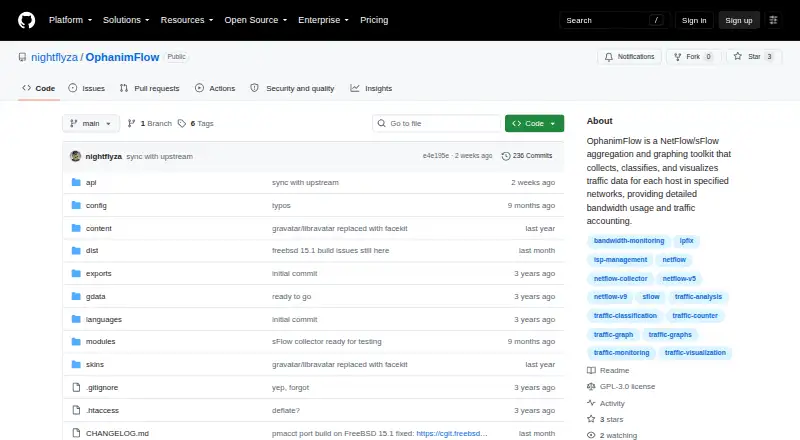
OphanimFlow is a free toolkit that gathers and prepares NetFlow, IPFIX and sFlow records. Host-level bandwidth charts and basic traffic totals are available through its web interface and REST API. It runs on Linux, FreeBSD setups listed in its README, and self-hosted systems, with API access for external applications.
Review
In a line
OphanimFlow is self-hosted software that converts network-flow records into bandwidth charts and traffic totals for individual hosts. It is available as a web application and API.
What it does
The toolkit gathers, classifies and prepares NetFlow, IPFIX and sFlow information, then presents per-host bandwidth views with basic upload and download totals.
NetFlow/IPFIX and sFlow collectors can operate concurrently while using the same network configuration and database tables. A web interface is used to configure networks and begin operation.
How it connects
OphanimFlow is open source under the GPL-3.0 license. Its REST API can return traffic graphs as PNG images, with controls for IP address, direction, time period and image size.
The gettraff endpoint reports upload and download bytes for all hosts or for a selected IP, with optional year and month parameters. No authorization is required by the documented endpoints, while ENDPOINTS_HOSTS can restrict the host IPs that receive data. The API is intended for use by external applications.
Good fit
It suits self-hosted network teams, including ISP management and bandwidth-monitoring work. It can help people visualize traffic per host and feed prepared graphs or totals into another application.
Watch for
The documented batch setup covers FreeBSD 14.4, 15.0 and 15.1, plus Debian 13.0 trixie. Check your operating system against those instructions before installation.
The setup begins with admin/demo credentials; change the password in the user profile settings. Because the API has no authorization by default, review host restrictions before exposing it.
Documented collector defaults are UDP port 42112 for NetFlow, 6343 for sFlow and a sampling rate of 100. Older data is rotated and flushed automatically, with storage reserved at 10% by default.
Pricing
OphanimFlow is free to use. The project is open source and licensed under GPL-3.0.
Verdict
Choose OphanimFlow if you want a self-managed way to turn supported flow records into host bandwidth charts, traffic totals and API-ready data without a software fee.
Look elsewhere if you need a different operating system than the documented setups, built-in API authorization, or capabilities beyond the stated graphs and basic accounting.
Our take
OphanimFlow makes sense for network operators who can run their own Linux or listed FreeBSD server and want flow-based visibility without subscription charges. Its simultaneous collectors, PNG graph endpoint and traffic-summary endpoint cover straightforward monitoring and data export. Setup requires attention to the supported release instructions, default ports and sampling rate. Security also needs planning because endpoints start without authorization and the initial credentials are predictable. Teams needing broader platform coverage or stronger built-in access controls should assess other tools before committing.
- Free software distributed under GPL-3.0
- Handles NetFlow, IPFIX and sFlow records
- Graphs bandwidth per host
- REST API supplies graph images and traffic totals
- Collectors can operate at the same time
- Documented setup covers specific FreeBSD and Debian releases
- API endpoints are accessible without authorization by default
- Initial login uses admin/demo credentials
- Automatic data rotation reserves 10% of storage
- Pick it ifSelf-hosted ISP and network bandwidth monitoring; Teams needing host-level traffic graphs and totals; Apps that can consume REST API data
- Skip it ifYou need a platform outside the documented FreeBSD or Debian setups; Your API must require authorization out of the box; You need features beyond graphs and basic traffic accounting
Pricing
OphanimFlow has no software charge and is released as open-source GPL-3.0 software. You run and maintain the self-hosted installation yourself.
Questions
What data does OphanimFlow collect?
NetFlow, IPFIX and sFlow records are collected, classified and prepared for host bandwidth charts and traffic accounting.
Can NetFlow/IPFIX and sFlow run together?
Yes. The two collector types can operate concurrently and use shared network configuration and database tables.
Does OphanimFlow have an API?
Yes. The REST API offers PNG traffic charts and upload/download totals for use by external applications.
Is API authentication required?
The documented endpoints do not require authorization. ENDPOINTS_HOSTS can limit which host IPs receive data.
Which systems have setup instructions?
Batch installation instructions are provided for FreeBSD 14.4, 15.0 and 15.1, along with Debian 13.0 trixie.
What are the default collector settings?
The listed defaults use UDP 42112 for NetFlow, 6343 for sFlow and a sampling value of 100.
What are the default login details?
Setup starts with username admin and password demo. The instructions advise changing the password in user profile settings.
How does it manage old data?
From release 0.0.5 onward, old data is rotated and flushed automatically, with 10% of storage reserved by default.
Near it
All alternatives →- MN
 ManageEngine NetFlow Analyzer#29 on this board
- NNetWorx#31 on this board
- PF
 Progress Flowmon#28 on this board
- NNNagios Network Analyzer#32 on this board
- N
 NetCrunch#27 on this board
- TSTraffic Sentinel#33 on this board
- KN
 Kentik Network Monitoring System#26 on this board
- SSparrowIQ#25 on this board
- DMDU Meter#24 on this board
- PSPlixer Scrutinizer#23 on this board