
Paperform: No-Code Forms, Payments, and Automation
paperform.co · checked 28 Sept 2026
No-code forms and product pages with payments, signatures, automation, and AI tools.
How it plugs in
Signal on Lead Capture Software6.3#8 of 70
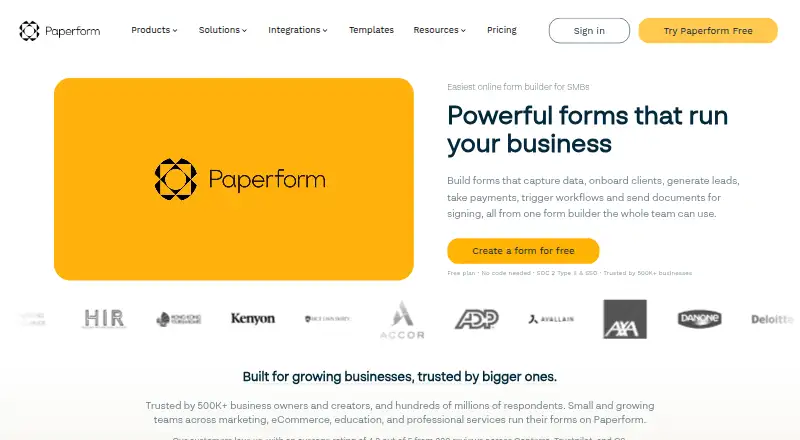
Paperform is a web-based form and product-page builder from an Australian company founded in 2016. It handles quizzes, payments, file uploads, e-signatures, workflow automation, calculations, and AI-assisted form creation. Forms can be embedded or published as pages, while respondents can use them on mobile. Form building and editing take place on a desktop or laptop.
Review
In a line
Paperform provides customizable forms and product pages through an online, no-code service. It runs on the web and offers an API on selected plans.
What it does
You can build forms for quizzes, payments, uploads, signatures, and automated workflows. Conditional logic and calculations can change what people see or calculate results.
Its AI features can produce a styled form from a prompt or convert a PDF or image into one; other tools generate formulas and inspect submitted data. Forms, Papersign e-signatures, and Stepper workflow automation come with every plan.
How it connects
Respondents can use Paperform through external embeds, standalone pages, WordPress, and responsive layouts. The service links to over 2,000 apps via direct integrations, Zapier, and Make, and accepts payments through Stripe, Square, PayPal Business, or Braintree.
Pro, Business, and Enterprise include the Standard API, while Business and Enterprise also provide Business API endpoints. Paperform is offered on the web and through its API, with no App Store or Google Play app. See form API software and online form builders for related categories.
Good fit
Paperform is used by small and growing teams in marketing, eCommerce, education, and professional services. It can handle lead capture, product pages, payments, and internal workflows without code.
Every plan permits unlimited forms and imposes no per-form field limit. Seats and users are unlimited across plans, except that Essentials includes one user.
Watch for
A desktop or laptop is required to create or edit forms, and there is no mobile editor or native mobile app. Each subscription also has a daily submission ceiling of 10,000.
The Free plan keeps Paperform branding and limits monthly submissions, signed documents, automation credits, and upload storage. Paperform's fair use policy applies to unlimited usage. Check API access, workspace counts, storage, and submission allowances before choosing a plan.
Paperform states that it is GDPR and SOC 2 Type II compliant, with roles, permissions, data residency, privacy controls, SSO, and access management.
Pricing
Free is $0 forever. It includes 30 submissions per month, three signed documents per month, 5,000 automation credits per month, 100 MB of upload storage, unlimited users, and Paperform branding that cannot be removed.
Essentials costs $29/month and includes unlimited forms, one user, 1,200 submissions per year, 240 payment submissions per year, and 1 GB of storage. Pro is $588/year, billed annually, with unlimited submissions and users, 25 signed documents per month, 20,000 automation credits, 10 GB storage, and removable branding.
Business is $1,488/year, billed annually, adding 100 signed documents per month, 100,000 automation credits, 100 GB storage, and 10 workspaces. Enterprise uses custom pricing and can include unlimited submissions, documents, storage, workspaces, custom automation credits, SLAs, and local data residency. Paid plans have a seven-day trial without a credit card. Prices are in USD and exclude sales taxes.
Verdict
Paperform is a practical choice when a team needs forms and product pages alongside payments, signatures, automation, and app connections. Its unlimited-form policy and responsive respondent experience fit organizations running many different forms.
The main trade-offs are desktop-only editing, the daily submission cap, and plan-specific limits on storage, documents, credits, workspaces, and API features. The Free plan is suitable for light use if permanent branding is acceptable. Growing teams should compare annual Pro or Business costs with their usage, while larger organizations may need Enterprise security, data residency, or service agreements.
Our take
Choose Paperform if you want one web service for customizable forms, product pages, payments, e-signatures, and automated steps, with broad app connections and optional API access. It fits teams that need many forms or unlimited seats, but plan limits still matter for storage, documents, automation credits, workspaces, and API features. Avoid it if your staff must build forms from phones or tablets, or if a 10,000-submission daily ceiling conflicts with your workload. The Free plan works for small volumes when Paperform branding is acceptable.
- No-code forms and product pages with quizzes, payments, uploads, and signatures
- Over 2,000 app connections through direct integrations, Zapier, and Make
- Unlimited forms on every plan with no per-form field limit
- Responsive forms for mobile respondents and multiple embed options
- AI tools for form creation, formulas, and submission analysis
- Form building and editing require a desktop or laptop
- Free plan branding cannot be removed
- Every plan has a hard cap of 10,000 submissions per day
- API access depends on the Pro, Business, or Enterprise plan
- Free plan limits submissions, documents, credits, and storage
- Pick it ifTeams building many forms, product pages, or payment flows; Marketing, eCommerce, education, and professional services; Organizations needing signatures and workflow automation
- Skip it ifYou need to create or edit forms on a mobile device; You need more than 10,000 submissions in a day; You require API features on a lower-cost plan
Pricing
Pro and Business use annual billing at $588 and $1,488 respectively; Enterprise is custom-priced. Paid plans include a seven-day trial, and listed prices are in USD before sales tax.
- FreeFree forever · 30 submissions/month · unlimited users · 3 signed documents/month · 5,000 automation credits/month · 100 MB upload storage · Paperform branding not removableFree
- EssentialsMonthly billing · Unlimited forms · 1 user · 1,200 submissions/year · 240 payment submissions/year · 1 GB upload storage$29/mo
- ProMonthly billing · Unlimited forms · 3 users · 12,000 submissions/year · 3,000 payment submissions/year · 10 GB upload storage$49/mo
- BusinessMonthly billing · Unlimited forms · 5 users · 120,000 submissions/year · 30,000 payment submissions/year · 100 GB upload storage$124/mo
- Pro$588.00 per year (= $49.00/month, billed annually) · Unlimited submissions · unlimited users · 25 signed documents/month · 20,000 automation credits/month · 10 GB upload storage · branding removable$588/yr
- Business$1,488.00 per year (= $124.00/month, billed annually) · Unlimited submissions · unlimited users · 100 signed documents/month · 100,000 automation credits/month · 100 GB upload storage · branding removable$1,488/yr
- EnterpriseUnlimited submissions · unlimited users · unlimited signed documents · custom automation credits · unlimited upload storage · SLA and local data residency availableOn request
As paperform.co lists them, checked 28 Sept 2026.
Questions
Does Paperform have a free plan?
Yes. The Free plan costs $0 forever and includes 30 submissions per month, three signed documents per month, 5,000 automation credits per month, 100 MB storage, and Paperform branding.
Can people complete Paperform forms on phones?
Yes. Respondents can view and submit responsive forms on mobile devices, but creating or editing them requires a desktop or laptop.
Which payment services work with Paperform?
Payment collection works with Stripe, Square, PayPal Business, and Braintree.
How many integrations does Paperform have?
Paperform reports connections to over 2,000 apps and software through direct integrations, Zapier, and Make.
Which plans include the Paperform API?
The Standard API is included with Pro, Business, and Enterprise. Business API endpoints are available on Business and Enterprise.
Is there a Paperform mobile app?
No. Paperform says it has no app in Google Play or Apple's App Store.
Does Paperform offer a trial?
Paid subscriptions come with a seven-day free trial and do not require a credit card.