Passman: Password Storage for Nextcloud and ownCloud
github.com · checked 3 Oct 2026
A self-hosted password manager that works with Nextcloud and ownCloud.
How it plugs in
Signal on Password Managers6.6#26 of 104
Passman stores credentials in vaults within a Nextcloud or ownCloud server that you operate. Encryption happens on the user’s device, and the app includes credential sharing, custom fields, and one-time password generation. You can access it through a browser, Android app, or browser extension. Setup requires a compatible self-hosted instance, so check compatibility before choosing it.
Review
In a line
Passman is an open-source, no-cost tool for managing credentials on a Nextcloud or ownCloud server under your control.
What it does
Passman organizes credentials into multiple vaults. It applies 256-bit AES encryption on the client, while vault keys are kept from the server. Passman’s maker also notes that server-side encryption adds another layer.
Tools for credentials include custom fields, a password-strength analyzer, and a built-in one-time password generator. Sharing can be between users or by link, subject to administrator settings.
How it connects
Passman runs with Nextcloud or ownCloud and can be reached on the web, Android, and through browser add-ons. Its maker lists Firefox, Chrome, and Safari versions of the extension. Android downloads are offered through Google Play, IzzyOnDroid, and F-Droid.
Passman’s REST API v2 documents vault, credential, and authentication functions, but the reference is noted as slightly out of date. The interface lets users export vaults as CSV or JSON with the vault password. Import support for KeePass, LastPass, DashLane, ZOHO, Clipperz.is, EnPass, and ocPasswords remains experimental.
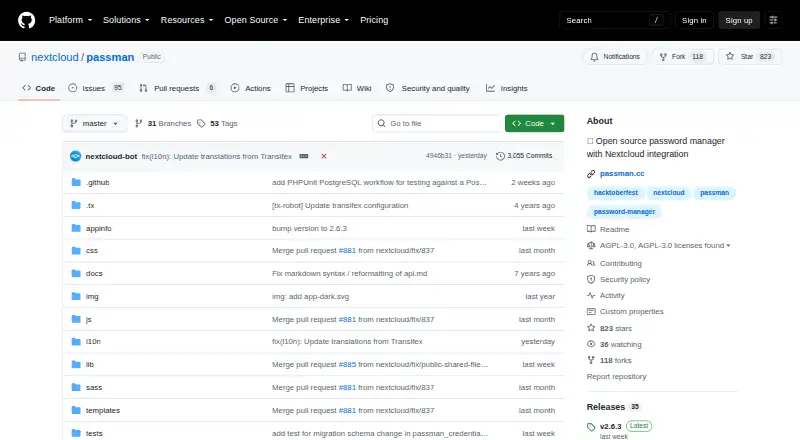
Passman is distributed under the AGPL-3.0 license. Supported database choices listed by the project include SQLite, MySQL or MariaDB, and PostgreSQL. The project wiki gives installation options through the Nextcloud app store, an archive, or Git.
Good fit
Passman may suit people who prefer to keep password storage on their own Nextcloud or ownCloud server instead of using a hosted manager. Multiple vaults, custom fields, password tools, and sharing address common credential-management needs.
Watch for
Running Passman depends on having a Nextcloud or ownCloud instance. The Nextcloud app listing identifies version 2.6.3 on the stable channel for Nextcloud 34 and 35, so check the listing against your setup.
Imports are experimental, and the API reference is described as slightly outdated. Administrators may disable credential sharing, and Passman has no passkey support.
Pricing
Passman is available at no cost as open-source software; no paid tiers or usage caps are stated.
Verdict
Choose Passman if retaining credentials on your own Nextcloud or ownCloud server matters to you and you’re willing to manage that environment. It costs nothing and provides multiple vaults, sharing, credential tools, Android access, and browser extensions.
Look elsewhere if passkey support is essential or you lack a compatible self-hosted instance. Before moving an existing password collection, check Nextcloud compatibility and bear in mind that imports are experimental.
Our take
Passman could work well for people already using Nextcloud or ownCloud who want their password storage on infrastructure they administer. It costs nothing and supports credential sharing, several access methods, and tools for one-time passwords and password strength. It is less suitable than a hosted password service for people who do not want to run an instance; it also lacks passkey support and has experimental imports. Check compatibility with your Nextcloud version before deciding.
- Open-source software available at no cost.
- Stores credentials within an instance of Nextcloud or ownCloud that you host.
- Encrypts credentials on the client using 256-bit AES.
- Offers several vaults, sharing, and custom credential fields.
- Supports Android and browser extensions.
- Depends on a self-managed Nextcloud or ownCloud instance.
- Does not support passkeys.
- Password imports are experimental.
- The documented API reference is slightly outdated.
- Administrators may turn off sharing.
- Pick it ifPeople who want password storage on a Nextcloud or ownCloud server they manage.; Users who need multiple credential vaults and sharing.
- Skip it ifYou need passkey support.; You would rather not operate a Nextcloud or ownCloud instance.; You need a well-established import path for existing credentials.
Pricing
Passman is available at no cost as open-source software; no paid tiers or usage caps are stated.
- Free and open sourceNo paid plan or usage limits statedFree
As passman.cc lists them, checked 3 Oct 2026.
Questions
Is Passman free?
Yes. It is open-source software available at no cost, with no paid tiers or usage caps stated.
Where does Passman keep passwords?
Vaults are stored on the Nextcloud or ownCloud instance you run, and vault keys are not transmitted to the server.
What platforms are available for Passman?
Passman provides web access, an Android app, Firefox, Chrome, and Safari extensions, and self-hosted Nextcloud use.
Can I share credentials with other people?
Yes. Sharing can be internal or by link, but administrators may disable it.
Can Passman import passwords from another manager?
Import options are experimental and include KeePass, LastPass, DashLane, ZOHO, Clipperz.is, EnPass, and ocPasswords.
Does Passman support passkeys?
No, Passman does not support passkeys.
What encryption does Passman use?
The client encrypts credentials with 256-bit AES. Passman’s maker also describes an extra server-side encryption layer.
Near it
All alternatives →- C
 Codebook#25 on this board
- S
 SplashID#27 on this board
- I
 iSenhas#24 on this board
- AAuthPass#28 on this board
- MmSecure#23 on this board
- MPMartchus Password Manager#29 on this board
- HHypervault#22 on this board
- KPKaspersky Password Manager#30 on this board
- SP
 Securden Password Vault#21 on this board
- PD
 Password Depot#31 on this board