
PDF.co: PDF Conversion and Automation APIs
Artifex Software, Inc. · checked 15 Oct 2026
Low-code PDF APIs for converting, editing, extracting, and automating document workflows.
How it plugs in
Signal on HTML to PDF APIs5.9#11 of 41
PDF.co is a web and REST API platform for PDF conversion, editing, extraction, generation, and workflow automation. It connects with automation services such as Zapier, Make, and Power Automate, and offers API documentation and examples. Annual subscribers pay from $8.99 per month; a 30-day trial is available, but there is no free plan.
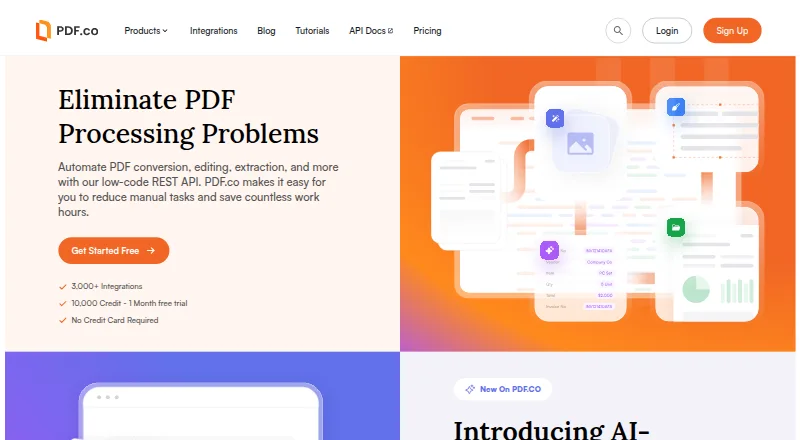
Review
In a line
PDF.co is a low-code service for automating PDF and document workflows through a web interface or REST API. It handles conversion, editing, extraction, generation, and related tasks.
What it does
The platform converts PDFs to formats such as JSON, CSV, text, Excel, XML, HTML, and images. It also turns documents, spreadsheets, emails, web pages, and images into PDFs.
Its feature set includes editing and form completion, PDF merging and splitting, report creation, compression, signatures, security functions, and barcode scanning or generation. Document Parser can pull fields, tables, values, and barcodes from PDFs, JPGs, and PNGs using reusable templates.
AI Invoice Parser extracts structured invoice data without vendor-specific templates and accepts custom fields. Asynchronous jobs support status polling when document processing takes longer.
How it connects
PDF.co provides a public REST API over HTTPS. Documentation includes examples for cURL, JavaScript, Python, C#, Java, PHP, PowerShell, and VB.NET, along with API references, quickstarts, webhooks, credit tables, and a Postman collection.
Connectors are available for Zapier, Make, n8n, Microsoft Power Automate, Google Apps Script, Salesforce, Pabbly Connect, Airtable, SharePoint, UiPath, Blue Prism, Bubble, and Zoho Flow. An MCP server lets AI assistants and copilots call parsing, conversion, and extraction functions.
Files can be supplied by URL, and API request bodies are limited to 4 MB. PDF.co also documents a Ghostscript option for conversion and compression on your own infrastructure, so files need not reach its cloud.
Good fit
PDF.co suits teams automating document-heavy work through an API or low-code connectors. It is useful for converting files, extracting invoice or document data, filling forms, and managing PDF batches.
Compression can be configured with low, medium, high, or aggressive presets, together with controls for images, fonts, resolution, and quality.
Watch for
There is no free plan. Usage consumes credits by endpoint, and some operations charge per page while others charge per call; PDF merge is listed at 2 credits per page and AI invoice parsing at 100 credits per call.
At the beginning of each billing period, subscription credits are refreshed; any remainder is forfeited. Generated links expire after one hour by default, although expiry can be set from one minute to 24 days. Check request limits and credit needs before choosing a plan.
PDF.co says it uses AWS in the us-west-2 Oregon region. Its listed AI Invoice Parser subprocessors include OpenAI, Google Gemini, Langfuse, and New Relic. Security controls include TLS, encryption at rest, log redaction, IP allowlists, expiring links, and user-controlled AES encryption.
Pricing
PDF.co is paid software with a 30-day trial that includes 10,000 credits, an API key, and no credit card requirement. There is no free plan.
Basic is $8.99 a month, billed annually as $119.88; Personal is $22.49 a month, billed annually as $299.88; Business 1 is $44.99 a month, billed annually as $599.88; Business 2 is $89.99 a month, billed annually as $1,199.88; and Business 3 is $270 a month, billed annually as $3,599.98. The pricing page also shows lower annual figures of $107.89, $269.89, $539.89, $1,079.89, and $3,239.98 respectively.
Those plans provide 16,500, 37,000, 80,500, 159,850, and 483,000 credits per month. Each includes full API access and unlimited output. Enterprise is price on request for more than 500,000 credits per month, with customized advanced features and priority support.
Verdict
Choose PDF.co if your workflow needs many PDF operations behind an API or automation connector, especially conversion, extraction, invoice parsing, or compression. Its self-hosted Ghostscript option may suit files that must stay on your infrastructure.
Look elsewhere if you need a free tier, rollover credits, or a simple flat-cost tool without endpoint-based credit calculations. Confirm regional hosting, subprocessors, request limits, and annual billing before committing.
Our take
PDF.co is a practical choice for teams that need programmable PDF and document processing rather than a standalone editor. Its broad conversion and extraction endpoints, automation integrations, and low-code approach cover varied workflows. The 30-day trial helps estimate credit use, but there is no ongoing free plan and unused subscription credits expire each cycle. Buyers handling sensitive files should review the AWS region, listed subprocessors, link-expiry settings, and available self-hosted Ghostscript path. It is less suitable for occasional users who want a simple free PDF utility.
- REST API with examples, documentation, webhooks, and a Postman collection
- Connectors for Zapier, Make, Power Automate, and other workflow tools
- Converts PDFs and other files across many document and image formats
- AI invoice parsing accepts custom fields without vendor-specific templates
- Self-hosted Ghostscript option for conversion and compression
- No free plan; ongoing use requires a paid subscription
- Endpoint-based credit charges apply, and unused credits expire at cycle end
- API request bodies are limited to 4 MB
- Generated links expire after one hour by default
- Annual billing figures and displayed annual prices differ
- Pick it ifTeams automating PDF conversion and extraction; Workflows using REST APIs or low-code connectors; Invoice and document parsing at recurring volume
- Skip it ifYou need a free plan or rollover credits; You want a basic PDF editor without API or credit accounting; Your files cannot use the documented hosting and subprocessors
Pricing
A 30-day trial includes 10,000 credits with no card required, but there is no free plan. Credits refresh with each billing cycle, and unused amounts expire.
- Basicannually as $119.88 $107.89 · 16,500 credits/month · 60-minute link expiry · full API access · unlimited output · secured data · advanced security$8.99/mo
- Personalannually as $299.88 $269.89 · 37,000 credits/month · 60-minute link expiry · full API access · unlimited output · secured data · advanced security$22.49/mo
- Business 1annually as $599.88 $539.89 · 80,500 credits/month · 60-minute link expiry · full API access · unlimited output · secured data · advanced security$44.99/mo
- Business 2annually as $1,199.88 $1,079.89 · 159,850 credits/month · 1,440-minute link expiry · full API access · unlimited output · secured data · advanced security$89.99/mo
- Business 3annually as $3,599.98 $3,239.98 · 483,000 credits/month · 1,440-minute link expiry · full API access · unlimited output · secured data · advanced security$270/mo
- EnterpriseMore than 500,000 credits/month · everything in Business 3 · customized advanced features · priority supportOn request
As pdf.co lists them, checked 15 Oct 2026.
Questions
Does PDF.co have a free plan?
No. PDF.co has paid plans and offers a 30-day trial with 10,000 credits, an API key, and no credit card requirement.
What platforms does PDF.co support?
It runs through a web interface and REST API. Documentation also describes a self-hosted Ghostscript option for conversion and compression.
Which automation tools integrate with PDF.co?
PDF.co connects to Zapier, Make, n8n, Microsoft Power Automate, Google Apps Script, Salesforce, Airtable, SharePoint, UiPath, Blue Prism, Bubble, and Zoho Flow.
How are PDF.co credits charged?
Credits are charged by API endpoint. Some operations count pages, while others count calls; PDF merge is 2 credits per page and AI invoice parsing is 100 credits per call.
Can PDF.co parse invoices?
Yes. AI Invoice Parser extracts structured invoice data without vendor-specific templates and supports custom fields.
Where is PDF.co hosted?
Its security documentation says the service is hosted on Amazon AWS in the us-west-2 Oregon region.
Can files avoid PDF.co's cloud?
For conversion and compression, PDF.co documents a Ghostscript solution that runs on a customer's own infrastructure.
Near it
All alternatives →- HDHTMLPDF.dev#10 on this board
- CBCloudflare Browser Rendering#12 on this board
- DC
 DynamicPDF Cloud API#9 on this board
- DDocuQueue#13 on this board
- PAPDF API#8 on this board
- KKimiDoc#14 on this board
- D
 DocRaptor#7 on this board
- PDPDF4.dev#15 on this board
- APAnvil PDF Generation API#6 on this board
- CHCloudConvert HTML to PDF API#16 on this board