PinePods Review
pinepods.online · checked 4 Oct 2026
Run PinePods yourself and use its clients to keep podcast listening in sync across devices.
How it plugs in
Signal on Podcast apps7.3#6 of 55
PinePods is a free podcast server you run yourself, with web, desktop, mobile, API, and server options. It handles subscriptions, search, video podcasts, transcripts, offline downloads, and cross-device sync. You can also follow YouTube channels as audio podcasts. Multiple users, custom feeds, imports, notifications, and several sync services are included.
Review
In a line
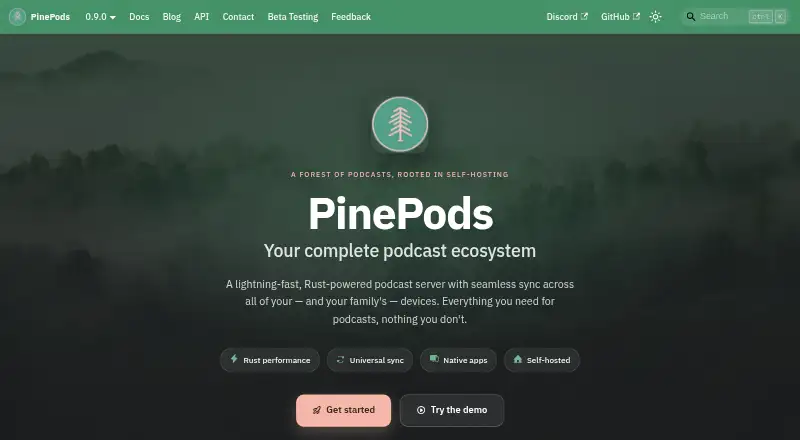
PinePods is a Rust-powered podcast server that you host yourself, with clients for web, desktop, mobile, and other platforms. Your listening data can sync across those clients.
What it does
Podcast subscriptions and show searches are available through Podcast Index and iTunes. You can also subscribe to YouTube channels and get their audio delivered as podcast episodes.
It supports video podcasts, episode transcripts, offline downloads, playback-speed controls, and start or end cutoffs for individual podcasts. Listening position, subscriptions, settings, and themes can sync between devices.
Multiple users can have separate libraries. Custom RSS feeds and OPML import and export help move or share subscriptions.
How it connects
PinePods runs on the web, Windows, macOS, Linux, iOS, and Android. It also offers an API and a self-hosted server. The web, desktop, and mobile clients use the API and sign in with API keys.
A built-in gpodder server is included, while external gpodder servers and Nextcloud gpodder sync are also supported. Release alerts work through ntfy and gotify. Multi-factor authentication and OpenID Connect are listed for account security.
Deployment instructions cover Docker Compose and Kubernetes with Helm. PinePods stores settings, podcasts, and episodes in MySQL or Postgres.
Good fit
PinePods suits people who want to run their own podcast service and keep one library across phones, computers, and a browser.
It is useful when you need YouTube channel subscriptions as audio, offline listening, transcripts, custom feeds, separate user libraries, or gpodder and Nextcloud syncing.
Watch for
PinePods is self-hosted, so the listed plan is tied to running your own server. Its documentation names MySQL or Postgres as database choices.
The public demo is for temporary testing; demo accounts may be deleted. For device-support requests or issue reports, the maker points users to Discord and GitHub.
Pricing
The PinePods plan is free, with all features listed at zero cost for self-hosted use.
Verdict
Choose PinePods if you want a no-cost podcast server you control, broad client coverage, and syncing across devices. Its support for YouTube audio, video podcasts, transcripts, custom feeds, and multiple users adds flexibility.
Skip it if you do not want to run a self-hosted server or need a permanent hosted service instead of a temporary demo. Check the supported database, deployment method, and device support channels before setting it up.
Our take
PinePods is a sensible choice for listeners or households that want their podcast library on their own server. It covers everyday listening, offline use, video and transcript support, and cross-device continuity without a subscription charge. Running it requires a server that supports Docker Compose or Kubernetes plus a MySQL or Postgres database. Its temporary demo can help with a short trial, but it is not a lasting hosted account. People seeking a ready-made service with no server work should look elsewhere.
- Free self-hosted plan with all listed features
- Apps and clients for web, desktop, mobile, API, and server use
- Syncs subscriptions, settings, themes, and listening position
- Supports YouTube audio downloads, video podcasts, and transcripts
- Includes gpodder, Nextcloud sync, custom feeds, and OPML tools
- Running PinePods requires your own server
- Demo accounts may be deleted
- Database setup uses MySQL or Postgres
- Device-support requests go through Discord or GitHub
- Pick it ifPeople who want to run a podcast library on their own server; Households needing separate libraries and shared device syncing; Listeners who follow podcasts and YouTube channels
- Skip it ifYou want a permanent hosted account with no server setup; You need a database or deployment option outside those documented
Pricing
PinePods has one listed plan: PinePods, free at zero cost for self-hosted use. All listed features are included.
- PinePodsAll features at zero cost · self-hostedFree
As pinepods.online lists them, checked 4 Oct 2026.
Questions
Is PinePods free?
Yes. The PinePods plan costs zero and includes all listed features for self-hosted use.
Which devices can use PinePods?
PinePods supports web, Windows, macOS, Linux, iOS, Android, an API, and a self-hosted server.
Can PinePods download episodes for offline listening?
Yes. Offline downloads are supported.
Does PinePods support YouTube?
Yes. You can subscribe to YouTube channels and receive their audio-only downloads as podcast episodes.
What can PinePods sync?
It can sync listening position, settings, themes, and subscriptions across devices.
Which databases does PinePods use?
Its documentation lists MySQL and Postgres for storing user settings, podcasts, and episodes.
Is the PinePods demo permanent?
No. The public demo is for testing, and demo accounts may be deleted.