
Pinin AI Photo Restoration Review
pinin.ai · checked 19 Oct 2026
AI photo restoration that colorizes, sharpens, and repairs old or damaged images.
How it plugs in
Signal on AI Image Enhancers6.3#11 of 28
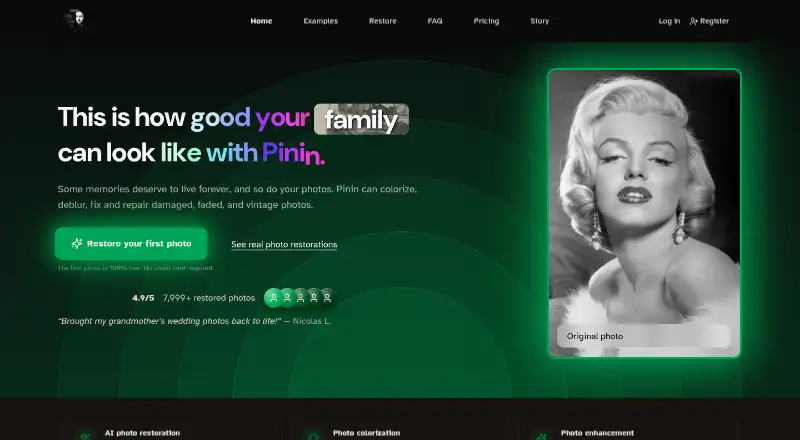
Pinin is a web and API service for restoring photos. It colorizes, sharpens, denoises, upscales, removes blur and scratches, and adjusts white balance. You can process single images or batches of up to 1,000 files. A free plan provides one restoration, while some paid plans add monthly credits and commercial rights.
Review
In a line
Pinin is an AI photo restoration service for faded, damaged, vintage, and low-resolution pictures. It runs on the web and through an API.
What it does
The service can colorize images, sharpen details, reduce noise, increase resolution, remove blur, correct white balance, clear scratches, and enhance faces. Its model is intended to retain facial structure, expressions, and distinctive features rather than create new faces.
You can upload one picture or a folder of images. Batch mode accepts folders or ZIP files, applies shared settings, tracks progress, and handles up to 1,000 images. Most restorations take about 30 seconds to two minutes. Supported formats include JPEG, PNG, TIFF, WebP, BMP, RAW, and other common image types.
How it connects
Pinin has a public API for adding restoration to apps, websites, and workflows. It documents SDKs for Python, JavaScript, PHP, and other languages, including a package named pinin-sdk. The API supports webhooks, sandbox testing, and up to 8x resolution increases.
API and webhook access is limited to Enterprise. Individual plans do not directly connect to Google Drive, Dropbox, or social media. Pinin is proprietary software, not open source. Its privacy policy lists Stripe and Google Analytics among third-party providers.
Good fit
Pinin suits people preserving family photos, memories, and pictures of loved ones who have died. It also targets photographers, agencies, genealogy services, and archives that need batch processing.
Giotto, Botticelli, and Da Vinci include commercial licenses. Business customers can also get white-label options and API access, with Enterprise adding team accounts, bulk uploads, webhooks, and a dedicated account manager.
Watch for
Results depend on the source image's resolution, damage, compression, and lighting. Pinin does not guarantee perfect restoration, exact colors, or historical accuracy. Deep gouges, missing sections, and heavily flaked emulsion cannot be recovered automatically; heavy mold may need another pass.
Uploaded and processed images are retained for 30 days unless deleted sooner. Pinin says photos are not sold or used to train AI, and describes the service as GDPR- and CCPA-compliant. Dissatisfaction with an AI result is generally not refundable, although technical failures, downtime, and billing errors may qualify for refunds or credits.
Credits are charged per photo per engine. Using colorization and scratch removal on one image therefore uses two credits. Pinin recommends scanning at 600 DPI, or 1,200 DPI for small detailed originals, and saving scans as PNG or TIFF.
Pricing
The Free plan costs free and includes one free restoration at maximum quality, low queue priority, personal use, and no watermark. There is no free trial.
A credit package costs $5.99 one-time for five credits, or about $1.20 per photo, for personal use. These credits expire after one year. Giotto costs $12 a month billed annually for 30 monthly restorations and 30-photo batches. Botticelli costs $32 a month billed annually for 100 monthly restorations and 50-photo batches. Da Vinci costs $72 a month billed annually for 400 monthly restorations and 100-photo batches.
Enterprise starts at $299 a month and includes 1,000 or more monthly credits, unlimited bulk upload, team accounts, API and webhook support, one-month credit rollover, custom invoicing, and a dedicated account manager. Subscription credits reset each billing cycle; refill credits last 12 months.
Verdict
Choose Pinin if you need focused restoration tools, batch handling, or a way to add photo repair to a product through an API. The free option lets you assess one result, and some paid plans cover personal and commercial work.
Look elsewhere if you need direct cloud-drive integrations on an individual plan, open-source software, guaranteed historical accuracy, or automatic recovery of severely missing image areas. API users must choose Enterprise, and image retention and third-party processing should be reviewed before uploading sensitive photos.
Our take
Pinin is a sensible option for restoring personal collections and for businesses processing many images. Its tools cover common repair jobs, and the batch limits increase across the paid plans. The free restoration provides a low-cost starting point. However, difficult physical damage may remain, results are not guaranteed to be historically accurate, and individual plans lack direct cloud-storage connections. Organizations that need automation through webhooks or an API must budget for Enterprise, while privacy-conscious users should consider the stated 30-day file retention and listed service providers.
- Free plan includes one max-quality restoration with no watermark.
- Handles batch folders or ZIP files, up to 1,000 images.
- Supports colorization, sharpening, denoising, upscaling, and scratch removal.
- API offers webhooks and up to 8x resolution on Enterprise.
- Giotto, Botticelli, and Da Vinci include commercial licenses.
- API and webhooks are restricted to Enterprise customers.
- Severe gouges, missing areas, and heavy flaking cannot be recovered automatically.
- Results vary and are not guaranteed to be historically accurate.
- Individual plans have no direct Google Drive, Dropbox, or social integrations.
- Uploaded and processed images are retained for 30 days unless deleted sooner.
- Pick it ifPeople restoring family and vintage photo collections; Studios, archives, and genealogy services processing batches; Teams adding restoration through an Enterprise API
- Skip it ifYou need open-source software or direct cloud-drive integrations on an individual plan.; Your images have large missing sections or severe physical damage.; You require guaranteed colors or historical accuracy.
Pricing
Free includes one restoration.
- Free1 free restoration · max quality · low queue priority · personal use · no watermarkFree
- Credit package5 credits · $1.20 per photo · personal use only · credits expire after one year$5.99 one-time
- Credit package (5 credits)5 credits · one credit equals one photo · no monthly subscription$5.99 one-time
- Giotto — Personalbilled annually · 30 monthly restorations · 30-photo batch limit · high-quality processing · email support (48-hour response) · commercial license$12/mo
- Botticelli — Professionalbilled annually · 100 monthly restorations · 50-photo batch limit · ultra-high quality · priority support (24-hour response) · commercial license · 10% top-up discount$32/mo
- Da Vinci — Studiobilled annually · 400 monthly restorations · 100-photo batch limit · highest processing priority · account manager · commercial license · 10% top-up discount$72/mo
- Enterprisefrom · 1,000+ monthly credits · unlimited bulk upload · team accounts · webhooks and API support · dedicated account manager · one-month credit rollover · custom invoicing$299/mo
As pinin.ai lists them, checked 19 Oct 2026.
Questions
Does Pinin have a free plan?
Yes. The Free plan includes one restoration at maximum quality, low queue priority, personal use, and no watermark. There is no free trial.
What image formats does Pinin accept?
Pinin lists JPEG, PNG, TIFF, WebP, BMP, RAW, and other common image formats.
Can Pinin process whole albums?
Yes. Batch mode accepts folders or ZIP files, tracks progress, and processes up to 1,000 images with shared settings.
How are credits counted?
One credit is charged per photo per engine. Applying colorization and scratch removal to one photo uses two credits.
Does Pinin offer an API?
Yes, but API and webhook access is restricted to Enterprise customers. The API supports SDKs, sandbox testing, webhooks, and up to 8x resolution increases.
How long does Pinin keep photos?
Uploaded and processed images are retained for 30 days unless you delete them sooner. Pinin says photos are not sold or used to train AI.
Can Pinin repair heavily damaged photos?
Deep gouges, missing areas, and heavily flaked emulsion cannot be recovered automatically. Heavy mold may require another pass, and results are not guaranteed.
Near it
All alternatives →- HAHotpot AI Photo Restorer#10 on this board
- VIVanceAI Image Denoiser#12 on this board
- PPhotoApp#9 on this board
- MI
 Media.io Gemini Photo Enhance#13 on this board
- YP
 YouCam Perfect#8 on this board
- RRemini#14 on this board
- P
 Palette#7 on this board
- VI
 VanceAI Image Enhancer#15 on this board
- DA
 DaVinci AI Photo Restoration#6 on this board
- HHueFold#16 on this board