pip Python Package Installer Review
pip.pypa.io · checked 5 Oct 2026
Add Python software from PyPI and other package repositories.
How it plugs in
Signal on Package Managers7.2#8 of 93
pip brings Python packages into an environment from PyPI, alternate indexes, version-control URLs, local project directories, and source archives. It runs on Linux, macOS, and Windows, resolves dependencies, supports lockfiles and requirements files, and can install offline. pip is free and commonly arrives with Python or virtual environments.
Review
In a line
For Python environments, pip provides package installation.
It downloads packages from PyPI and other locations and places them in a Python environment.
What it does
You can install packages from indexes, Git, Mercurial, Subversion, and Bazaar repositories, as well as local project folders and source archives. pip handles dependency resolution, so required packages can be installed together.
A requirements file can define an entire environment for pip to install. The install command also offers a report option that generates a JSON record of what pip installed.
How it connects
pip works with source distributions and wheel files. Package indexes, local project directories, and local or remote source archives are available, including for offline installation.
For private indexes, pip supports basic HTTP login, .netrc credentials, and configured keyring entries. Lockfiles and requirements files help record or repeat an environment. See Python package managers for related tools.
Good fit
Python users on Linux, macOS, or Windows can use pip to add libraries or applications to an environment. It is useful for installing a set of dependencies from a requirements file or from a package source.
Watch for
The current release supports CPython 3.10–3.15 and the latest PyPy3. Maintainers do not support other operating systems or Python versions.
By default, pip does not verify whether a remote package was tampered with. Hash-checking mode and binary-only installs provide stricter alternatives. The standalone zip application is experimental and should not be used in production environments.
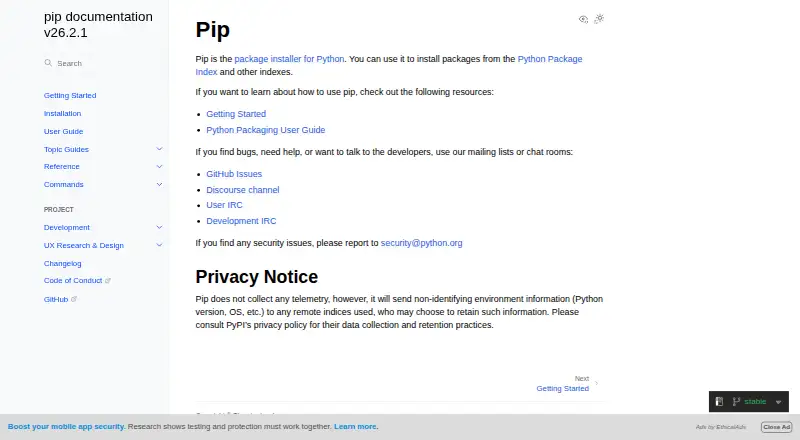
pip collects no telemetry, yet it sends non-identifying environment information, including Python version and operating system, to the remote indexes it contacts.
Pricing
pip is free. The documentation lists no paid plans or usage limits. There is no free trial because the software itself is already free.
Verdict
Choose pip if you need the standard way to install Python packages from public or private sources, repeat an environment from a requirements file, or work offline. Its broad source support and dependency handling cover common package tasks.
Check Python and operating-system compatibility first, and plan extra safeguards if package integrity matters. Avoid relying on the experimental standalone zip application for production deployments.
Our take
pip is a sensible choice for installing Python software across Windows, macOS, and Linux, especially when a project already uses requirements files or package indexes. It also accommodates private registries, local projects, source archives, and several version-control systems. Verify that your Python release is in the maintained range, then determine whether hash checking or binary-only installs are appropriate. The lack of a paid tier keeps costs simple, but pip does not provide default remote-tampering checks and its standalone zip option is not for production.
- Free to use with no paid plans stated
- Available on Linux, macOS, and Windows
- Accepts indexes, repositories, local projects, and archives
- Resolves dependencies and supports lockfiles
- Supports offline installation and private registry authentication
- Maintainers support only specific Python versions and operating systems
- Remote tampering is not checked by default
- Standalone zip application is experimental and not for production
- Sends non-identifying environment details to remote indexes
- Pick it ifPython users installing packages across supported desktop platforms; Projects that define environments with requirements files; Teams using private indexes or offline installs
- Skip it ifYou need support for an operating system or Python version outside the maintained range; You require default remote-tampering checks without extra setup; You want to use the standalone zip app in production
Pricing
pip is free, with no paid plans or usage limits stated. There is no separate trial.
- pipNo paid plans or usage limits are stated on the opened documentation pagesFree
As pip.pypa.io lists them, checked 5 Oct 2026.
Questions
What is pip used for?
pip places Python packages in an environment using PyPI, other indexes, version-control URLs, local project directories, or source archives.
Which systems does pip support?
The current release works on Windows, Linux, and macOS. Supported Python runtimes include CPython 3.10 through 3.15 and the latest PyPy3.
Can pip install packages without internet access?
Yes. pip supports offline installation when the needed package files are available locally.
Can pip use private package registries?
Yes. It supports basic HTTP authentication, .netrc credentials, and credentials stored in a configured keyring.
Does pip check package security by default?
No. pip does not verify remote tampering by default; hash-checking mode and binary-only installs offer a more secure installation approach.
Is pip free?
Yes. pip is free, and the documentation pages state no paid plans or usage limits.