PlayCanvas: 2D/3D Web Engine Review
playcanvas.com · checked 27 Sept 2026
A web-based 2D and 3D engine for browser games, AR, multiplayer projects, and interactive 3D content.
How it plugs in
Signal on Game Engine Software7.1#12 of 92
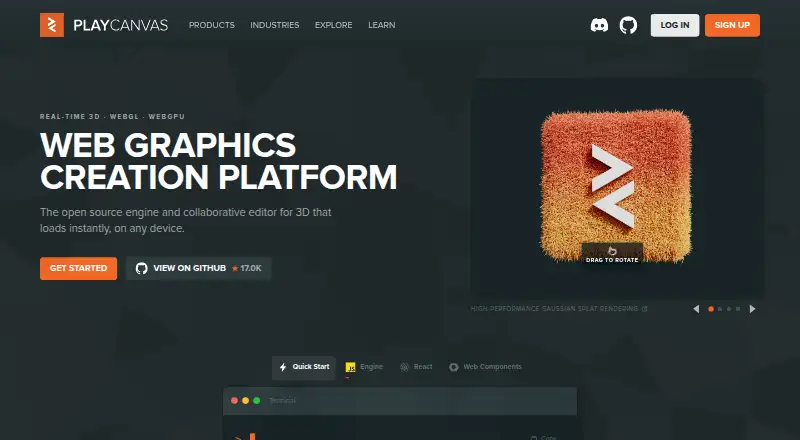
PlayCanvas is a web platform and open-source 2D/3D engine for building browser games and other interactive experiences. It supports WebGL2, WebGPU, WebXR, JavaScript, visual scripting, multiplayer tools, and team workflows. A free plan offers unlimited public projects and 1GB of storage; paid plans add private projects and more storage.
Review
In a line
PlayCanvas provides a 2D and 3D engine that runs on the web for interactive projects. The engine's source is published on GitHub with an MIT license.
What it does
You can build browser games, browser casino games, collaborative education experiences, and other interactive 3D projects. The platform supports visual scripting, built-in testing, multiplayer tools, and JavaScript scripting.
WebGL2 and WebGPU are supported, including compute shaders. It also provides tools to edit, optimize, and render 3D Gaussian Splats.
How it connects
PlayCanvas runs on the web and supports workflows through its visual editor, npm, React, and HTML Web Components. Its GitHub source is MIT-licensed, with source-control and multiplayer capabilities available.
Built-in WebXR works with 8th Wall and Zappar integrations. Targets include WebGL2, WebGPU, WebXR, browsers, mobile devices, and VR headsets. See Game Engine Software and Game Development Software for related categories.
Good fit
PlayCanvas suits individuals and teams making browser-first games or interactive 3D work. It can also fit AR projects, multiplayer experiences, and education projects that run in a browser.
Organization subscriptions provide team management and unlimited private projects, while the free engine provides complete PlayCanvas Engine access.
Watch for
Free accounts include 1GB of storage and unlimited public projects. Private projects are available on paid plans; they become locked if a subscription is canceled, although published apps remain unaffected.
The platform is web-based and uses JavaScript for scripting. Personal and Organization subscriptions renew monthly, so check storage needs, project privacy, and billing before choosing a plan.
Pricing
The no-cost plan provides unlimited public projects, public teammates, free app hosting, and 1GB of storage. It also gives users full access to the PlayCanvas Engine.
Personal costs $15 a month and includes unlimited private projects and 10GB of storage. Organization costs $50 a month and includes unlimited private projects, team management, and 50GB of storage.
Paid subscriptions run for at least one month, renew monthly, and can be canceled at any time. Personal and Organization plans can be trialed through an account upgrade code.
Verdict
Choose PlayCanvas if your projects need to run in browsers and you want WebGL2, WebGPU, or WebXR support with a visual workflow. The free plan is useful for public work and includes the complete engine.
Budget for a paid plan when you need private projects, more than 1GB of storage, or organization-level team management. Review the cancellation rule carefully because private projects lock after a subscription ends.
Our take
PlayCanvas is a practical choice for browser-focused 2D and 3D development. Its open-source engine and support for npm, React, and HTML Web Components give teams several ways to build. The free plan removes an upfront cost for public projects, while Personal and Organization plans cover private work and larger storage needs. It may be a poor match if your project requires private storage on the free plan or if monthly automatic renewal does not fit your purchasing process.
- The free tier provides complete access to the PlayCanvas Engine
- Free accounts allow unlimited public projects
- Support covers WebGL2, WebGPU, and WebXR
- Engine source is available under the MIT license
- Organization subscriptions provide team management
- Free accounts have 1GB of storage
- Private projects lock after subscription cancellation
- Paid plans renew automatically each month
- Scripting uses JavaScript
- Pick it ifBrowser games and interactive 2D or 3D projects; AR, multiplayer, and collaborative education experiences; Teams needing private projects and shared management
- Skip it ifYou need private projects while staying on the free plan; You need more than 1GB of free storage; Monthly automatic renewal is unsuitable
Pricing
Free plan available. Personal is $15 a month; Organization is $50 a month. Paid plans renew monthly, require at least one month, and can be canceled anytime.
- Freebilled monthly · 1GB storage · Unlimited public projectsFree
- PersonalPayment automatically taken monthly · 10GB storage · Unlimited private projects$15/mo
- OrganizationPayment automatically taken monthly · 50GB storage · Unlimited private projects$50/mo
As playcanvas.com lists them, checked 27 Sept 2026.
Questions
Is PlayCanvas free?
Yes. The free plan provides the complete PlayCanvas Engine, unlimited public projects, public teammates, free app hosting, and 1GB of storage.
How much do paid PlayCanvas plans cost?
Personal costs $15 a month. Organization costs $50 a month.
What happens to private projects after cancellation?
Private projects become locked when a subscription is canceled. Published apps are not affected.
Does PlayCanvas support WebXR?
Yes. WebXR is included, along with integrations for 8th Wall and Zappar.
What programming language does PlayCanvas use?
PlayCanvas uses JavaScript for scripting. Workflows can also use npm, React, or HTML Web Components.
Is the PlayCanvas engine open source?
Yes. Its platform source is hosted on GitHub under the MIT license.
Can teams collaborate in PlayCanvas?
Organization subscriptions offer team management and unlimited private projects. Multiplayer tools are also supported.