
Portainer container and Kubernetes management
portainer.io · checked 15 Oct 2026
Self-hosted web control for Kubernetes and container environments.
How it plugs in
Signal on GitOps Tools7.7#1 of 35
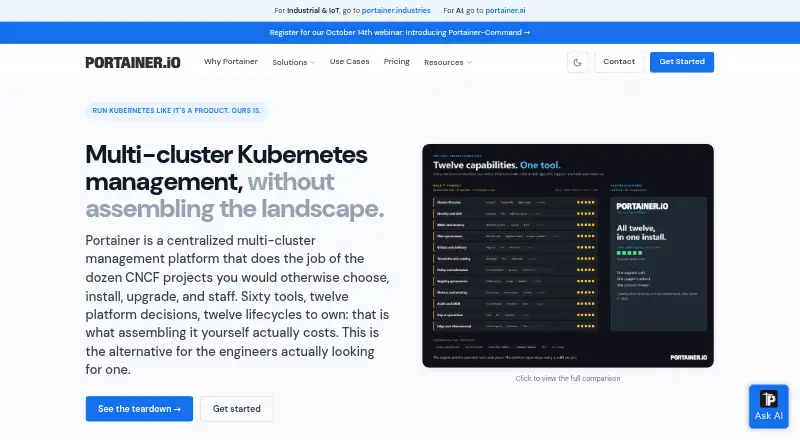
Portainer is a self-hosted control plane for managing Kubernetes clusters and container environments from a web interface. It supports Docker, Docker Swarm, Podman and Azure ACI, with centralized multi-cluster management, Git-based deployments, access controls and an HTTP REST API. Community Edition is open source, while Business Edition adds organization-focused controls and support.
Review
In a line
Portainer is a self-hosted platform that manages Kubernetes clusters and container environments through a graphical web interface.
What it does
The console manages container workloads, images, networks, volumes and application stacks without requiring direct use of command-line tools, YAML or manifests.
It can govern multiple Kubernetes clusters across EKS, AKS, GKE, bare-metal and on-premises setups. Git-based deployments support automatic updates, webhooks, environment promotion and rollback workflows.
Kubernetes tools include workload, volume and network management, kubeconfig imports, rolling restarts, resource quotas and pod-security constraints. Portainer also supports cluster provisioning through Talos Omni.
How it connects
Portainer works with Kubernetes, Docker, Docker Swarm, Podman and Azure ACI. It supports Helm-chart deployments and container image registries, including Azure Container Registry.
An HTTP REST API can automate interface actions or proxy requests to Docker and Kubernetes APIs. Per-user access tokens use the X-API-Key header and follow each account's permissions. Versioned API references, a Terraform provider and the portainerctl utility are available.
Community Edition is open source under the zlib license. Business Edition uses a proprietary commercial license. Portainer Server and Agent run as containers on customer infrastructure, including on-premises, cloud and disconnected edge environments.
Good fit
Community Edition suits home users and hobbyists who want a free, open-source way to manage container environments. Business Edition is aimed at businesses and organizations managing several environments.
Teams can use role-based access, LDAP or OAuth sign-in, Active Directory synchronization, SSO templates, authentication and activity logs, plus Syslog export. Business features also include fleet policies, drift remediation, policy deployment and centralized management.
The platform fits users who prefer a web console over direct command-line work and need centralized control across container or Kubernetes environments.
Watch for
Portainer is self-hosted, so you deploy and maintain it on your own Docker or Kubernetes infrastructure. The server needs persistent storage for its database and configuration; Git deployments may use substantial disk space because repositories are cloned locally.
The standard server interface and API use TCP 9443. The optional Edge Agent tunnel uses 8000, and the Agent uses 9001; installation can change these ports. Portainer recommends HTTPS, trusted certificates, a non-default administrator name and a VPN instead of public exposure.
Some advanced Kubernetes manifests and custom resources may exceed the web interface's capabilities. Reviewers also report limited Docker-volume backup support, dated container-log tools and weak failed-deployment notifications.
Pricing
Business Edition has a free tier for up to three nodes, with full features, no credit card and no time limit. A Home & Student plan costs $155 a year, billed yearly, for up to 15 nodes and non-commercial personal use only; companies cannot use it.
Starter costs $1,045 a year, billed annually, for 5, 10 or 15 nodes, with community support and up to 16 vCPUs per node. Scale costs $2,095 a year, billed annually, for 5 to 25 nodes, with 9x5 next-business-day support, onboarding and up to 24 vCPUs per node.
Enterprise pricing is on request and supports 32 to unlimited vCPUs per node, production and non-production nodes, prioritized 9x5 support with a 24/7 option and an assigned support engineer. Starter and Scale node counts stay fixed during the term; Enterprise allows additions mid-term. Enterprises can request a 45-day free trial license for 15 nodes.
Verdict
Choose Portainer if you want one self-hosted web console for Docker or Kubernetes environments, especially when several clusters, user roles or policy controls matter. Community Edition is a free, open-source option for home users and hobbyists, while Business Edition adds governance and support options.
Look elsewhere if your work depends on advanced Kubernetes manifests or custom resources that need direct kubectl control, or if built-in volume backups and richer failure alerts are essential. Check node limits, support coverage, storage needs and network exposure before selecting a paid plan.
Our take
Portainer makes sense for people who need centralized management of Docker, Kubernetes or related container systems without relying on command-line tools for every task. Its open-source Community Edition is a practical starting point for personal use, while paid plans add identity controls, governance policies and support. The main trade-offs are self-hosting responsibility, plan-specific node limits and a web interface that may not cover advanced Kubernetes work. Organizations should also review storage, port access and security setup before deployment.
- Web interface manages several container environments
- Centralized multi-cluster Kubernetes governance
- Open-source Community Edition is available
- REST API, Terraform provider and portainerctl
- Business plans include access and policy controls
- Self-hosting requires your own infrastructure and storage
- Advanced Kubernetes resources may need kubectl
- Starter and Scale node counts are fixed during the term
- Reviewers cite weak backup and failure-notification tools
- Pick it ifHome users managing containers; Organizations governing multiple clusters; Teams wanting web-based container administration
- Skip it ifYou need deep support for advanced Kubernetes manifests and custom resources; You require built-in Docker-volume backups and strong failure alerts; You cannot operate self-hosted infrastructure
Pricing
Free Business Edition supports up to 3 nodes with full features and no time limit. Home & Student is $155 a year for personal non-commercial use. Starter is $1,045 a year, Scale $2,095 a year, and Enterprise is priced on request. A 45-day, 15-node enterprise trial is available.
- Business Edition free tierup to 3 nodes · no credit card · full features · no time limitFree
- Home & Studentper year · up to 15 nodes · non-commercial personal use only · Community Support · not available to companies$155/yr
- Starterbilled annually · 5, 10, or 15 nodes · community support · up to 16 vCPUs per node · online purchase only$1,045/yr
- Scalebilled annually · 5 to 25 nodes · 9x5 next-business-day support · up to 24 vCPUs per node · vendor onboarding · reseller availability$2,095/yr
- Enterprisepriced for your organization · 32 to unlimited vCPUs per node · production and non-production nodes · prioritized 9x5 support with 24/7 option · assigned support engineer · security assessment report · TAA compliance certificateOn request
As portainer.io lists them, checked 30 Sept 2026.
Questions
Is Portainer open source?
Community Edition is open source under the permissive zlib license. Business Edition uses a proprietary commercial license.
What environments does Portainer support?
It supports Kubernetes, Docker, Docker Swarm, Podman and Azure ACI, with registry and Helm-chart deployment support.
Does Portainer have a free plan?
Yes. Business Edition's free tier covers up to three nodes, includes full features, needs no credit card and has no time limit.
Can Portainer manage multiple Kubernetes clusters?
Yes. It provides centralized management across clusters running on EKS, AKS, GKE, bare metal and on-premises infrastructure.
Does Portainer provide an API?
Yes. Its HTTP REST API automates interface operations and can proxy Docker or Kubernetes API requests. Access uses per-user X-API-Key tokens.
Where does Portainer run?
Portainer Server and Agent run as containers on customer infrastructure, including Docker or Kubernetes deployments in on-premises, cloud and disconnected edge settings.
What support comes with paid plans?
Scale includes 9x5 next-business-day support. Enterprise includes prioritized 9x5 support, with a 24/7 option and an assigned support engineer.