Praisenter Review
praisenter.org · checked 7 Oct 2026
Open-source church presentation software offered at no cost for worship services.
How it plugs in
Signal on Church Presentation Software6.6#3 of 35
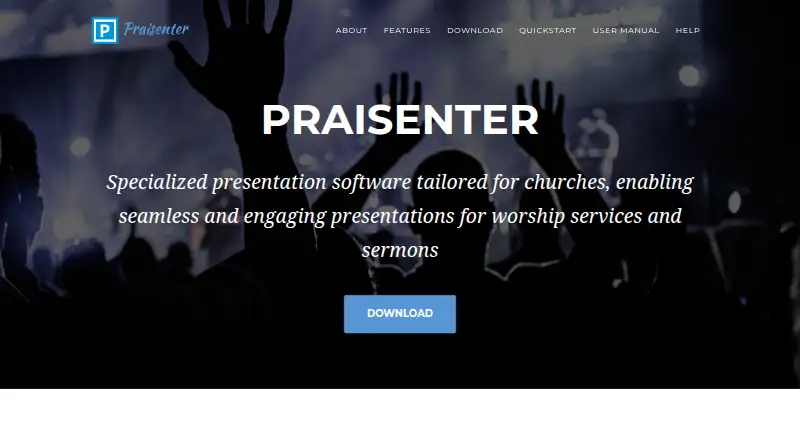
Praisenter provides churches with open-source presentation tools at no charge. It puts Scripture, lyrics, images, video, custom slides, and notices on one or more screens. Windows, Linux, and macOS are supported. Workspaces hold content and settings on the local computer rather than uploading them or syncing between devices.
Review
In a line
Designed for church and worship presentations, Praisenter is open-source software available free of charge. Windows, Linux, and macOS are supported.
What it does
Bible passages, lyrics, photos, videos, bespoke slides, and notification overlays can all be shown. Slide elements include wording, backgrounds, dates, countdowns, images, and animations.
Each attached screen may receive its own material, subject to the video outputs available on the computer. Features include stage display, media playback, text scaling, slide queuing, Bible search, and bulk editing for Bibles and songs.
Two language or version columns can show Bible text and lyrics together. Separate workspaces group Bibles, lyrics, videos, pictures, settings, and other assets for different services or events.
How it connects
Praisenter is open source. Hundreds of media formats can be brought in and converted to an optimized form as part of import; users can adjust or disable that conversion.
OpenLyrics, ChordPro, SongSelect, and ChurchView are available for lyric imports. An NDI network output carries video and audio to tools such as OBS, and the manual describes adding an NDI display.
The privacy policy places presentation content and configuration on local storage. It does not upload to the cloud, synchronize across devices, or create remote backups.
Good fit
Praisenter suits small to medium-sized churches that need church presentation software for verses, lyrics, media, and service slides.
It can work well for teams that need multiple local workspaces, side-by-side language or version display, and separate output for several screens.
Watch for
Minimum specifications in the manual are Windows 10 x64 or Ubuntu 22.04 x64, 4 GB or more of memory, a recent multicore processor, and two or more video outputs.
The default package contains just a small selection of slide templates, one sample Bible, and sample song lyrics, so additional material may be necessary. The manual also notes that Praisenter does not offer complete feature parity with other options.
It is supplied on an as-is basis, without a guarantee or warranty. For assistance, the maker points users to the manual, GitHub discussions, and the known issues list.
Pricing
The software may be used free of charge, without registration, a sign-up, a trial period, feature limits, device caps, or restrictions on user numbers.
Verdict
Choose Praisenter if your church wants open-source software that keeps presentation data on its own computers and supports lyrics, Scripture, media, and multi-screen output.
Check the hardware requirements and your needed features first. Churches that require a larger built-in asset library or full feature parity with other presentation products may need to consider other options.
Our take
Praisenter is a sensible option for small or medium churches seeking presentation software without a license fee. It covers Scripture, lyrics, media, custom slides, notifications, and multiple displays, while keeping workspaces local. Its open-source model and broad import support may appeal to teams managing their own content. Before choosing it, confirm that your computers meet the stated requirements, that you have enough video outputs, and that its smaller set of default assets and incomplete feature parity fit your services.
- No charge for any use, with neither registration nor user-count limits
- Windows, Linux, and macOS versions are available
- Handles Bible passages, lyrics, media, and custom slides
- Different material can be routed to multiple displays
- Workspaces and settings remain on the local computer
- At least two video outputs are part of the minimum specification
- The included templates and sample material are limited
- Cloud synchronization and remote backups are unavailable
- The manual notes incomplete feature parity with other options
- Provided without a guarantee or warranty
- Pick it ifSmall to medium churches running local worship presentations; Teams needing lyrics, Scripture, media, and multi-screen output; Users seeking open-source software without a license charge
- Skip it ifYou need cloud synchronization, cross-device access, or remote backups; Your computer lacks the listed memory, processor, or video outputs; You require complete feature parity with other presentation software
Pricing
Praisenter carries no fee for any use. Registration and sign-up are unnecessary, and there is no trial period, restricted feature set, device cap, or user-count limit.
- Free100% free for any use · no registration or sign-up · no trial period or limited feature setFree
As praisenter.org lists them, checked 7 Oct 2026.
Questions
How much does Praisenter cost?
There is no charge to use Praisenter. No registration or sign-up is needed, and the offering has neither a trial period nor a limited feature set.
Which computers can run Praisenter?
Windows, Linux, and macOS are supported. The manual lists Windows 10 x64 or Ubuntu 22.04 x64, at least 4 GB of memory, a recent multicore CPU, and at least two video outputs as minimum requirements.
What can Praisenter display?
The software presents Bible passages, lyrics, pictures, video, custom slides, and notification overlays. Slide designs may contain text, backgrounds, dates, countdowns, images, and animations.
Can it show different content on different screens?
Yes. Material can be assigned separately to each display, with the possible screen count limited by the computer's available video outputs.
Does Praisenter work with OBS?
Yes. An NDI network output can carry Praisenter's video and audio to applications such as OBS.
Where does Praisenter store presentation data?
Presentation content and configuration remain in local workspaces on the computer. Cloud uploads, cross-device synchronization, and remote backups are not used.
Which song formats can it import?
Lyric imports accept OpenLyrics, ChordPro, SongSelect, and ChurchView. The importer also handles hundreds of media formats and can optimize them as they are brought in.