
Prisma Access review
paloaltonetworks.com · checked 21 Oct 2026
Cloud-delivered security for users, apps, devices, and data at remote and branch locations.
How it plugs in
Signal on Secure Web Gateway Software6.0#3 of 31
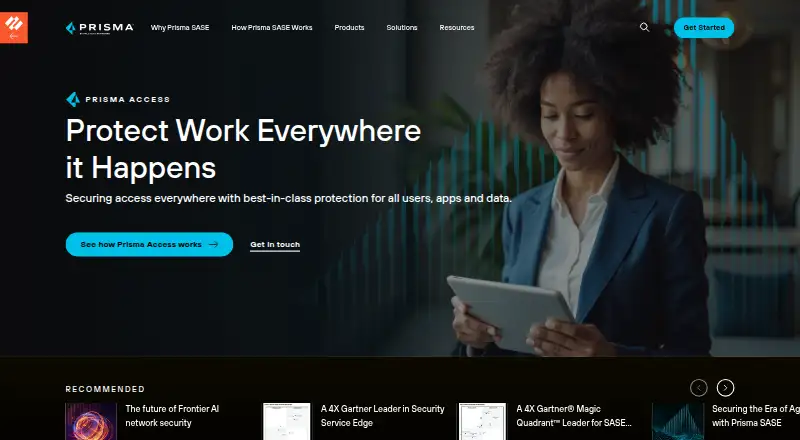
Prisma Access brings together secure web and private-app access with network security delivered from the cloud. It supports remote and branch users and offers controls for web threats, SaaS use, and sensitive data. Organizations can manage it in Panorama or Strata Cloud Manager; the choice must be made before setup. Pricing is on request, and deployments with Prisma Agent need a Mobile User subscription.
Review
In a line
Prisma Access is delivered from the cloud to secure users, applications, devices, and data at remote and branch locations.
What it does
It can grant users limited access to applications based on identity, device condition, and context. Its secure web gateway guards against online threats, while SaaS controls offer visibility and apply policies to sensitive data.
The service also includes a cloud-based firewall with threat prevention and application controls. Remote Browser Isolation keeps browsing sessions separate from user devices and networks. Prisma Agent gives users secure connections to organizational networks, SaaS apps, and the internet, while carrying organizational security policies onto their devices.
How it connects
Prisma Access supports authentication services such as Cloud Identity Engine, SAML, TACACS+, RADIUS, LDAP, Kerberos, MFA, and local database authentication. Other documented companion services include Panorama, Strata Cloud Manager, Prisma SD-WAN, and SaaS Security.
Administrators use either Panorama or Strata Cloud Manager. That selection is made before setup and cannot be changed afterward. Public APIs are available for both management options. Prisma Access is proprietary, not open source.
Prisma Agent is available for Windows, macOS, Linux, iOS, and Android, subject to platform-specific requirements. The product also lists Android, iOS, Linux, macOS, web, and Windows support.
Good fit
It may suit organizations that need to protect remote and branch users and provide controlled access to private applications, SaaS, and the web. Firewall, web gateway, and SaaS capabilities are delivered together through the cloud.
Organizations with remote locations can use static or dynamic routing, or both; onboarded locations are fully meshed.
Watch for
Prisma Access is a paid product without a free plan. Pricing is on request. Deployments using Prisma Agent need a Mobile User subscription, and Palo Alto Networks requires an account representative to enable the agent feature.
Check platform and version requirements before setup. Decide between Panorama and Strata Cloud Manager before setup, as the selection is permanent.
Pricing
The Prisma Access plan costs a price-on-request quote; there is no free plan. A free trial is available.
For managed service providers, PayGo is billed monthly in arrears according to provisioned capacity. It has a 50-user minimum for SASE SWG and a 100-user minimum for SASE ENT.
Verdict
Prisma Access may suit organizations seeking cloud-delivered security for users at remote and branch locations, with private-app access, web protection, and SaaS controls. It offers several management and authentication connections, but the management selection is permanent after setup and pricing requires a quote. Check agent licensing and platform requirements before committing. Organizations requiring a free plan or open-source software should look elsewhere.
Our take
Prisma Access is worth considering for organizations securing users across remote and branch locations, particularly when they want private-app access, web protection, SaaS controls, and firewall features in one service. Its platform and authentication support give teams several ways to connect users and manage access. Before choosing it, verify the Mobile User subscription and agent activation requirements, review supported operating systems, and decide on a management interface carefully. It is not a match for organizations seeking a free plan or open-source software.
- Protects remote and branch users, apps, devices, and data.
- Includes web threat protection and SaaS visibility and controls.
- Provides private-app access using identity, device condition, and context.
- Prisma Agent is available for Windows, macOS, Linux, iOS, and Android.
- Management APIs are available for Panorama and Strata Cloud Manager.
- No-cost access is not offered; pricing requires a request.
- Prisma Agent deployments need a Mobile User subscription and feature activation.
- The management interface selection is fixed after setup.
- Platform and version requirements vary.
- Pick it ifOrganizations securing users at remote and branch locations; Teams needing private-app, web, and SaaS security controls
- Skip it ifYou need a no-cost plan or open-source software.; You cannot select a management interface before setup.
Pricing
Pricing is available on request; there is no free plan, though a free trial is available. For managed service providers, PayGo is postpaid monthly and based on provisioned capacity, with minimums of 50 users for SASE SWG and 100 for SASE ENT.
- Prisma AccessSecure Web Gateway · ZTNA · EnterpriseOn request
As docs.paloaltonetworks.com lists them, checked 21 Oct 2026.
Questions
Is there a free Prisma Access plan?
No. Prisma Access is paid, though a free trial is available.
What does Prisma Access cost?
The Prisma Access plan is priced on request. Managed service providers can use monthly postpaid PayGo based on provisioned capacity.
Which operating systems work with Prisma Agent?
Prisma Agent supports Windows, macOS, Linux, iOS, and Android; requirements depend on the platform.
Can the management interface be changed later?
No. Select Panorama or Strata Cloud Manager before setup; the selection is not changeable afterward.
What do I need to deploy Prisma Agent?
Deployments require a Mobile User subscription, and an account representative must activate the agent feature.
Are APIs available for Prisma Access?
Yes. Palo Alto Networks provides APIs for Strata Cloud Manager deployments and XML APIs for Panorama-managed deployments.
Near it
All alternatives →- MDMicrosoft Defender for Business#2 on this board
- SCSonicWall Cloud Secure Edge#4 on this board
- CG
 Cloudflare Gateway#1 on this board
- BS
 Barracuda Secure SD-WAN#5 on this board
- CP
 Check Point Harmony SASE#6 on this board
- IC
 iboss Cloud#7 on this board
- SI
 Symantec IT Management Suite#8 on this board
- SSSafeSquid Secure Web Gateway#9 on this board
- DSdope.swg#10 on this board
- MSMenlo Security Secure Web Gateway#11 on this board