ProctorFree Review
proctorfree.com · checked 5 Oct 2026
On-demand exam monitoring for higher education, organizations, and professional testing.
How it plugs in
Signal on Exam Proctoring Software5.9#5 of 21
Higher education institutions and professional organizations can use ProctorFree for on-demand remote exam supervision. Its tools include automated and human-assisted monitoring, identity checks, browser lockdown, assessment delivery, and session reports. LMS and testing connections are available alongside a custom API. The service is paid, quotes are provided on request, and organizations can try it for 30 days.
Review
In a line
Colleges, universities, credentialing bodies, and other organizations can use ProctorFree as an on-demand online proctoring software service. It supports automated and human-assisted exam supervision.
What it does
The service records exams, checks identity with facial detection, and continuously verifies the test taker. Automated monitoring processes session data and flags behavior that may need review.
Organizations can add human auditors, use a Secure Browser to lock down web exam content, or deliver assessments through the platform. After an exam, administrators review anomaly reports and determine whether conduct violated exam rules. Exams can run without scheduling, and the service is described as available 24/7.
How it connects
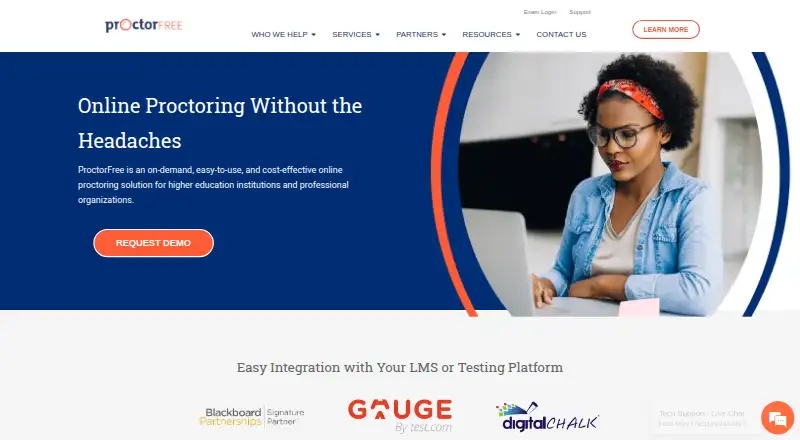
ProctorFree lists Canvas, Blackboard, Brightspace by D2L, Moodle, and Udutu among its learning-management connections. Digital Chalk and Gauge by Test.com are listed testing integrations.
Institutions can connect ProctorFree to their own test-delivery engines through custom API integrations. It runs through the web, an API, Windows, and macOS.
Good fit
The maker lists colleges, universities, professional associations, credentialing bodies, businesses, government groups, corporate trainers, learning and development teams, and HR or pre-hiring programs among its users.
It fits organizations that need identity verification, webcam and screen recording, browser lockdown, automated review, or human-assisted review for online exams.
Watch for
The desktop application requires Windows 11 or later or macOS 11 or later. Chromebooks, Linux, iPads, tablets, and mobile devices are not supported.
Administrators, rather than the system alone, decide whether a flagged action is cheating or another violation. Check device coverage and the available integrations before committing.
ProctorFree says it meets FERPA requirements, uses encryption and tokenized LTI access where possible, and keeps data only as long as contracts require. Support is available around the clock through live chat and email.
Pricing
ProctorFree requires payment, and the company provides prices on request. No free plan is offered.
Organizations and institutions can ask for a 30-day free trial. The company confirms account details and helps with setup during the trial.
Verdict
Choose ProctorFree if your organization needs on-demand online exams with identity checks, recording, browser controls, and post-exam review. Its LMS and testing connections may reduce setup work, while the custom API is aimed at institutions with their own delivery systems.
Look elsewhere if candidates must test on phones, tablets, Chromebooks, or Linux, or if you need a self-service free plan. Buyers should request a quote and confirm that their operating systems, learning platform, and review process are supported.
Our take
ProctorFree is designed for organizations that need controlled online exams rather than casual quizzes. Automated monitoring, facial identity checks, recording, browser lockdown, and optional human auditors cover several supervision models. Reports leave the final rule-violation decision to administrators. Key limitations are paid, quote-based pricing, no free plan, and desktop support limited to newer Windows and macOS versions. A 30-day trial gives institutions time to confirm account setup, integrations, and device coverage before purchase.
- Automated and human-assisted proctoring options
- Facial detection and continuous identity verification
- Integrates with several LMS and testing systems
- Custom API connections for test-delivery engines
- Round-the-clock live chat and email assistance
- No free plan; pricing requires a request
- No support for mobile devices, tablets, iPads, Chromebooks, or Linux
- Desktop app requires Windows 11+ or macOS 11+
- Pick it ifColleges and universities running online exams; Credentialing, professional, corporate, or government testing; Teams needing LMS links or a custom test-delivery API
- Skip it ifCandidates need to test on phones, tablets, Chromebooks, or Linux; You require a free plan or published price list
Pricing
Plans are paid and quoted on request. Organizations and institutions may receive a 30-day free trial, but there is no free plan.
Questions
Does ProctorFree offer a free plan?
No. ProctorFree charges for its service and shares pricing on request. Organizations and institutions may use a 30-day free trial.
Which learning systems connect to ProctorFree?
Canvas, Blackboard, Brightspace by D2L, Moodle, and Udutu appear in its listed LMS connections.
Can ProctorFree connect to a custom testing system?
Yes. Institutions can connect their test-delivery engines through a custom API.
What devices does ProctorFree support?
The desktop application runs on Windows 11 or later and macOS 11 or later. Chromebooks, Linux, iPads, tablets, and mobile devices are unsupported.
Does ProctorFree have live proctoring?
Yes. Human-assisted service adds human auditors to the automated monitoring process.
How are exam flags handled?
A post-exam session report highlights anomalies, and administrators decide whether behavior violated exam rules.
When can exams run?
Exams can be taken without scheduling, and ProctorFree describes the service as available 24/7.
Near it
All alternatives →- TThinkExam#4 on this board
- GOGauge Online#6 on this board
- SSMOWL#3 on this board
- PP
 ProctorU Proctoring Platform#7 on this board
- RMRespondus Monitor#2 on this board
- PProctorDIY#8 on this board
- P
 Proctorio#1 on this board
- PPPrometric ProProctor#9 on this board
- YGYouTestMe GetCertified#10 on this board
- PProctorNow#11 on this board