
Psono: Self-Hosted Password Manager with Encrypted Sharing
psono.com · checked 5 Oct 2026
Encrypted team password sharing with self-hosted, open-source deployment.
How it plugs in
Signal on Password Managers7.3#6 of 104
Credentials and other secrets live in an encrypted vault that supports team sharing and access controls. Psono runs through web, desktop, mobile, and browser clients or on infrastructure you manage. Community Edition is free, while paid plans increase capacity and add enterprise administration.
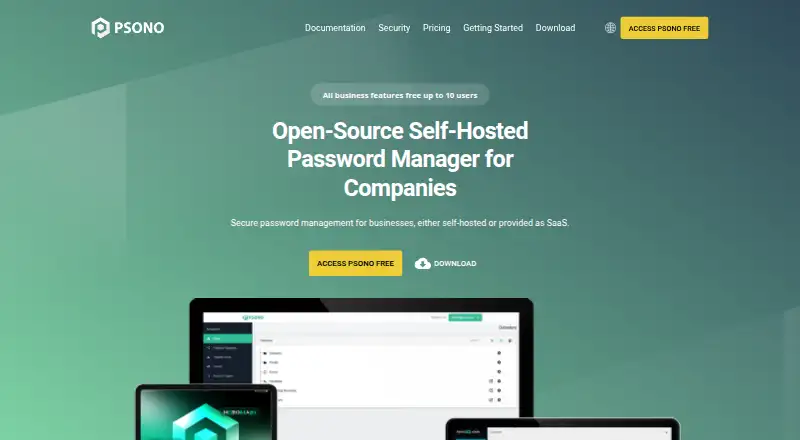
Review
In a line
Psono lets organizations host an open-source password manager themselves or use its web and app clients. Credentials can be shared with teammates in encrypted form.
What it does
The vault handles password capture and autofill, generates credentials, and stores secure notes and bookmarks. Offline use, import and export, and secret-change history are also included.
Users can place people and shared items into groups, apply role-based access, and limit permissions on shared entries. Passkeys work alongside MFA methods including YubiKey, Duo, authenticator apps, and FIDO WebAuthn.
How it connects
Vault data is encrypted in the browser before storage on the server. Psono describes Curve25519 and Salsa20 via NaCl, uses scrypt for password derivation, and reports HTTPS with TLS 1.2 plus forward-secrecy support.
The server and clients can run on premises, with Docker images available for the server and web client. Encrypted-file storage can use local, Google Cloud Platform, Amazon Web Services, or Microsoft Azure backends. Enterprise lists LDAP, SAML, and OIDC single sign-on; API keys are available for build pipelines or startup scripts.
Supported destinations include the web, Windows, macOS, Linux, iOS, Android, Chrome, Firefox, and Edge. See other password managers if you need a different setup.
Good fit
Psono suits teams seeking encrypted credential sharing, group permissions, and business administration. Running it yourself gives an organization control over the server location.
Import/export, offline operation, passkeys, and several MFA choices address routine password-management needs. Enterprise adds REST-call audit logs and policies that can require two-factor authentication or turn off exports and recovery.
Watch for
With a self-managed installation, your organization is responsible for the server and storage. Assign maintenance responsibility before selecting Community Edition or another self-hosted deployment.
LDAP, SAML, OIDC, audit logs, and policy settings appear in Enterprise Edition. Professional support and service-level agreements are quote-based, so verify availability and pricing.
Pricing
Community Edition provides the server and clients free for on-premises use. Open Source is price on request for unlimited users, while Basic is price on request for 10 users.
Annual Business billing is €2.50 per user monthly with a 25-user minimum. Enterprise pricing is also on request and includes enterprise features; support or SLAs are quoted separately.
Verdict
Psono fits organizations that value encrypted sharing, self-managed hosting, or open-source code over a straightforward hosted service. It covers many platforms and offers passkeys, MFA choices, groups, and permission controls.
Consider another approach if you do not want server operations or need publicly posted enterprise support and single-sign-on pricing.
Our take
Psono works well for organizations keeping password data on infrastructure they control while providing team sharing, permissions, and multifactor options. Its no-cost on-premises edition reduces initial expense, and paid tiers add capacity or enterprise administration. The operational cost is that someone must maintain the server, while some plan details and enterprise support require a quote. Confirm the integrations and controls included with the edition you select.
- The server and clients are available for on-premises hosting
- Community Edition has no license charge
- Passkeys and multiple MFA methods are supported
- Encrypted sharing includes groups and permission limits
- Coverage spans web, desktop, mobile, and major browsers
- Your organization must operate a self-hosted server
- Enterprise integrations and controls appear only in Enterprise Edition
- Open Source, Basic, and Enterprise pricing is available by quote
- Business requires at least 25 users
- Pick it ifTeams seeking self-hosted encrypted credential sharing; Organizations that value open-source code and access controls; Businesses adopting passkeys or hardware security keys
- Skip it ifYou prefer a fully managed service without server duties; You require published prices for enterprise support or SLAs; You have fewer than 25 users and are considering Business
Pricing
Community Edition is free for self-hosted use. Business is €2.50 per user monthly on annual billing, with a 25-user minimum. Open Source, Basic, and Enterprise plans require a quote.
- Open SourceUnlimited usersOn request
- Open SourceUnlimited usersOn request
- Basic10 usersOn request
- Basic10 usersOn request
- Businessbilled annually · Minimum 25 users€2.50/mo
- Community EditionOpen-source · self-hosted · server and clients available free for on-premises hostingFree
- Enterprise EditionEnterprise features · professional support or SLAs by quoteOn request
As psono.com lists them, checked 21 Sept 2026.
Questions
Is Psono free?
Yes. Community Edition costs nothing and supplies open-source server and client software for on-premises deployment.
How much does Psono Business cost?
Annual billing sets Business at €2.50 per user each month, and at least 25 users are required.
Can Psono be self-hosted?
Yes. Its server and clients are offered for on-premises operation, with Docker images for the server and web client.
Which devices and browsers support Psono?
Psono lists web, Windows, macOS, Linux, iOS, Android, Chrome, Firefox, and Edge support.
Does Psono support passkeys and multifactor login?
Yes. Listed methods include FIDO WebAuthn passkeys, YubiKey, Duo, and authenticator apps such as Google Authenticator.
What enterprise integrations does Psono list?
Enterprise Edition names LDAP, SAML, and OIDC single sign-on, along with audit logging and policy controls.