rbedrock Minecraft Bedrock World Package Review
reedacartwright.r-universe.dev · checked 8 Oct 2026
R-based tools to inspect, modify, and manage Minecraft Bedrock Edition worlds and saves.
How it plugs in
Signal on Minecraft World Editors6.1#16 of 35
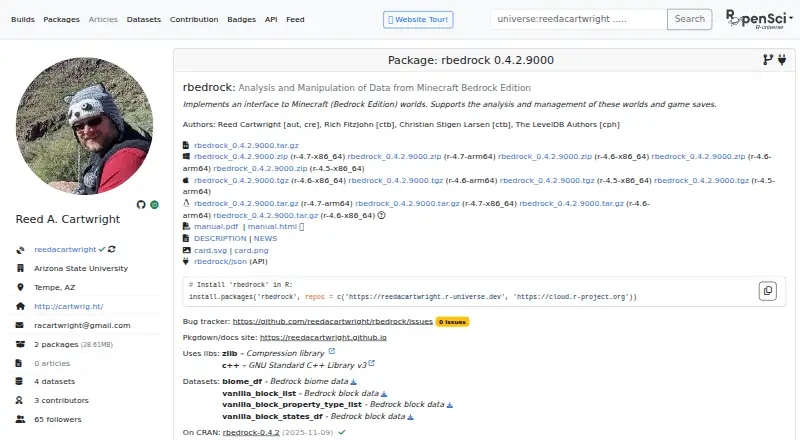
This R extension focuses on analyzing and managing Minecraft Bedrock Edition worlds. It opens worlds for reading or writing, works with blocks, biomes, chunks, actors, and other stored data, and handles world folders. Windows, macOS, and Linux are supported, and the package is free under an MIT license.
Review
In a line
rbedrock is an R package for analyzing and managing Minecraft Bedrock Edition worlds and game saves. It works with Bedrock world folders and related files, not Minecraft: Java worlds.
What it does
Bedrock worlds can be opened through the package for either reading or writing. Its functions address terrain and world information, including blocks, biomes, chunks, actors, and other stored data.
Tools are available for creating, importing, exporting, listing, and finding Minecraft world folders. The included datasets cover Bedrock blocks, property types, and block states, while other functions handle Minecraft random-number generation and seeds.
How it connects
Its supported inputs and outputs include Bedrock Edition world folders, LevelDB, NBT data, .mcworld files, and world level.dat files. It includes functions to read and write NBT and level.dat information.
CRAN and GitHub provide installation routes, and r-universe supplies an install command. The documentation names an MIT license and points to a GitHub issue tracker for bug reports.
Good fit
rbedrock suits people who use R to inspect or change Minecraft Bedrock saves. It is useful for tasks involving terrain, entities, world metadata, biome data, blocks, chunks, or world-folder management.
Bedrock worlds from Windows 10, Pocket Edition, Xbox, and PS4 are within its supported scope.
Watch for
Minecraft: Java worlds are outside the package's support. Check that your save is a Bedrock world in a supported format before installing.
There are 15 dependencies listed for the package. On systems other than Windows or macOS, source installation requires development tools such as CMake.
Pricing
rbedrock is free. The package documentation lists a free plan, with no paid tier described in the supplied details.
Verdict
Choose rbedrock if you want an R-based way to read, write, analyze, or manage Bedrock Edition saves across Windows, macOS, or Linux. Its broad world-data coverage and folder utilities make it suitable for structured save work.
Consider another option when your files are Minecraft: Java worlds or when a non-Windows, non-macOS source build cannot have the required development tools.
Our take
rbedrock is a no-cost option for users who already work in R and need direct access to Minecraft Bedrock saves. It handles world folders, NBT, level.dat, terrain, entities, and related datasets across the major desktop platforms. Windows 10, Pocket Edition, Xbox, and PS4 Bedrock worlds are supported, while Java Edition is excluded. You can install it through CRAN, GitHub, or r-universe. Linux users installing from source should be ready to provide development tools such as CMake, and the package’s 15 dependencies may affect setup.
- Free to use with a documented free plan
- Can read and write Bedrock worlds, NBT data, and level.dat files
- Handles blocks, biomes, chunks, actors, and additional world information
- Available on Windows, macOS, and Linux
- Works with Windows 10, Pocket Edition, Xbox, and PS4 worlds
- Minecraft: Java worlds fall outside its support
- Source installation beyond Windows and macOS requires tools such as CMake
- Fifteen dependencies are listed for the package
- Pick it ifR users managing and analyzing Minecraft Bedrock saves; Editing terrain, entities, and world metadata in Bedrock worlds
- Skip it ifYou need to work with Minecraft: Java Edition worlds; You cannot install development tools for a non-Windows, non-macOS source build
Pricing
The package is free, with a free plan and no paid plans listed in the supplied details.
Questions
What is rbedrock?
rbedrock is an R extension package for analyzing and managing Minecraft Bedrock Edition worlds and game saves.
Which Minecraft editions does it support?
Its supported editions include Windows 10, Pocket Edition, Xbox, and PS4 Bedrock worlds; Minecraft: Java worlds are excluded.
What can rbedrock change?
It can read and write world data such as blocks, biomes, chunks, actors, NBT data, and level.dat files.
Which file formats work with it?
It handles Bedrock Edition world folders, LevelDB, NBT, and .mcworld files.
Where can I install rbedrock from?
CRAN and GitHub offer installation, and the r-universe page supplies an install command.
Does rbedrock cost anything?
No. The supplied details list rbedrock as free with a free plan.
Does it run on Linux?
Yes. It supports Windows, macOS, and Linux. Source installation on systems other than Windows or macOS needs development tools, including CMake.
Near it
All alternatives →- PPotatoPeeler#15 on this board
- SBSuper-basic Minecraft Bedrock NBT Editor#17 on this board
- MJMCA JSON#14 on this board
- V
 Voxelier#18 on this board
- MMcpeTool#13 on this board
- WWorldPainter#19 on this board
- MNmc-nbt#12 on this board
- Bbiomed#20 on this board
- MWMinecraft World Trimmer#11 on this board
- MNMinecraft NBT Editor#21 on this board