Rclone for Cloud File Management
rclone.org · checked 30 Sept 2026
Rclone is an open-source command-line utility for working with files stored across cloud services, available at no cost.
How it plugs in
Signal on File Migration Software6.7#2 of 22
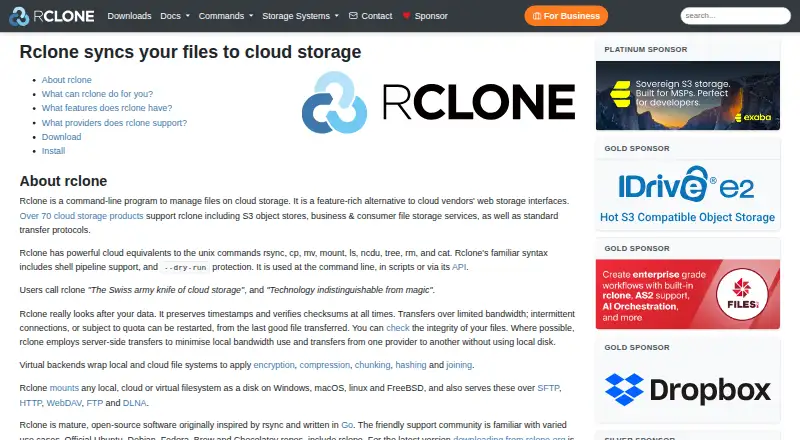
Use rclone to copy, sync, back up, restore, and move files among more than 70 cloud storage services. It can mount storage as a disk or serve files over common transfer protocols. Builds are available for several desktop systems, with Android builds also available, and rclone can be run from commands, scripts, or its API. Its web-based interface is experimental.
Review
In a line
Rclone is an open-source program for handling files in cloud storage. You can operate it with commands, scripts, or its API.
What it does
Rclone copies files, moves them between storage services, and backs up or restores data. It offers one-way syncing and bidirectional syncing, which compares changes in both locations.
Cloud storage can be mounted to appear as a disk on supported systems, and rclone can serve files over protocols such as WebDAV and SFTP. A protocol is a set of rules that lets software exchange files.
How it connects
The project lists connections to over 70 cloud storage products, among them Amazon S3, Google Drive, Dropbox, Microsoft OneDrive, and Backblaze B2. If the providers support it, rclone transfers data between them server-side, without using your computer's local disk.
You can run rclone from scripts or connect to it through its API, which lets other software send it instructions. The project is open source, and its web-based interface is experimental. Its crypt feature encrypts files on the client before upload; file and directory names are encrypted by default, while file length and modification time are not.
For other ways to handle cloud copies, see cloud backup services. For file access over WebDAV, see WebDAV client software.
good-fit
Rclone may suit people moving or syncing files among cloud services, automating transfers with scripts, or mounting cloud storage as a disk. It checks MD5 and SHA1 hashes for file integrity, preserves timestamps, and can restart operations.
It may also suit people who want files encrypted locally before uploading. Volunteers and Nick Craig-Wood maintain the project, which has a support forum.
Watch for
Rclone is primarily command-line software, so using it means entering commands rather than relying on a standard graphical interface. Its web-based interface is experimental. The project offers no mobile apps; Android builds are available but are not yet first-class builds.
The configuration file stores the encryption password in lightly obscured form unless configuration encryption is enabled. Rclone's file encryption leaves file length and modification time unencrypted. Minimum requirements listed for release v1.75.1 are Linux kernel 3.2, macOS 12 Monterey, and Windows 10 or Server 2016.
Pricing
Rclone is free and open source, with no paid plan or free trial.
Verdict
Choose rclone for a free way to manage files across many cloud storage services if you are comfortable using commands, scripts, or an API. Its options for syncing, transfers, mounting, and local file encryption cover a range of file-management jobs.
Look elsewhere if you need a finished graphical interface or a mobile app. If you use its encryption, protect the configuration file or enable configuration encryption.
Our take
Rclone makes sense for people who want a free tool to move, sync, back up, or mount files across cloud storage services and are willing to work with commands or scripts. Its broad storage support and API offer several ways to manage transfers. It is a weaker fit for anyone who expects a polished graphical app or a mobile app. If using its encryption, protect the configuration file or enable configuration encryption because the password is only lightly obscured by default.
- Free and open source.
- Connects to over 70 cloud storage products.
- Offers one-way sync and bidirectional sync with bisync.
- Can mount storage as a disk and serve files over several protocols.
- The web-based interface is experimental.
- No mobile apps are listed.
- Encryption leaves file length and modification time unencrypted.
- The encryption password is lightly obscured unless configuration encryption is enabled.
- Pick it ifMoving, syncing, or backing up files across cloud services; People comfortable with commands, scripts, or an API
- Skip it ifYou need a finished graphical interface or a mobile app; You need encryption to hide file sizes and modification times
Pricing
Rclone is free and open source. No paid plan or free trial is listed.
- rcloneFree open-source projectFree
As rclone.org lists them, checked 30 Sept 2026.
Questions
How much does rclone cost?
Rclone is free and open source. There is no paid plan or free trial.
Which cloud storage services does rclone support?
The project lists over 70 products, including Amazon S3, Google Drive, Dropbox, Microsoft OneDrive, and Backblaze B2.
Can rclone sync files both ways?
Yes. It supports one-way sync and bidirectional sync with bisync.
Does rclone encrypt files before upload?
Yes. Its crypt feature encrypts files locally before upload and decrypts them after download. File length and modification time remain unencrypted.
Does rclone have a graphical interface or mobile app?
Its web-based interface is experimental, and it has no mobile apps. Android builds are available but are not yet first-class builds.
What systems can run rclone?
Builds are available for Windows, macOS, Linux, FreeBSD, NetBSD, OpenBSD, Plan 9, and Solaris. Android builds are also available.
Near it
All alternatives →- B
 Box#1 on this board
- GWGoogle Workspace#3 on this board
- AS
 Azure Storage Mover#4 on this board
- SShareGate#5 on this board
- M
 MigrationWiz#6 on this board
- E
 Egnyte#7 on this board
- CM
 CloudM Migrate#8 on this board
- DD
 Data Dynamics StorageX#9 on this board
- MMMicrosoft Migration Manager#10 on this board
- SMSharePoint Migration Tool#11 on this board