Reface: AI Face Swaps, Avatars, and Photo Tools
reface.app · checked 10 Oct 2026
Mobile AI app for face swaps, photo animation, avatars, headshots, and hairstyle previews.
How it plugs in
Signal on AI Face Swap Tools6.1#22 of 57
On Android and iOS, Reface offers face swaps for videos, movie stills, and character art, along with AI photos, avatars, professional headshots, hairstyle previews, photo animation, and enhancement. Anyone can download it at no cost, while some tools are behind subscriptions or in-app purchases. Reface also states deletion periods for photos and avatar data.
Review
In a line
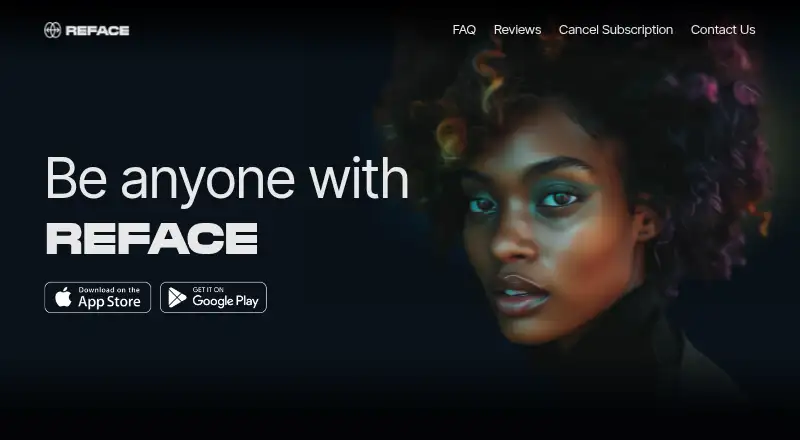
Reface uses AI to swap faces in pictures and videos and to produce AI photos and avatars. The app is offered for Android and iOS.
What it does
The app lets you insert your face into videos, movie stills, or character artwork selected from its collection. Multiple-face swaps are supported, and results, memes, avatars, and videos can be posted to social media.
Additional tools animate a single photo, produce AI avatars and professional-style headshots, preview hairstyles and hair colors, and enhance images by removing blemishes, adding detail, and improving quality. A baby generator is listed as a future feature.
How it connects
Reface is offered as an Android and iOS app. Its listing mentions Rehair Salon integration for trying hairstyles and new looks, and completed face swaps, avatars, memes, and videos can be sent directly to social networks.
For a face swap, the uploaded image is turned into a face embedding that the encoder and decoder use to generate the swapped image. Google Play says data is encrypted in transit and that users may request deletion of their data.
Good fit
Reface suits people who want quick, mobile face swaps or playful AI content without separate editing software. It also fits users looking to preview hair changes, make an animated clip from a still photo, or create an AI headshot or avatar.
Watch for
AI avatars, AI photo generation, baby generation, ad removal, and AI editor features are listed as requiring a subscription or in-app purchase. Check the subscription details in your app store account before buying.
Reface says original face-swap photos are removed from its cloud within 48 hours, with their embeddings erased on day four. For avatars, input photos are deleted after 48 hours, while generated results and the trained avatar model remain for 31 days.
Subscriptions renew automatically at each billing cycle, although you can cancel them. Account and subscription questions go through Reface support email.
Pricing
The app can be downloaded free and includes a free plan. Its listed in-app purchase choices cover weekly, monthly, and annual subscriptions, with prices shown in the account for your platform.
Some AI tools require a subscription or another in-app purchase. Subscription terms and current prices appear in the account for your platform.
Verdict
Choose Reface if you want a phone-based way to swap faces, animate a photo, or make avatars and headshots, with direct social sharing. The free plan lets you start without payment.
Review the retention periods if keeping generated images or avatar models on servers is a concern. For more options, compare Face Swap Software and AI Face Swap Tools.
Our take
Reface is a practical choice for casual creators who want face swaps and several AI photo tools in one mobile app. Android and iOS availability, social sharing, and a free download make it easy to try. The main trade-offs are paid access to many headline features, automatic subscription renewal, and limited price detail before purchase. Its stated deletion windows may reassure some users, but avatar outputs and the trained model stay on servers for 31 days.
- Free plan and free download
- Face swaps support videos and multiple faces
- Offers AI avatars, headshots, hairstyle previews, and animated photos
- Shares results directly to social media
- States deletion windows for face-swap and avatar data
- Many AI tools require a subscription or in-app purchase
- Subscriptions renew automatically each billing cycle
- Avatar results and trained models remain for 31 days
- Available for Android and iOS
- Pick it ifMobile users making face swaps and AI avatars; People previewing hairstyles or animating still photos; Creators who share short AI clips on social media
- Skip it ifYou want all AI features without a subscription; You require avatar data to be removed immediately
Pricing
The app is a free download with a free plan. Weekly, monthly, and annual in-app subscription options are listed, while prices appear in the user’s platform account. Premium tools require a subscription or in-app purchase.
- Reface in-app purchasesFree download; subscriptions or in-app purchases required for premium features; listed purchases include weekly, monthly, and annual optionsOn request
As apps.apple.com lists them, checked 10 Oct 2026.
Questions
Is Reface free?
You can download Reface at no cost and use its free plan. AI avatars, AI photo generation, baby generation, ad removal, and AI editor features require a subscription or in-app purchase.
What devices support Reface?
The app is available on Android and iOS.
Can Reface swap faces in videos?
Yes. Your face can be placed into videos, movie stills, and character art, including swaps involving multiple faces.
Does Reface make AI headshots and avatars?
Yes. Reface offers AI avatars, professional-style AI headshots, photo generation, hairstyle previews, and photo animation.
How long does Reface keep uploaded photos?
Reface says original face-swap photos leave its cloud within 48 hours, with their embeddings erased on the fourth day. Avatar input photos are deleted after 48 hours.
How long are avatar results stored?
Reface says generated avatar results and the uniquely trained avatar model are kept for 31 days.
Do Reface subscriptions renew automatically?
Yes. A subscription renews when each billing cycle begins, and you can cancel it at any time through the relevant platform.