RVM: Ruby Version and Gem Manager
rvm.io · checked 30 Sept 2026
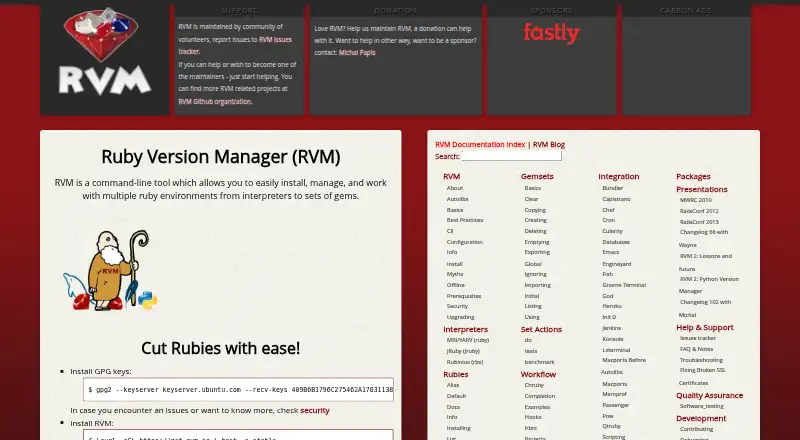
RVM manages multiple Ruby releases and the gem sets assigned to each project.
How it plugs in
Signal on Runtime Version Managers6.4#5 of 30
RVM provides command-line controls for installing and switching among Ruby interpreters and their gem sets. It can isolate projects, exercise code across several Ruby versions, and reproduce environments through development, CI, staging, and production. The tool runs on most UNIX-like systems and on Windows via Cygwin or Bash on Ubuntu on Windows.
Review
In a line
From a shell, RVM installs and manages Ruby versions together with their associated gem sets. Each project can have its own Ruby version and libraries in a self-contained environment.
What it does
The command line lets you install, select, upgrade, reinstall, uninstall, and remove Ruby versions. RVM supports official Ruby releases and keeps a list of known interpreters and versions.
Named gemsets keep project libraries organized across Ruby versions. Its shared cache keeps one local copy of every gem that has been downloaded.
Test suites, rake tasks, benchmarks, and gem commands can be run against several Ruby versions. RVM is also designed to keep matching environments across development, CI, quality assurance, staging, and production.
How it connects
RVM documents integrations with Bundler, Capistrano, and Chef. It also lists Jenkins, Heroku, and Passenger.
Most UNIX-like systems are supported, while Windows use goes through Cygwin or Bash on Ubuntu on Windows. Installation lists Bash, curl, gpg2, and GNU versions of common tools as requirements; git is additionally needed for head Ruby versions.
RVM documents single-user, multi-user, and mixed installation modes, and recommends single-user setup for an isolated home-directory installation.
Good fit
RVM suits Ruby developers and teams that need different Ruby releases for separate projects. It fits work that must repeat the same Ruby and gem setup in development, CI, testing, staging, and production.
Its command-line controls, project version pinning, lockfile support, automatic switching, and shell integration help keep project environments separated.
Watch for
RVM requires a Unix-style shell and several command-line tools. Windows users need Cygwin or Bash on Ubuntu on Windows.
Community volunteers maintain the project, with support available through issue trackers and pull requests. RVM says outside installation tutorials are unsupported and recommends following the installation process on its own site.
RVM says its user-space setup encourages non-root use and can limit the effect of a compromised Ruby process. Releases and the installer are GPG-signed, with signature checks during updates.
Pricing
RVM is free, with a free plan.
Verdict
Choose RVM if you need to switch among Ruby versions, isolate gem collections, or run the same Ruby setup through several delivery stages. Its documented integrations can fit common Ruby deployment and automation tools.
Look elsewhere if your team cannot provide Bash, curl, gpg2, GNU tools, and, for head Ruby versions, git. Windows use depends on an added Unix-like layer, and project support is provided through community channels.
Our take
RVM is a practical choice for Ruby projects that need separate interpreter and library combinations. It can reduce version conflicts by giving each project its own environment and can check code against multiple Ruby releases. The free plan removes a budget barrier, while signed updates and user-space operation address basic installation and permission concerns. Setup has prerequisites, and Windows requires Cygwin or Bash on Ubuntu on Windows. Teams wanting vendor-backed support or a simpler installer should compare other runtime tools before committing.
- Free plan with no stated charge
- Separate Ruby and gem environments for each project
- Can exercise tests and related tasks across several Ruby releases
- Integrates with tools such as Bundler, Jenkins, and Heroku
- GPG signatures verify releases and installer updates
- Requires Bash, curl, gpg2, and GNU tools
- Head Ruby versions also require git
- Windows support depends on Cygwin or Bash on Ubuntu on Windows
- Support is provided by community volunteers
- RVM says outside installation tutorials are unsupported
- Pick it ifRuby projects needing multiple interpreter versions; Teams matching Ruby environments across CI and production; Developers who manage gem sets from the command line
- Skip it ifYou cannot provide the required Unix-style shell and installation tools; You need a paid support channel; You want native Windows setup without Cygwin or Bash
Pricing
RVM is free, and the facts list a free plan.
Questions
What is RVM used for?
It installs and manages several Ruby interpreters along with the gem sets projects use.
Can RVM keep projects separate?
Yes. Each project can receive a self-contained environment containing a selected Ruby version and its required gems.
Which systems does RVM support?
Most UNIX-like systems are supported; Windows use is through Cygwin or Bash on Ubuntu on Windows.
What does RVM need to install?
The basic requirements are Bash, curl, gpg2, and GNU versions of tools; git is also needed for head Ruby versions.
Can RVM test more than one Ruby version?
Yes. Test suites, rake tasks, benchmarks, and gem commands can target multiple Ruby versions at once.
How is RVM supported?
Community volunteers maintain RVM, with support handled through issue trackers and pull requests.