S-Docs: CRM Document Generation and E-Signatures
sdocs.com · checked 19 Oct 2026
S-Docs creates business documents and e-signatures from CRM data.
How it plugs in
Signal on Document Automation Software7.6#2 of 33
S-Docs automates document creation and electronic signatures for Salesforce and HubSpot. Templates can use CRM records, formulas, related data, conditional rules, and custom Apex logic. It runs on the web, iOS, and through an API, with storage options including Amazon S3, Box, and Google Drive. Free plans and trials are available, while paid pricing varies by product and usage.
Review
In a line
S-Docs is a document-generation and e-signature tool built around Salesforce and HubSpot data. It creates files and signature requests inside those CRM workflows.
What it does
Users design page-aware templates with live previews, reusable logic, formulas, related records, and conditional rules. Blocks of text or data can appear or disappear according to business rules.
Documents can be created on demand, from Salesforce Flow, or in scheduled and batch jobs. Outputs include PDF, DOC and DOCX, XLS and XLSX, PPTX, CSV, HTML email, XML, and JSON.
S-Sign prepares signature documents and envelopes, seals completed envelopes, and writes signer data back to Salesforce. HubSpot workflows can trigger generation and return document and signature data to records.
How it connects
S-Docs for Salesforce runs inside a Salesforce organization and processes data on Salesforce. It requires Enterprise, Unlimited, Performance, or Developer Edition; Professional Edition and Essentials are not supported.
The platform also connects directly to HubSpot. HubSpot templates can use standard and custom objects, associations, deals, tickets, companies, and contacts, plus Google Sheets and Airtable as additional sources.
Amazon S3, Box, and Google Drive are listed for storing documents outside the CRM. Public Salesforce DocumentsSDK and ESignSDK tools expose document, email, batch, envelope, and sealing functions. Invocable Apex actions extend Salesforce Flow, and global Apex classes can calculate custom fields and table values.
Good fit
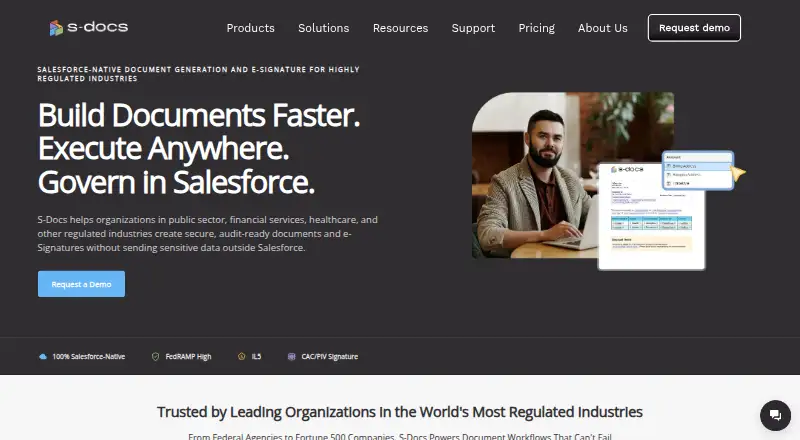
S-Docs targets public-sector, financial-services, healthcare, and other highly regulated organizations. It suits teams that need CRM-driven contracts, quotes, certificates, emails, or other personalized files.
It can handle batch personalization, combined generated documents, scheduled production, and e-signature requests. Teams comparing it with document automation software or e-signature software may find its CRM-centered workflow relevant.
Watch for
The Salesforce edition has strict edition requirements and will not work with Salesforce Professional or Essentials. S-Docs for Salesforce also does not collect data through fillable PDFs; its FAQ points to S-Sign for that workflow.
Free-plan support is mainly self-service. Paid plans include support, while higher tiers may add service-level agreements and live sessions. Check document and envelope limits, minimum contracts, and whether your needed CRM edition is supported.
Pricing
Free options include S-Docs for Salesforce and S-Docs for HubSpot Free, each with unlimited templates, unlimited users, 150 documents per year, and 50 e-signature envelopes per year. A Salesforce free plan is also listed with up to 150 documents, up to 50 e-signatures, unlimited templates, and no user-count restriction. A free trial is available.
S-Docs for Salesforce costs $25 a month when billed annually, with a $3,000 annual minimum. The Salesforce plan with e-signature costs $40 a month when billed annually, with a $4,800 annual minimum and unlimited e-signature envelopes.
HubSpot Team Edition costs $65 a month and includes 500 documents and 250 e-signature envelopes per year. HubSpot Professional Edition costs $275 a month and includes 2,500 documents and 800 envelopes per year.
S-Docs with e-Signature and custom quotes are priced on request. The company says custom quotes are based on document volume, user count, and automation needs.
Verdict
Choose S-Docs if your work already centers on Salesforce or HubSpot and you need documents, signatures, and CRM updates in one process. Its template rules, batch tools, storage connections, and compliance materials fit organizations with formal document workflows.
Look closely at the Salesforce edition requirement and the annual minimums before buying. The free plans can suit smaller volumes, but support is mostly self-service. If collecting answers in fillable PDFs is essential, S-Docs alone is not the right fit.
Our take
S-Docs is a sensible option for organizations that generate many CRM-based documents and need electronic signatures tied back to customer records. Salesforce and HubSpot users get workflow triggers, conditional templates, batch processing, and several storage choices. The free plans give a way to start, but paid Salesforce plans carry annual minimums, and higher-volume HubSpot use costs more. Salesforce customers must use an eligible edition, and fillable-PDF data collection is not supported. Review volume limits, signature needs, and support expectations before committing.
- Native Salesforce processing keeps document work inside the CRM.
- Direct HubSpot workflows can write document and signature data back to records.
- Templates support conditional rules, related data, formulas, and custom Apex.
- Free plans include unlimited templates and defined document allowances.
- Public SDKs and Flow actions support custom automation.
- Salesforce Professional and Essentials editions are not supported.
- Fillable PDFs cannot be used to collect data in S-Docs for Salesforce.
- Paid Salesforce plans have annual minimum contracts.
- Free-plan support is primarily self-service.
- Some pricing is available only by request.
- Pick it ifRegulated teams using Salesforce or HubSpot for document workflows; Organizations needing CRM-linked signatures and batch generation; Buyers who need compliance materials and off-platform storage options
- Skip it ifYou need fillable PDFs to collect information.; You use Salesforce Professional or Essentials.; You want paid pricing without annual minimums or usage limits.
Pricing
Free plans cover limited annual document and signature volumes. Some editions and custom packages are price on request.
- S-Docs for Salesforce (free)Unlimited templates · up to 150 documents · up to 50 e-Signatures · no user-count restrictionFree
- S-Docs for HubSpot FreeUnlimited templates · unlimited users · 150 documents/year · 50 e-Signature envelopes/yearFree
- S-Docs for Salesforce FreeUnlimited templates · unlimited users · 150 documents/year · 50 e-Signature envelopes/yearFree
- S-Docs for Salesforce (paid)billed annually ($25 per user per month) · Unlimited templates and documents · up to 50 e-Signatures per year · minimum contract of $3,000 · minimum 10 licenses$25/mo
- S-Docs for Salesforcebilled annually; $3,000 annual minimum · Unlimited templates · unlimited documents · multiple documents and recipients per e-Signature request$25/mo
- S-Docs for Salesforce with e-Signaturebilled annually; $4,800 annual minimum · Unlimited templates · unlimited documents · unlimited e-Signature envelopes · multiple documents and recipients per request$40/mo
- S-Docs for HubSpot Team Editionusage based · Unlimited templates · unlimited users · 500 documents/year · 250 e-Signature envelopes/year$65/mo
- S-Docs for HubSpot Professional Editionusage based · Unlimited templates · unlimited users · 2,500 documents/year · 800 e-Signature envelopes/year$275/mo
As kb.sdocs.com lists them, checked 7 Oct 2026.
Questions
Does S-Docs work with HubSpot?
Yes. S-Docs integrates directly with HubSpot, where workflows can trigger generation and write completed document and signature data back to records.
Which Salesforce editions are required?
S-Docs for Salesforce requires Enterprise, Unlimited, Performance, or Developer Edition. It is incompatible with Professional Edition and Salesforce Essentials.
Is there a free plan?
Yes. Free Salesforce and HubSpot plans include unlimited templates, unlimited users, 150 documents per year, and 50 e-signature envelopes per year. A separate Salesforce free listing allows up to 150 documents and 50 signatures.
Can S-Docs create e-signature requests?
Yes. S-Sign prepares and seals envelopes and writes signer data back to Salesforce; specific Salesforce paid plans allow multiple documents and recipients in one request.
What storage services can it use?
Listed off-platform storage options are Amazon S3, Box, and Google Drive.
Does it support fillable PDFs?
No. S-Docs for Salesforce does not collect data through fillable PDFs. Its FAQ points to S-Sign for that type of workflow.
Where can S-Docs run?
The listed platforms are web, iOS, and API access.