Sapling software review
sapling.ai · checked 2 Oct 2026
Writing support and language-model APIs for teams and software builders.
How it plugs in
Signal on Grammar checkers7.1#12 of 88
For teams, Sapling supplies writing assistance; developers can use its API and SDK to put language-model capabilities into applications. Its writing toolkit handles grammar and spelling, autocomplete, rephrasing, tone and sentiment review, plus checks for AI-generated text. Access is offered through the web, browser extension, desktop and Windows apps, API, and self-hosted deployments. A free tier and 30-day trial are available.
Review
In a line
Teams get writing assistance from Sapling, while developers get tools for embedding language-model capabilities in software. It supports web and Windows use, plus browser, desktop, API, and self-hosted access.
What it does
Sapling's writing tools handle grammar and spelling, autocomplete, rephrasing, tone and sentiment review, and detection of AI-written content. Style suggestions work across 14 languages.
Teams can apply these checks while writing; developers can expose comparable capabilities in their applications through Sapling's API and SDK components.
How it connects
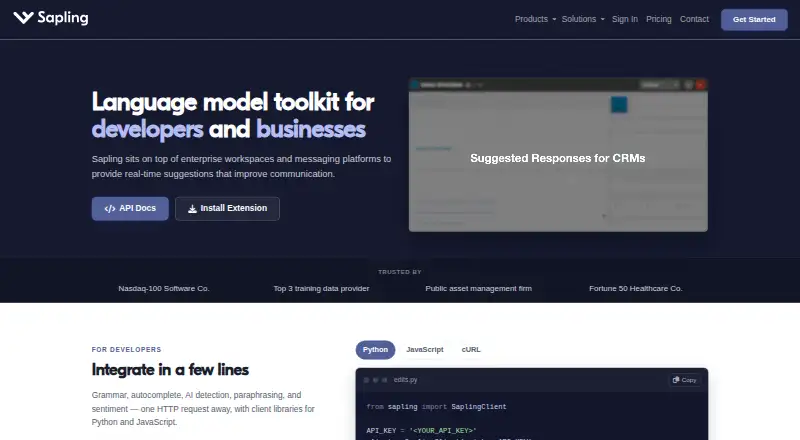
For developers, Sapling supplies HTTP API endpoints together with Python and JavaScript SDK clients. Its published price table covers only some endpoints; sales handles quotations for the rest and for self-hosted solutions.
Sapling lists 73 integration guides, spanning Zendesk, Salesforce, Slack, Google Docs, Microsoft Word, and browser extensions. Cloud-premises deployments support AWS, Azure, and GCP, whereas on-premises deployments need Docker containers.
Enterprise plans provide audit logs, role-based access controls, and single sign-on. Sapling says data is protected with TLS in transit and AES-256 at rest, and that it is GDPR compliant and SOC 2 Type II certified. It says numbers, email addresses, and URLs are removed before processing and that users may select an option that keeps data off disk. See other grammar checkers and AI writing assistants for related tools.
Good fit
Sapling may suit teams seeking writing support together with access controls, auditing, analytics, and single sign-on. It can also serve developers who need language or AI-detection capabilities within an application.
Its integrations span customer-support, sales, chat, document, and browser tools.
Watch for
The API trial permits only a limited number of characters and expires one month after starting. Charges vary by endpoint and usage, and the published API table covers only some endpoints.
Enterprise enrollment begins at 10 seats. Self-hosted deployments and custom data-retention options are available, so review deployment, endpoint coverage, and compliance requirements before selecting a plan.
Pricing
Sapling's Free tier includes basic writing help, AI-detector checks of up to 2,000 characters per check, five files per detector batch, and 20 snippets; users can also take a 30-day trial.
Annual Pro billing is $144, or $12 per month. Pro permits 100,000 detector characters per check, 10 detector files in each batch, and unlimited snippets.
Enterprise pricing begins at $15 per month for 10 seats, with the final price depending on seat count and contract duration. API access is metered and usage-based, priced on request, with a one-time $5 minimum.
Verdict
Choose Sapling when shared writing checks, AI-content detection, workplace integrations, or API-based language features are priorities. Its deployment and enterprise controls can accommodate organizations with particular hosting or retention needs.
Consider alternatives if every API endpoint must have a public price, or if you need an enterprise plan for fewer than 10 seats. The free tier covers basic checks but has limited detector and snippet allowances.
Our take
Sapling equips workplace teams with writing checks and AI-content detection, and its API lets developers add language functions. Basic use is available on the free tier, while Pro increases detector allowances for a set annual charge. Enterprise adds controls, support, and deployment options from 10 seats. API usage is metered, carries a $5 minimum, and may require sales contact for some endpoints or self-hosted solutions.
- A free tier and 30-day trial are offered.
- Available via web, Windows, browser extension, desktop, API, and self-hosted deployment.
- Covers 14 languages with grammar, tone, rephrasing, and AI-detection features.
- Integration documentation covers Zendesk, Salesforce, Slack, Google Docs, Word, and browser extensions.
- Enterprise plans include audit logs, role-based access controls, and single sign-on.
- Public API prices do not cover every endpoint.
- The API trial permits a limited character count and expires after one month.
- Enterprise enrollment starts at 10 seats.
- On the Free plan, detector checks are capped at 2,000 characters and five files per batch.
- Self-hosting and custom retention options are available with enterprise offerings.
- Pick it ifTeams that want writing checks within workplace tools; Developers embedding language or AI detection in an application; Organizations requiring self-hosting or enterprise controls
- Skip it ifYou need public pricing for each API endpoint.; You need an enterprise plan below 10 seats.; You need detector batches larger than the Free tier permits.
Pricing
A 30-day trial is available.
- Pro$144.00 per year (= $12.00/month, billed annually) · 100,000 AI detector characters per check · 10 AI detector files per batch · Unlimited snippets$144/yr
- EnterpriseStarts at 10 seats; pricing varies by seat count and contract duration · Advanced writing and AI detection · Team controls · Analytics · Support · 100,000 characters per detector check$15/mo
- APIMetered and usage-based; one-time $5 minimum · Language and AI detection APIs · API pricing varies by endpoint and usageOn request
- FreeBasic writing assistance · AI detector checks up to 2,000 characters per check · 5 files per AI detector batch · 20 snippetsOn request
As sapling.ai lists them, checked 5 Oct 2026.
Questions
What is Sapling Pro's price?
Annual billing totals $144, equivalent to $12 per month.
Where can Sapling run?
Sapling supports the web and Windows, along with a browser extension, desktop app, API, and self-hosted deployments.
Which integrations does Sapling list?
Sapling's 73 guides cover Zendesk, Salesforce, Slack, Google Docs, Microsoft Word, and browser extensions.
Is an API available from Sapling?
Yes. Sapling provides HTTP endpoints and SDK client libraries for Python and JavaScript; sales supplies prices for some endpoints.
Can Sapling be self-hosted?
Yes. Self-hosted deployments and custom data-retention options are available; on-premises setups require Docker containers.
What security measures does Sapling state?
Sapling says it uses TLS encryption in transit and AES-256 encryption at rest, and reports GDPR compliance and SOC 2 Type II certification. Enterprise plans also include access controls and audit logs.