SnapCall: Visual AI Support Platform Review
snapcall.io · checked 10 Oct 2026
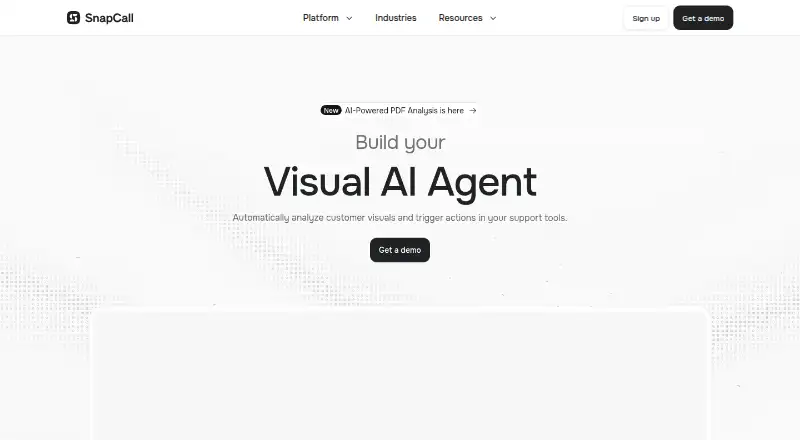
SnapCall captures customer visuals, analyzes them with AI, and triggers support actions in connected tools.
How it plugs in
Signal on Video Conferencing Software5.1#38 of 43
SnapCall provides Visual AI for support operations. Customer teams can submit images, videos, PDFs, audio, screen recordings, and snapshots from live calls. Its AI skills handle triage, transcription, summaries, content recognition, data extraction, and KYC checks. Connections to support and CRM tools, browser calling, and plans from $499 a month with a 14-day trial are part of the offering.
Review
In a line
SnapCall analyzes customer-provided visuals and starts actions in support systems. Its CRM experience also includes browser-based video support.
What it does
Customer media can enter through ticket attachments, PDFs, images, videos, audio recordings, screen recordings, or snapshots from live calls. AI skills then handle triage, transcripts, summaries, content recognition, data extraction, custom skills, and KYC checks.
Automations can tag tickets, fill custom fields, trigger macros and workflows, and flag media that is missing or cannot be processed. Tickets can be resolved or escalated based on the workflow.
SnapCall Call brings video conversations into a browser with live visual guidance for customers and agents. A session can include four participants, run for as long as 360 minutes, and use recording or screen sharing.
How it connects
SnapCall runs on the web and through an API. Its supported platforms include the web and a Chrome extension, and it says no installation is required when used with a CRM.
The integrations list covers Zendesk, Salesforce, LiveChat, Intercom, Kustomer, ServiceNow, Zapier, Cal.com, Jumio, Resistant AI, and Poly AI.
SnapCall says it follows SOC 2 and HIPAA standards and handles customer data under European privacy regulations. Security options listed include SAML single sign-on, SOC 2 Type 2 reports, and a HIPAA business associate agreement.
Good fit
SnapCall suits support teams that need to inspect customer media and turn that information into CRM actions. It is also aimed at teams that want visual guidance during browser video support.
The listed integrations make it a candidate for organizations already using tools such as Zendesk, Salesforce, Intercom, or ServiceNow.
Watch for
SnapCall has no free plan. Media credits are non-rolling, and customers must select either AI or non-AI packages; the two package types cannot be combined.
Media retention differs by plan: six months for Light, 12 months for Core, and custom terms for SCALE. Check storage, retention, and the number of AI skills before choosing.
SnapCall supports up to four call participants and a 360-minute meeting limit.
Pricing
SnapCall is paid, with pricing from $499 a month and a 14-day trial. A free plan is not offered.
The Light, Core, and SCALE plans show price on request. Light includes five Visual AI skills per ticket, 2 GB of storage, and six months of media retention. Core includes 10 skills, 4 GB, and 12 months. SCALE includes 20 skills, custom storage, and custom retention.
The pricing page also lists chat support, priority support, 24/7 real-time Slack Connect, dedicated onboarding, and a dedicated customer success manager.
Verdict
Choose SnapCall if your support operation depends on customer images, recordings, or live visual help and you already work in one of its connected systems. Its API, browser access, and workflow triggers cover both media analysis and follow-up actions.
Look closely at the paid structure before signing up. The service has no free tier, credits are non-rolling, and AI and non-AI packages are separate. Teams with larger calls, longer retention needs, or storage requirements should confirm the plan details and limits first.
Our take
SnapCall targets support teams that turn customer media into structured ticket work. Its AI skills cover common review tasks, while integrations connect the results to established service tools. Browser calls add a visual support option without an install. The trade-offs are a paid-only model, plan-by-request pricing for the named tiers, non-rolling media credits, and a four-person call cap. Confirm retention, storage, package type, and security terms with SnapCall before committing.
- Handles images, videos, PDFs, audio, and screen recordings
- AI can triage, transcribe, summarize, and extract data
- Connects with Zendesk, Salesforce, Intercom, and ServiceNow
- Browser calls offer recording and screen sharing
- Offers API access and a Chrome extension
- No free plan is available
- Media credits are not carried into a later period
- AI and non-AI packages cannot be combined
- A call is capped at four participants
- Light and Core storage and retention are fixed
- Pick it ifSupport teams processing customer media in connected CRMs; Teams seeking browser-based visual guidance during support calls
- Skip it ifYou need a free tier or rolling media credits; You require calls with more than four participants
Pricing
Paid plans start at $499 a month and include a 14-day trial. Light, Core, and SCALE are listed as price on request, with different AI-skill, storage, and retention allowances.
- Core10 Visual AI skills per ticket · 4Go storage · 12 months media retentionOn request
- Light5 Visual AI skills per ticket · 2Go storage · 6 months media retentionOn request
- SCALE20 Visual AI skills per ticket · Custom storage · Custom media retentionOn request
As snapcall.io lists them, checked 10 Oct 2026.
Questions
Does SnapCall have a free plan?
No. SnapCall is paid, with pricing from $499 a month and a 14-day trial.
Which tools does SnapCall integrate with?
SnapCall names Zendesk, Salesforce, LiveChat, Intercom, Kustomer, ServiceNow, Zapier, Cal.com, Jumio, Resistant AI, and Poly AI among its integrations.
What media can SnapCall process?
Supported inputs include ticket attachments, PDFs, images, videos, audio recordings, screen recordings, and snapshots from live calls.
How many people can join a SnapCall call?
A SnapCall call can have up to four participants and run for as long as 360 minutes.
Does SnapCall record calls or share screens?
Yes. SnapCall lists meeting recording and screen sharing.
How long is media kept?
Light keeps media for six months, Core for 12 months, and SCALE uses custom retention.
Does SnapCall offer browser video support?
Yes. SnapCall provides browser video support built into a CRM.
Near it
All alternatives →- SSpreed#37 on this board
- IAIntermedia AnyMeeting#39 on this board
- MW
 MiroTalk WEB#36 on this board
- CConfrere#40 on this board
- MMonkeyCool#35 on this board
- RRRSUPPORT RemoteMeeting#41 on this board
- EVEnghouse Video#34 on this board
- AC
 Adobe Connect#42 on this board
- WM
 Whereby Meetings#33 on this board
- T
 Tixeo#43 on this board