Software Composition Analysis Software
Snyk Open Source: Features, Integrations, and Pricing
snyk.io · checked 30 Sept 2026
Dependency security analysis for finding and fixing open-source risks.
How it plugs in
Signal on Software Composition Analysis Software6.4#11 of 65
Snyk Open Source analyzes open-source components for security flaws and license issues. Checks run in IDEs and the CLI, before pull-request merges, in CI/CD pipelines, and in live environments. Prioritization uses risk factors, and generated pull requests can propose upgrades or patches. A no-cost plan supports five projects, while paid options increase capacity and support.
Review
In a line
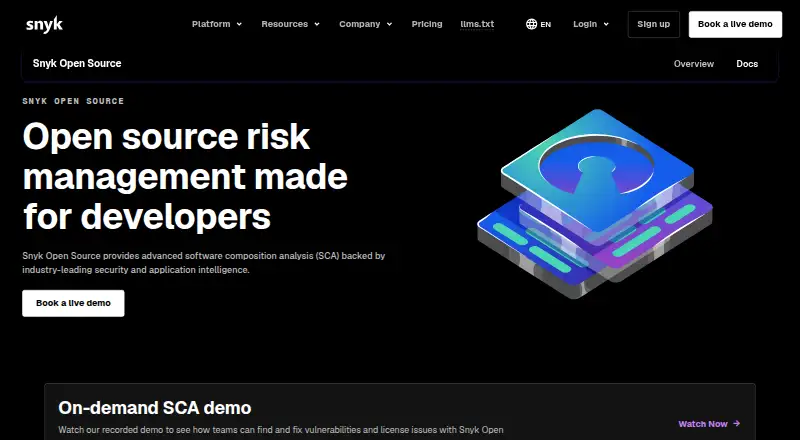
Snyk Open Source delivers software composition analysis. The service helps teams find, rank, and remediate vulnerability and licensing problems in open-source components.
What it does
Dependencies can be checked from integrated development environments and the command line, while pull requests are assessed before merging and CI/CD pipelines gain security guardrails. Running environments can also be monitored for newly identified vulnerabilities.
Risk scores consider reachability, exploit maturity, and EPSS or CVSS data. Business and application context is available to refine the resulting priorities. Snyk can create pull requests for necessary upgrades or patches, with configurable templates for titles, descriptions, and commit messages.
The service supports software bill of materials generation, continuous checks against internal or regulatory policies, and reports that show current and past results. License controls can enforce custom rules and show license use across projects.
How it connects
Snyk lists GitHub, Jira, Bitbucket Server, and IntelliJ among its connections. It runs through cloud deployment with a hybrid model and is available on the web, Linux, macOS, Windows, and through an API platform.
It supports ecosystems such as npm, Maven, and pip, along with languages including JavaScript, Python, and Go. Rust support is limited.
Good fit
This suits development teams that need dependency checks throughout the software lifecycle, from an IDE or command line to pull requests and live systems. Teams can use its automated update requests to address fixes.
Policy reporting is also designed for security engineers and governance, risk, and compliance teams. It can cover projects written in many supported languages and package ecosystems.
Watch for
The Free plan is limited to five projects. Team allows 100 projects and is intended for development groups of up to 10 people. Check those limits against your project count and team size.
Rust support is limited. Confirm that your language and package setup are covered before committing.
Pricing
Snyk offers both free and paid access. Its Free plan costs nothing on monthly billing, allows five projects, and includes Snyk Open Source software composition analysis.
Monthly Team billing costs $25. This tier covers up to 10 developers and 100 projects, adds Jira integration, and includes next business day support.
Enterprise pricing requires contacting sales. Credits are shared across Snyk capabilities, and Open Source consumes one credit for each active contributor per day.
Verdict
Choose Snyk Open Source if you need dependency security checks tied to development work, pull requests, pipelines, and ongoing monitoring. It also makes sense when license policies, software bills of materials, or historical reports matter.
Look elsewhere if five projects is enough only temporarily, your team exceeds the Team plan's stated size, or Rust is central to your work and limited support is a concern.
Our take
Snyk Open Source fits teams seeking one dependency-security process spanning coding, reviews, delivery pipelines, and live monitoring. Its free tier gives small projects a starting point, while Team expands capacity to 100 projects and adds Jira plus next business day support. Security and compliance groups may value its policy controls and reporting. Before buying, verify your languages and package managers, especially if you use Rust, and check whether the project or developer limits fit your organization.
- Scans dependencies in IDEs, pull requests, pipelines, and live environments
- Risk scoring considers reachability, exploit maturity, and EPSS or CVSS data
- Can create pull requests for required upgrades or patches
- Includes license policies, SBOM generation, and historical reporting
- Free plan includes five projects
- Rust support is limited
- The Free plan is capped at five projects
- Team targets development teams of up to 10 developers
- Enterprise pricing requires contacting sales
- Pick it ifDevelopment teams managing open-source dependency risk; Security and GRC teams needing policy reports; Projects using supported languages and package ecosystems
- Skip it ifYou need broad Rust coverage; Your team or project count exceeds plan limits; You require a published Enterprise price
Pricing
The monthly Free plan costs nothing and includes five projects. Team costs $25 per month for up to 10 developers and 100 projects. Enterprise pricing comes from sales; Open Source uses one credit per active contributor per day, with credits shared across Snyk capabilities.
- Freebilled monthly · 5 projects · access to Snyk Open Source (SCA)Free
- Teambilled monthly · Up to 10 developers · 100 projects · Snyk Open Source (SCA) · Jira integration · next business day support$25/mo
- EnterpriseContact Sales for pricing · Credits apply across Snyk capabilities · Open Source priced at 1 credit per active contributor per dayOn request
As snyk.io lists them, checked 30 Sept 2026.
Questions
Does Snyk Open Source have a free plan?
Yes. The Free plan has monthly billing at no cost and allows five projects.
What is the monthly price for Team?
Team costs $25 per month with monthly billing. It supports up to 10 developers and 100 projects.
What integrations are listed?
Listed connections include GitHub, Jira, Bitbucket Server, and IntelliJ.
Which platforms can run Snyk Open Source?
It is available on the web, Linux, macOS, Windows, and through an API platform.
Does it check license issues?
Yes. License visibility, customizable policies, and automated policy enforcement are available across projects.
Does it support Rust?
Rust coverage is limited. Other supported ecosystems include npm, Maven, pip, and more.
What does Enterprise cost?
Enterprise pricing is provided through sales. Open Source consumes one credit per active contributor per day, while credits are shared across Snyk capabilities.