Speedify: What It Does, Plans, and Limits
speedify.com · checked 11 Oct 2026
Speedify links several internet connections and can route traffic over others when one goes offline.
How it plugs in
Signal on VPN services6.9#11 of 88
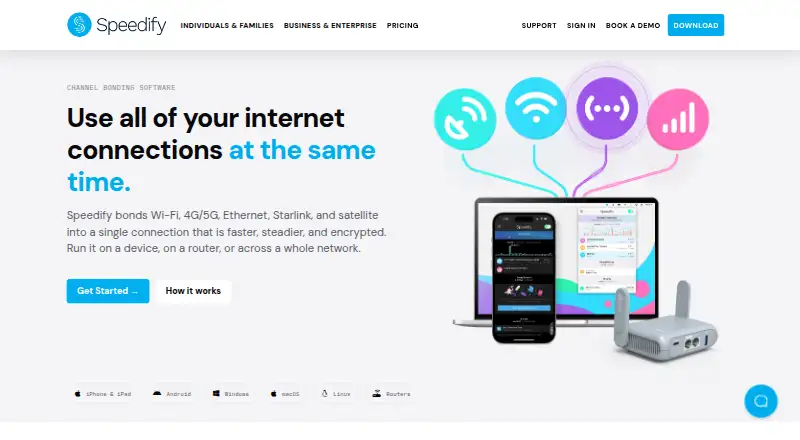
Speedify combines Wi-Fi, cellular, Ethernet, and satellite links so traffic can travel across more than one connection. Should a link become unavailable, it can shift traffic to another; users may also assign priorities and limits for metered connections.
Review
In a line
Speedify is a connection-bonding service that combines available internet links into one connection. It caters to personal and family subscribers, teams, router use, and businesses embedding the service.
What it does
The service can combine Wi-Fi, cellular, Ethernet, Starlink, or satellite links. Its channel-bonding system sends separate packets—small units of network traffic—over the available connections, and Speedify says this may use as much as 95% of their combined throughput.
When a connection is lost, traffic can be rerouted over the remaining links without restarting a call or transfer. Users may rank connections and apply data or rate caps to metered links. Streaming traffic is automatically given priority, and listed compatible services include Twitch, YouTube Live, Zoom, Microsoft Teams, and Google Meet.
How it connects
Apps and access options cover Android, iOS, Linux, macOS, Windows, and the web, with API and self-hosted options also available. An account can run up to five active sessions.
Pair & Share lets Speedify users on one local network pass 4G and 5G connections between one another. Through its SDK, companies can add packet bonding, automatic failover, and encrypted tunneling to software or hardware.
Good fit
Speedify may suit people who need calls or transfers to continue when one internet link fails, or who want to combine connections. Families and teams have plans with multiple accounts or users; router and embedded deployments are also among its intended uses.
Watch for
An individual account allows up to five active sessions. Compare the number of users and devices that need access with the plan limits before choosing.
Twitch, YouTube Live, Zoom, Microsoft Teams, and Google Meet are among the services Speedify lists as compatible for streaming and calls. Sales and support hours are Monday through Friday, 8 AM to 4 PM Eastern US Time.
According to Speedify, it does not record visited websites, exchanged data, or DNS requests. The service says it uses DTLS 1.2 with either AES-256-GCM or ChaCha20-Poly1305 authenticated encryption; the maker also says it has App Defense Alliance validation and MASA certification through regular independent third-party audits.
Pricing
A free plan and a seven-day trial are available. Individual monthly service is $14.99 for one user and up to five devices. Family monthly service is $22.50 for five accounts and a combined maximum of 25 devices.
Teams costs $14.99 per user each month and requires at least five users. This plan includes centralized account management and CLI and API access. On three-year Individual and Family plans, the annual equivalents are $4.99 and $7.50, respectively; payment is $179.99 or $270 for each three-year term.
Verdict
Speedify may be a fit if your setup needs combined internet links and continued traffic when a connection fails. Monthly prices are stated, while the three-year plans have lower annual equivalents but require larger three-year payments. Check the active-session limit, device and user counts, and whether your streaming service is listed before choosing. The free plan or trial may be a way to start without committing to a paid plan.
Our take
Speedify may suit people seeking to combine internet connections or keep calls and transfers moving when a link fails. Individual, family, and team options are available, along with a free plan and a seven-day trial. Before paying, compare user and device needs with plan limits; individual accounts allow up to five active sessions. Choose another option if those limits or the listed monthly prices do not fit your needs.
- Combines Wi-Fi, cellular, Ethernet, Starlink, and satellite connections.
- Can reroute traffic over remaining links if a connection drops, without restarting a call or transfer.
- Users may rank connections and apply data or rate limits to metered links.
- Plans are available for individuals, families, and teams.
- An individual account permits no more than five active sessions.
- The Teams monthly plan requires at least five users.
- Pick it ifPeople who want multiple internet links to work together; Families or teams needing plans for multiple users and devices; Organizations adding bonding to their own software or hardware
- Skip it ifYou need more than five active sessions on an individual account.; You need a listed price for a yearly plan before deciding.
Pricing
A free plan and a seven-day trial are available. Monthly rates are $14.99 for Individual, $22.50 for Family, and $14.99 per Teams user, with a five-user minimum. The three-year Individual and Family terms are paid in full at $179.99 and $270, respectively.
- Individual 3-year5 devicesOn request
- Individual yearly5 devicesOn request
- Individual monthly$14.99 billed every month · 5 devices$14.99/mo
- Family 3-year5 user accounts · 25 devices totalOn request
- Family yearly5 user accounts · 25 devices totalOn request
- Family monthly$22.50 billed every month · 5 user accounts · 25 devices total$22.50/mo
- Teams yearly5 users · 5 devices per userOn request
- Teams monthly$14.99 billed monthly · 5 users · 5 devices per user$14.99/mo
As speedify.com lists them, checked 22 Sept 2026.
Questions
What does Speedify do?
It combines Wi-Fi, cellular, Ethernet, Starlink, and satellite links into one connection. Traffic can be rerouted over remaining links if one drops.
Which devices and systems does Speedify support?
Available platforms and options include Android, iOS, Linux, macOS, Windows, web access, API, and self-hosted.
How many devices can use an individual account?
Individual plans include up to five devices, while the account is limited to five active sessions.
Does Speedify support streaming and video calls?
Streaming traffic receives automatic priority. Twitch, YouTube Live, Zoom, Microsoft Teams, and Google Meet are among the listed compatible services.
Does Speedify have a free option or trial?
Yes. You can use a free plan or try the service for seven days.