
StemDesk: Local Mixing, Mastering, and Stem Separation
stemdesk.ai · checked 15 Oct 2026
Local desktop studio for stem separation, mixing, mastering, AI analysis, and music generation.
How it plugs in
Signal on AI Audio Mixing Software6.6#1 of 41
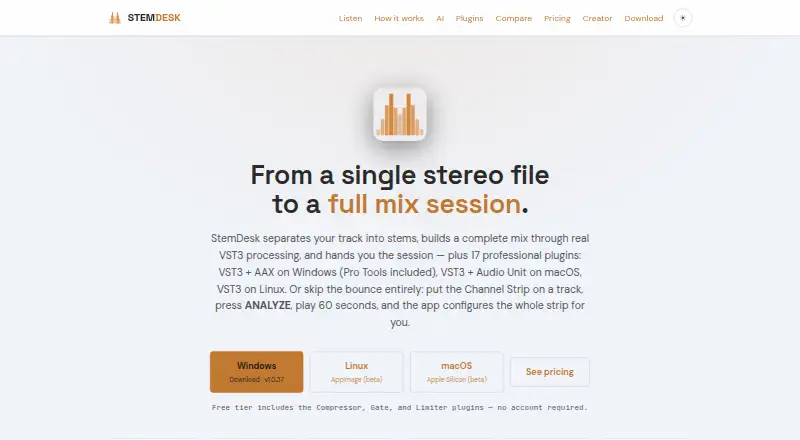
StemDesk is a Windows, macOS, and Linux desktop studio that splits audio into stems, analyzes mixes, applies processing, and exports editable DAW sessions. Mixing, mastering, separation, plugins, and AI tools run locally, with no runtime audio uploads. A free plan is available, while paid one-time plans add plugins, Auto-Mix, session building, and batch work.
Review
In a line
StemDesk is a desktop mixing, mastering, and music-generation studio. It separates tracks into stems and works on the user's computer.
What it does
The app can split stereo audio into four or six stems, measure them, and build a mix. Auto-Mix handles gain staging, panning, sidechain ducking, vocal rides, per-stem processing, and mastering.
Its local AI panel grades mixes from A to F, ranks problems, suggests undoable fixes, and shows masking conflicts on a spectral heatmap. Mix Coach accepts plain-language requests and proposes gain, EQ, or compression changes.
Other tools include vocal transcription, lyric drafts, reference matching with a 64-point curve, eleven loudness and delivery targets, and optional stem-separated music generation through a separately installed ACE-Step engine.
How it connects
StemDesk supports Pro Tools, REAPER, Cubase, Ableton Live, Studio One, Bitwig Studio, FL Studio, GarageBand, and Logic Pro. Studio can export sessions to REAPER, Pro Tools, Ableton Live, and DAWproject, making it useful with existing AI audio mixing software workflows.
The suite includes 17 plugins. Windows and macOS provide VST3 and AAX, macOS also supports Audio Units, and Linux uses VST3. It can render with installed FabFilter Pro plugins and create FabFilter presets.
Mixing, separation, and plugins work offline; local AI functions run on the computer. Internet access is needed for downloads and the optional one-time AI model download. The documentation describes configurable OpenAI-compatible endpoints and Ollama models, but no general public StemDesk SDK.
Good fit
StemDesk suits musicians and producers who want local stem separation, mix analysis, mastering targets, and editable sessions without uploading audio.
The free plan covers stem separation, analysis, mix targets, 154 genre profiles, local AI tools, and WAV, MP3, FLAC, and AAC export. Paid plans add the full plugin set, Auto-Mix, live Pro Tools session building, exports, and batch album processing.
Watch for
The download page lists Windows 10/11, macOS 13 or newer on Apple Silicon in beta, and Linux x86_64 in beta. Windows needs version 1809 or newer; Linux is an x86-64 AppImage rather than a native package.
The app needs about 2 GB, plus AI models ranging from 2.8 GB to 30.4 GB depending on GPU memory. Local music generation requires an NVIDIA CUDA GPU or a separately configured remote ACE-Step server. macOS first run installs about 1.7 GB of Python dependencies.
The maker documents earlier issues with Auto-Mix compression and saturation, split-track processing, plugin installation, and reconnection. Paid licenses activate offline with a key, and no account is required.
Pricing
StemDesk has a free one-time plan with Compressor, Gate, and Limiter plugins, stem separation, analysis, mix targets, 154 genre profiles, local AI, and common audio exports.
Pro costs $99 one-time and adds all 17 plugins, Channel Strip Analyze Track, an AI button in every plugin, and free v1.x updates. Studio costs $179 one-time and adds one-click Auto-Mix, live Pro Tools session building, REAPER, Ableton Live, and DAWproject export, plus batch album processing.
The general pricing note says paid plans start from $149, which does not match the listed Pro price. There is no free trial. Customers may request a full refund within 14 days of purchase.
Verdict
Choose StemDesk if local processing, offline license activation, stem separation, and editable DAW exports matter more than a cloud workflow. The free plan gives a substantial starting set, while Studio is aimed at users who need Auto-Mix, session building, or album batches.
Look elsewhere if you need a native Linux package or local music generation without NVIDIA CUDA or extra ACE-Step setup. Check your DAW, operating system, storage, and GPU before buying.
Our take
StemDesk is a sensible option for producers who want an offline desktop workflow with stem separation, mix critique, plugins, and DAW session exports. Its free plan covers core separation and analysis, while Pro and Studio add production features through one-time licenses. The main checks are platform status, large model downloads, Linux packaging, and hardware needs for music generation. The conflicting paid-starting price note also deserves clarification before purchase.
- Mixing, mastering, separation, and AI functions run locally by default; audio is not uploaded.
- Splits stereo tracks into four or six stems on the computer.
- Exports editable sessions to REAPER, Pro Tools, Ableton Live, and DAWproject.
- Free plan includes stem separation, analysis, AI tools, and audio export.
- 17 plugins support VST3, AAX, and Audio Units by platform.
- Music generation needs NVIDIA CUDA or a configured remote ACE-Step server.
- AI models can require up to 30.4 GB of storage.
- macOS Apple Silicon and Linux downloads are marked beta.
- Linux uses an AppImage instead of a native package.
- Release notes list earlier Auto-Mix, split-track, plugin, and reconnection failures.
- Pick it ifProducers wanting local stem separation and mix analysis; Users exporting editable sessions to supported DAWs; Offline-first workflows with one-time licensing
- Skip it ifYou need cloud collaboration or a native Linux package.; You lack suitable GPU setup for local music generation.; You want a free trial before paying.
Pricing
Free plan available. Pro is $99 one-time; Studio is $179 one-time. No free trial; refunds are available within 14 days.
- Freeone-time · Compressor, Gate and Limiter plugins · stem separation · analysis and mix targets · 154 genre profiles · local AI suite · WAV/MP3/FLAC/AAC exportFree
- Proone-time · All 17 plugins · Channel Strip Analyze Track · AI button in all plugins · free v1.x updates$99 one-time
- Studioone-time · Everything in Pro · one-click Auto-Mix · live Pro Tools session building · REAPER/Ableton/DAWproject export · batch album processing$179 one-time
As stemdesk.ai lists them, checked 15 Oct 2026.
Questions
Does StemDesk upload audio?
The maker says mixing, mastering, separation, and AI functions run locally, and the software does not transmit audio, projects, personal data, or telemetry during runtime.
Which operating systems support StemDesk?
Windows 10/11, macOS 13 or newer on Apple Silicon in beta, and Linux x86_64 in beta. Linux is distributed as an AppImage.
What DAWs can StemDesk export to?
Studio can export sessions to REAPER, Pro Tools, Ableton Live, and DAWproject.
Is there a free version?
Yes. The Free plan includes stem separation, analysis, mix targets, 154 genre profiles, local AI tools, three plugins, and WAV, MP3, FLAC, and AAC export.
Does StemDesk have a public API?
The documentation describes configurable OpenAI-compatible endpoints and Ollama models for AI features, but it does not present a general public StemDesk SDK.
What does music generation require?
Music generation uses a separately installed local ACE-Step engine. Local generation requires an NVIDIA CUDA GPU or a separately configured remote ACE-Step server.
Near it
All alternatives →- NANeuroMix AI#2 on this board
- S
 StemMaster#3 on this board
- T
 TonalBrain#4 on this board
- B
 Box#5 on this board
- E3
 EZmix 3#6 on this board
- SPsonible prime:vocal#7 on this board
- SPsonible pure:EQ#8 on this board
- SSsonible smart:EQ 4#9 on this board
- SGSoundtheory Gullfoss#10 on this board
- WCWaves Curves AQ#11 on this board