
Stop Motion Studio: Stop-Motion Animation App
stopmotionstudio.com · checked 15 Oct 2026
Stop-motion animation app with frame capture, editing, camera controls, and exports for mobile and desktop.
How it plugs in
Signal on Stop Motion Software6.7#1 of 29
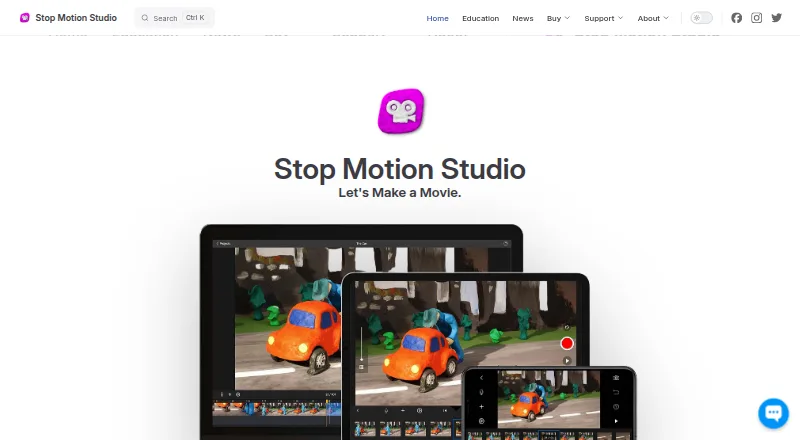
Individual captured frames become stop-motion movies in Stop Motion Studio. Across iOS, Android, macOS, and Windows, it pairs camera controls with audio, drawing, green-screen compositing, and several export options. Core work is available free, while paid editions add selected advanced capabilities. Projects can sync through iCloud and be shared to major social platforms.
Review
In a line
Stop Motion Studio lets you build animation frame by frame. It runs on iOS, Android, macOS, and Windows.
What it does
You can capture frames with the built-in camera, a DSLR, USB webcam, or remote camera, then rearrange them on a zoomable timeline. Supported cameras offer automatic or manual focus, exposure, ISO, white balance, shutter speed, and aperture controls.
For alignment and composition, the editor includes onion skinning, guides, a path layer, reference media, layers, brushes, Apple Pencil drawing, object removal, green-screen backgrounds, filters, titles, credits, and 4K video creation.
Audio tools let you record dialogue, add music and sound effects, trim clips, adjust volume, and add fades. Finished projects can be output as video, GIF, stickers, flipbooks, MP4, MOV, image sequences, or project files.
How it connects
iCloud can keep projects synchronized across devices, and creations can be posted to YouTube, Facebook, or TikTok. Projects may also be transferred to another device or exported as raw images.
The software is proprietary and not open source. The maker provides no public API, SDK, plug-in system, or developer documentation, and self-hosting is not offered. Classroom projects are stored locally, with cloud sync optional.
Good fit
A single app can cover capture and editing for stop-motion films, classroom assignments, LEGO animations, and short clips. Built-in tutorials cover beginner through advanced techniques.
Schools can deploy it with VPP or MDM. No account or login is required, and after installation and activation it can work offline. A school-site license covers up to 500 students.
Watch for
The free editions may not include green screen, the sound-effects and music library, 4K export, or advanced editing such as rotoscoping. Review the feature list for the edition you select.
The current Windows download requires Windows 10 or newer, and the macOS download requires macOS 13 or newer; listed mobile requirements are iOS 16+ and Android 9+. Assistance is limited to the current app version, including older releases.
Windows and macOS do not have a trial or free version. DSLR controls and remote-camera use depend on supported hardware.
Pricing
Mobile free versions and the Free plan provide core capture and editing, while some advanced tools require an upgrade. On Google Play, Pro costs $5.99 as a single payment and includes all features without in-app purchases.
The iPhone and iPad Pro app is also sold for a one-time $5.99 fee. A school-site license is a one-time purchase with pricing available on request and includes MDM deployment for up to 500 students.
Verdict
Stop Motion Studio fits users seeking frame-by-frame capture, timeline editing, camera controls, and classroom deployment on common devices. Its free options let you start with core tools, while a one-time Pro purchase unlocks more.
It is a poor match if you need a public API, open-source code, self-hosting, or a Windows or Mac trial. Also confirm hardware support and the exact export or compositing features included in your chosen edition.
Our take
Stop Motion Studio suits beginners, families, and schools seeking subscription-free stop-motion creation on mobile. Free editions handle basic capture, onion skinning, editing, and export; Google Play Pro adds all features for a one-time fee, while the iPhone and iPad Pro app is separately sold. Its offline classroom operation, local storage, and stated no-tracking policy may appeal to educators. Professional teams needing software integration, hosted access, or developer tools should not choose it, because there is no public API, SDK, plug-in framework, or self-hosting option.
- Frame-by-frame capture with onion skinning and a timeline you can zoom
- Runs on iOS, Android, macOS, and Windows
- Can export video, GIFs, stickers, flipbooks, images, and project files
- Supports DSLR, USB webcam, remote camera, and imported media
- No personal-data collection, tracking, or advertisements stated
- Green screen and 4K export are among the advanced tools that require an upgrade
- Windows and macOS have neither a trial nor a free version
- No public API, SDK, plug-in framework, or self-hosting
- Current downloads require newer Windows and macOS versions
- DSLR and remote-camera features depend on supported hardware
- Pick it ifClassroom stop-motion projects and offline school deployments; Beginners making frame-by-frame films on phones or tablets; Creators needing camera controls and varied export formats
- Skip it ifYou need open-source code, a public API, plug-ins, or self-hosting; You want to test the software on Windows or Mac before buying; Your camera or computer does not meet the listed requirements
Pricing
Core use is free on mobile. Google Play Pro is $5.99 once; the iPhone and iPad Pro app is sold separately for a one-time $5.99.
- Pro (iPhone and iPad)No subscription · Includes all features sold separately in the Free versionOn request
- Pro 2 (Mac)Mac application · No subscriptionOn request
- FreeFree to download and use · Core capture and editing · Some advanced features require upgradeFree
- Stop Motion Studio (free mobile version)Many features included · core classroom features include frame-by-frame capture, onion skinning, and video export · advanced tools require upgradeFree
- Pro$5.99 one-time purchase on Google Play · All features included · No in-app purchases$5.99 one-time
- Stop Motion Studio Pro (iPhone and iPad)One-time purchase · Pro app for iPhone and iPad · no subscription$5.99 one-time
- School site licenseContact/store pricing; one-time purchase · Up to 500 students per license · MDM deployment · EDU versions have no in-app purchasesOn request
As apps.apple.com lists them, checked 20 Sept 2026.
Questions
Can I use Stop Motion Studio without paying?
Yes. Free mobile versions provide core capture and editing. Advanced features require an upgrade, while Windows and macOS offer neither a trial nor a free version.
Which platforms and system versions are supported?
The app is available on iOS, Android, macOS, and Windows. Current downloads require Windows 10+ or macOS 13+; listed mobile requirements are iOS 16+ and Android 9+.
Can it use a DSLR or webcam?
Yes. Supported inputs include built-in cameras, DSLRs, USB webcams, remote cameras, microphones, and imported media. DSLR controls depend on supported models.
Does it work offline?
Once installed and activated, classroom deployments can run without an internet connection. Projects remain on the device, while cloud sync is optional.
Does it have an API or open-source code?
No public API, SDK, plug-in framework, or developer documentation is provided, and the software is proprietary rather than open source.
Near it
All alternatives →- CSCloud Stop Motion#2 on this board
- SEStopmotion Explosion Animator#3 on this board
- KKKoma Koma#4 on this board
- AAnyMotion#5 on this board
- OS
 OKIOCAM Stop-Motion#6 on this board
- TTahoma2D#7 on this board
- EA
 Eagle Animation#8 on this board
- D
 Dragonframe#9 on this board
- Q
 qStopMotion#10 on this board
- MSMOTK Shoot#11 on this board