Strigo Review: Software Training
strigo.io · checked 15 Oct 2026
How it plugs in
Signal on Presales Software5.2#16 of 26
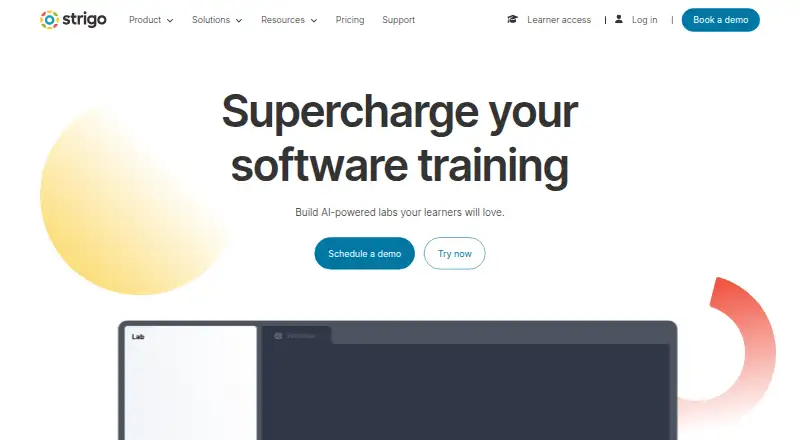
Strigo is a browser-based training platform for organizations teaching customers, partners, and employees. It combines isolated cloud labs, live classrooms, self-paced courses, assessments, analytics, and an AI training assistant. Labs can use AWS, Azure, or Google Cloud accounts, and can be embedded in web pages or learning-management systems.
Review
In a line
Organizations use it to teach customers, partners, and employees through virtual labs, classrooms, and product-led learning.
What it does
The platform supports self-paced courses, instructor-led sessions, product demonstrations, proof-of-concept environments, and workshops. Its classroom combines slides, whiteboards, screen sharing, chat, audio and video with practical lab work.
Labs run in isolated cloud environments for software, operating systems, and development tools. Templates cover Linux, Kubernetes, Windows, and Office; learners can work with terminals, code editors, web endpoints, and desktops.
Training exercises can sit beside the lab interface, show learner progress, and be written in Strigo's editor or fetched from GitHub. Automated scoring, progress reports, engagement insights, and resource-use analytics help organizations follow results. Strigo also offers an AI assistant that can use customer materials to give context-based guidance, troubleshooting help, and feedback.
How it connects
Strigo runs in a browser and offers a public v1 REST API for classes, lab resources, events, on-demand courses, enrollments, partners, subscriptions, and user-token creation. A separate subscriptions API sends event data to customer URLs and is labeled open beta. Documentation also links to an SDK setup method.
Labs can be embedded in web pages and learning-management systems. LMS connections can schedule live events, return attendance, embed on-demand labs, create enrollments, and mark course steps complete. Strigo lists learner single sign-on, Zapier, Slack, and LMS integrations, plus SAML and Google SSO.
Customers can import and customize machine images, use temporary accounts on AWS, Azure, and Google Cloud, and version training instructions with Git. Strigo is delivered as a hosted service; its official product pages do not state an open-source license.
Good fit
Strigo suits organizations that need practical software training for customers, partners, employees, or learners. It fits teams running blended programs, live classes, workshops, product demonstrations, or repeatable self-paced labs.
Its managed lab engine is useful when training needs custom images, reusable recorded labs, temporary cloud accounts, or environments that reproduce complex infrastructure. The classroom supports up to 300 video participants and includes recordings, file sharing, private calls, and breakout rooms.
Watch for
Training requires a stable internet connection, a supported browser, and at least 1280×720 resolution. Networks need port 443, WebSocket support, access to Strigo and listed cloud and service domains, and typically about 5–10 Mbps for lab work.
Confirm that your network allows the required AWS, Google, OpenTok/TokBox, and Firebase domains. Check that your team can work with the API's bearer authentication, organization ID, and API key if you plan custom automation.
Strigo says its primary servers are in AWS Ireland, with relay servers in several regions. Its terms describe a hosted software service, and pricing is not published.
Pricing
Strigo lists two paid approaches, both with price on request. Pay-as-you-go is billed through a sales discussion, charges only for usage, and has no commitments or minimum fees.
The Subscription plan is also price on request and offers discounted monthly and yearly plans with no setup fees. There is no free tier stated in the supplied plans.
Verdict
Its cloud-provider support, embeddable labs, LMS workflows, analytics, and documented APIs suit structured training operations.
Consider another option if you need published pricing, an open-source product, or training that works without the stated browser, network, and bandwidth requirements. Ask sales about expected usage and confirm that your identity, LMS, and automation needs match the available connections.
Our take
Strigo is a fit for organizations delivering practical training at scale rather than for casual individual study. It brings labs, classrooms, course workflows, cloud accounts, and learner reporting into one hosted service. Custom images and Git-based instructions help teams reuse their own material, while the APIs support system connections. The trade-offs are a sales-led price, browser and network prerequisites, and no stated open-source license. Teams should verify cloud access, LMS behavior, identity setup, and expected lab consumption before choosing a plan.
- Managed labs can use custom machine images and reusable recorded labs.
- Supports AWS, Azure, and Google Cloud training environments.
- Labs embed in web pages and learning-management systems.
- Classroom supports up to 300 video participants.
- Includes APIs, assessments, analytics, and an AI training assistant.
- Pricing is available only on request.
- Training needs stable internet, supported browsers, and specific network access.
- No open-source license is stated on official product pages.
- Lab work typically needs about 5–10 Mbps.
- Pick it ifOrganizations training customers, partners, or employees; Blended courses, workshops, and product demonstrations; Teams needing managed cloud labs and LMS workflows
- Skip it ifYou need public, self-service pricing before contacting sales.; You require an open-source training platform.; Your learners cannot meet the browser or network requirements.
Pricing
Both paid plans are price on request. Pay-as-you-go has no commitments or minimum fees; Subscription offers discounted monthly and yearly plans with no setup fees. No free tier is listed.
- Pay-as-you-goPay only for usage; no commitments or minimum fees · No setup fees · Usage-based billingOn request
- SubscriptionMonthly or yearly plans; discounted subscription pricing · No published prices · Contact salesOn request
As strigo.io lists them, checked 15 Oct 2026.
Questions
Which cloud providers does Strigo support?
Labs can use AWS, Azure, and Google Cloud. Temporary cloud accounts can reproduce complex infrastructures for learners.
Can Strigo connect to an LMS?
Yes. Labs can be embedded in learning-management systems, and LMS workflows can handle live events, attendance, enrollments, on-demand labs, and course-step completion.
Does Strigo have a public API?
Yes. Its v1 REST API covers classes, labs, events, courses, enrollments, partners, subscriptions, and user-token creation. A subscriptions API is listed as open beta.
What browsers and internet setup are required?
Strigo runs in a browser without installation. It requires stable internet, Chrome 51 or newer, Firefox, or Edge 79 or newer, 1280×720 resolution, port 443, and WebSocket support.
How much does Strigo cost?
Pricing is on request for both Pay-as-you-go and Subscription plans. Pay-as-you-go has no commitments or minimum fees; Subscription includes discounted monthly and yearly plans.
Does Strigo offer an AI helper?
Strigo says customers can train its AI assistant with their materials. It then provides contextual guidance, troubleshooting help, immediate feedback, and answers for the training context.