
Reviewing Taggun's receipt and invoice OCR API
taggun.io · checked 15 Oct 2026
API-based OCR from Taggun turns receipt and invoice uploads into structured workflow data.
How it plugs in
Signal on AI OCR Software5.9#14 of 30
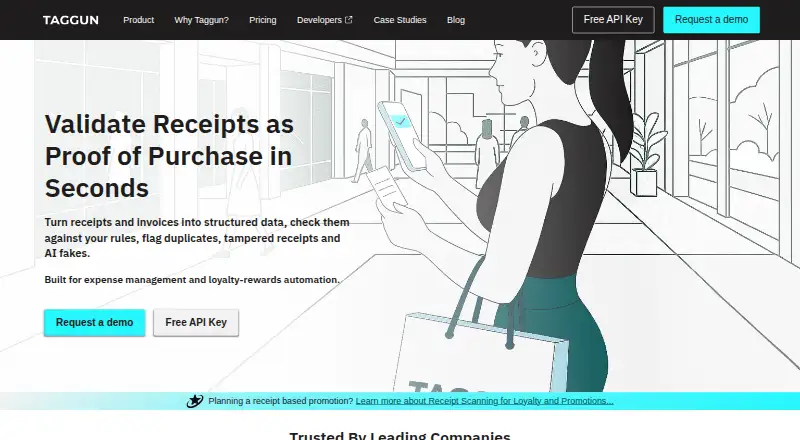
Taggun is a paid web and API service for reading receipts and invoices. It identifies totals, tax, merchant details, dates, line items and confidence information in common image and PDF files. It supports 205 languages, offers REST and Make.com connections, and includes a 30-day trial but no free plan.
Review
In a line
Taggun is an OCR service for receipts and invoices. It uses image recognition, AI and machine learning to turn submitted documents into structured information.
What it does
The service reads totals, taxes, dates, merchant details, line items and confidence information. It accepts JPEG, PNG, GIF, HEIF or HEIC images and PDFs up to five pages and 20 MiB.
The maker describes expense management, accounting automation, and receipt-based loyalty or rewards promotions as uses. It supports receipt and invoice reading in 205 languages, with handwriting OCR and printed product-code extraction available through specified plan features.
How it connects
A documented REST API and verified Make.com app provide Taggun's integration routes. Make can connect receipt workflows with Google Sheets, Excel, QuickBooks and CRM systems. It also fits into broader OCR API software and AI OCR software workflows.
Requests use one API key in the `apikey` header. Processing is synchronous, so there is no webhook or job-polling flow. Export operations return CSV files. Examples cover cURL, Python, Node.js, PHP and C#, and any language that can send HTTP requests can connect.
For long receipts, clients must send overlapping images in separate requests and combine the results themselves. URL extraction requires an HTTPS link to a public supported file; local and private-network addresses are rejected.
Good fit
Teams can use Taggun to build receipt or invoice capture into expense, accounting, rewards or other software. Its structured fields and documented API are aimed at automated workflows rather than manual filing.
Startup and higher plans add receipt and product categorization, merchant name and location information, and extraction of printed UPC, barcode, PLU, SKU or model codes. Advanced and Enterprise plans add fraud checks such as duplicate, similarity, tampering, handwriting and digital-receipt detection.
Watch for
Taggun has no free plan and does not offer traditional on-premises installation. Infrastructure is AWS-hosted; Enterprise customers can discuss dedicated or managed hosting and data-residency options.
By default, submitted files and extracted results remain stored for up to three years. Setting `incognito` prevents that content from being stored. Taggun reports accuracy above 90%, but says results vary with document type, country, merchant and image quality.
The API does not provide asynchronous processing. PDFs are limited to five pages, files to 20 MiB, and long receipts require client-side result combining.
Pricing
Taggun has a 30-day trial and no free plan. Developer costs $28 a month and includes 500 scans, with extra scans at $0.060 each; its trial allows up to 1,000 scans.
Startup costs $99 a month for 1,800 scans, then $0.055 per extra scan. Business costs $399 a month for 8,000 scans, then $0.050 per extra scan. Both trials allow up to 1,000 scans; Startup adds tax, categorization, merchant and SKU features, while Business adds NDA/DPA and email, Slack and Zoom support.
Advanced costs $799 a month for 20,000 scans, with $0.040 extra scans. Its trial allows up to 1,000 scans and adds fraud detection, promotion validation and performance tuning. Enterprise pricing is on request, with custom volume, bulk discounts, dedicated managed hosting, custom service levels and dedicated support.
Verdict
Choose Taggun when your product needs receipt or invoice fields through an API, especially if language coverage, Make.com connections or plan-based categorization matter. The 30-day trial provides room to test document volumes before paying.
Check storage settings, file limits and the lack of asynchronous jobs before committing. Organizations requiring traditional on-premises deployment, built-in webhook processing or a free ongoing tier should look elsewhere.
Our take
Taggun is a sensible fit for software teams that need receipt and invoice details delivered into their own workflows. Its broad language support, REST interface, Make.com module and tiered extraction features cover small pilots through larger scan volumes. The trade-offs are subscription-only access, synchronous requests, client work for long receipts, and default retention of submitted content. Buyers with strict deployment rules should discuss Enterprise hosting and data residency early, while smaller users should compare expected scans with overage charges during the trial.
- Reads receipts and invoices in 205 languages
- REST API plus a verified Make.com integration
- Returns totals, tax, merchant details, dates, line items and confidence data
- A 30-day trial is included on the Developer, Startup, Business and Advanced plans
- Incognito requests keep submitted content from being stored
- No free plan or traditional on-premises installation
- Synchronous API has no webhook or job-polling workflow
- Long receipts require separate overlapping requests
- Stored files and results can remain for up to three years by default
- Pick it ifSoftware teams automating receipt and invoice data capture; Expense, accounting, rewards and promotion workflows; Builders needing API or Make.com connections
- Skip it ifYou need a free ongoing tier or traditional on-premises deployment; Your workflow requires asynchronous jobs or webhook callbacks; You cannot manage client-side combining for long receipts
Pricing
Developer, Startup, Business and Advanced include 30-day trials; Enterprise pricing is on request.
- Developermonthly · 500 scans/month · $0.060 overage scan · 30-day trial up to 1,000 scans$28/mo
- Startupmonthly · 1,800 scans/month · $0.055 overage scan · 30-day trial up to 1,000 scans · tax, categorisation, merchant and SKU features$99/mo
- Businessmonthly · 8,000 scans/month · $0.050 overage scan · 30-day trial up to 1,000 scans · NDA/DPA · email, Slack and Zoom support$399/mo
- Advancedmonthly · 20,000 scans/month · $0.040 overage scan · 30-day trial up to 1,000 scans · fraud detection · promotion validation · performance tuning$799/mo
- EnterpriseCustom scan volume · bulk discounts · dedicated managed hosting · custom SLAs · dedicated supportOn request
As taggun.io lists them, checked 15 Oct 2026.
Questions
Does Taggun have a free plan?
No. Taggun offers a 30-day trial, but there is no ongoing free plan.
What file types can Taggun read?
It accepts JPEG, PNG, GIF, HEIF or HEIC images and PDF files. PDFs can be up to five pages, and requests can be up to 20 MiB.
Which fields does Taggun extract?
The service returns totals, tax, dates, merchant details, line items and confidence information. Specified plans also add categorization and printed product-code extraction.
How does Taggun connect to other software?
Integration is available through its REST API and verified Make.com module. Make connections can link workflows with Google Sheets, Excel, QuickBooks and CRM systems.
Does Taggun process files asynchronously?
No. Document processing is synchronous HTTP. The API does not provide webhook or job-polling workflows.
How long are uploaded files stored?
Submitted files and extracted results can be stored for up to three years by default. Setting `incognito` to true prevents that content from being stored.
Can Taggun run on premises?
Traditional on-premises installation is not offered. Enterprise customers can discuss dedicated or managed hosting and data-residency options.
Near it
All alternatives →- LALandingAI Agentic Document Extraction#13 on this board
- AI
 Affinda Invoice Extractor#15 on this board
- COCloudmersive OCR API#12 on this board
- MO
 Mistral OCR#16 on this board
- BA
 Base64.ai#11 on this board
- HO
 Hyland OnBase#17 on this board
- BOBaidu OCR#10 on this board
- HOHandwriting OCR#18 on this board
- I
 Instabase#9 on this board
- MI
 Mindee Invoice OCR#19 on this board