Application Deployment Software
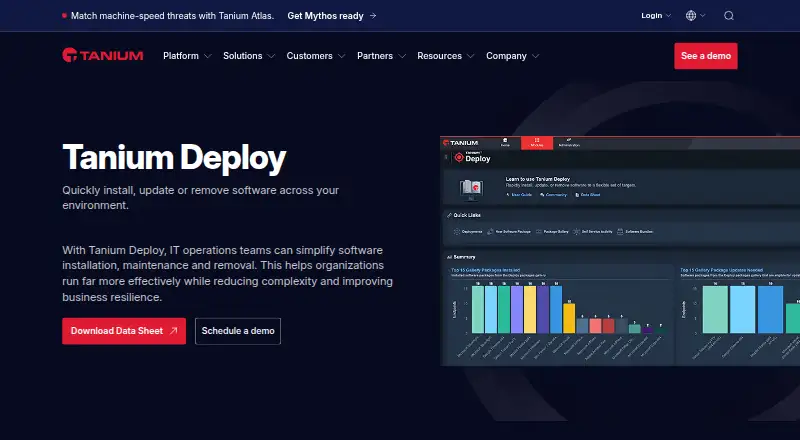
Tanium Deploy software deployment
tanium.com · checked 4 Oct 2026
Manage software across Windows, macOS, and Linux endpoints at enterprise scale.
How it plugs in
Signal on Application Deployment Software5.5#33 of 44
Tanium Deploy manages software across large organizations. Administrators can install, update, or remove applications for chosen computers or users, schedule jobs within maintenance windows, and make approved software available through self-service. Deploy runs with Tanium Client devices, supports Windows, macOS, and Linux endpoints, and exposes REST, SOAP, and Tanium Gateway API access. Pricing is provided on request.
Review
In a line
Tanium Deploy manages application installation, updating, and removal as a software module for large organizations. It runs through Tanium Client devices in a hybrid deployment model.
What it does
Administrators can aim deployments at computer groups, user groups, departments, locations, individual computers, or individual users. Deployments may run once, continue on a schedule, or start when rules trigger them. Maintenance windows help control when work runs.
A package brings together source files, metadata, detection logic, and commands for detecting, installing, updating, or removing software. The Predefined Package Gallery supplies templates with the information needed to import third-party applications.
Through Self-Service Profiles and Client Applications, administrators can make approved or assigned software available for user-initiated installation, updating, or removal. The package management workbench is used to build, maintain, and distribute packages.
How it connects
Deploy includes REST and SOAP APIs. Tanium Gateway provides access to the Deploy API, including queries and mutations for extending its functions.
Tanium names Microsoft, ServiceNow, and ScreenMeet among its integrations, along with connections for SIEM, SOAR, IT service management, data lakes, and cloud platforms.
Security controls include SAML-based single sign-on, role-based access, four-eyes approvals, hardware security module key storage, detailed event logs, and support for air-gapped networks.
Good fit
Deploy suits organizations managing many endpoints and needing scheduled software rollout, third-party patching, remote removal, reboot deferral, approval steps, event triggers, audit logs, compliance reports, and remediation tracking.
Tanium says its architecture can maintain performance across hundreds of thousands of endpoints from a single Tanium server, without extra agents or Deploy-specific infrastructure. Supported endpoint families include Windows, macOS, and Linux, with additional listings for Solaris and AIX.
Watch for
Deploy needs a Tanium license covering Deploy, Tanium Core Platform servers, and a supported Tanium Client. Endpoints need at least 2 GB of free disk space.
A software bundle handles packages for one platform only; combining packages for different operating systems in one bundle is unsupported. Deploy uses an agent-based method, and agentless monitoring is not available.
Check the exact endpoint versions in the requirements. The listed examples include Windows 7 SP1 or later, macOS 10.13.6 or later, and several Linux distributions.
Pricing
Tanium Deploy is paid, with pricing provided on request. No free plan is available.
The quoted plan requires a Tanium license that includes Deploy and Tanium Core Platform servers, so buyers should confirm those prerequisites and the supported Tanium Client.
Verdict
Choose Tanium Deploy if your organization needs centralized application lifecycle work across many managed devices, with targeting by people or locations, controlled maintenance windows, and optional self-service.
It may not fit teams seeking a standalone tool without Tanium Core Platform licensing, or an agent-free approach. Confirm operating-system coverage, disk space, bundle rules, and API or integration needs before committing.
Our take
Tanium Deploy is built for enterprise teams already operating Tanium that want one place to control application installs, updates, and removals. Its targeting, scheduling, self-service options, package templates, and approval controls cover common rollout workflows. Key commitments include the required Tanium license and client, agent-based operation, endpoint storage requirements, and single-platform bundles. Organizations with mixed operating systems should plan separate bundles, while buyers wanting a no-agent product should look elsewhere. Pricing requires a direct request, so budget comparison needs a vendor quote.
- Targets users, computers, departments, locations, or groups
- Supports scheduled, ongoing, rule-triggered, and maintenance-window deployments
- Includes third-party software templates and self-service profiles
- Offers REST, SOAP, and Tanium Gateway API access
- Provides audit logs, approvals, compliance reports, and remediation tracking
- A Tanium license, Core Platform servers, and Tanium Client are required
- Endpoints need at least 2 GB of free disk space
- A bundle cannot combine packages for different operating systems
- Uses agents; agentless monitoring is not available
- Pricing is provided only on request
- Pick it ifLarge organizations managing Windows, macOS, and Linux software; Teams needing scheduled rollout, patching, removal, and self-service
- Skip it ifYou need an agent-free deployment tool; You cannot adopt Tanium Core Platform licensing or client requirements; You need one bundle to cover multiple operating systems
Pricing
Paid plan with pricing on request. Tanium Deploy requires a Tanium license that includes Deploy and Tanium Core Platform servers; no free plan is listed.
- Tanium DeployRequires a Tanium license that includes Deploy and Tanium Core Platform serversOn request
As help.tanium.com lists them, checked 4 Oct 2026.
Questions
What is Tanium Deploy?
It is a Tanium module for installing, updating, and removing software across managed endpoints.
Which operating systems does it support?
Requirements list Windows, macOS, and Linux endpoints, with additional platform listings for Solaris and AIX. Exact supported versions vary.
Can users install software themselves?
Yes. Administrators can publish approved or assigned applications through Self-Service Profiles and Client Applications.
Does Deploy support third-party patching?
Yes. Its package gallery includes templates for importing and deploying third-party software.
Is Tanium Deploy agentless?
No. It uses Tanium Client devices and an agent-based deployment method.
How much does Tanium Deploy cost?
Pricing is available on request. No free plan is available, and the product requires a qualifying Tanium license.
Can one bundle contain Windows and macOS packages?
No. A bundle manages packages for a single platform; mixed-operating-system bundles are unsupported.
What APIs are available?
Deploy offers REST and SOAP APIs. Tanium Gateway can access the Deploy API for queries and mutations.