TeleprompterFlow: Voice-Controlled Teleprompter
teleprompterflow.com · checked 15 Oct 2026
A voice-guided teleprompter with local scripts, offline access, and video recording.
How it plugs in
Signal on Teleprompter Software6.7#2 of 32
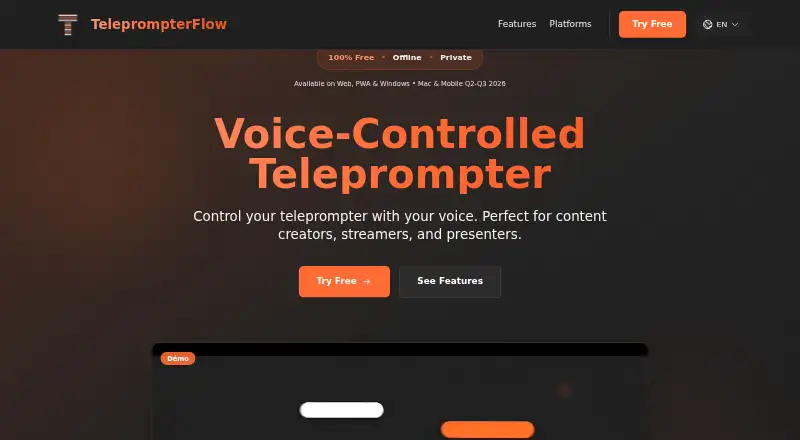
TeleprompterFlow moves through your script as you speak and records video using either split-screen or overlay presentation. You can open it in a browser, install the browser version on a device home screen, or use the Windows app. Scripts are said to stay on the device, without tracking or outside servers. Core prompting is free, while cloud synchronization is offered as a premium feature with a seven-day trial.
Review
In a line
Content creators, streamers, and presenters can use TeleprompterFlow to read scripts without holding or touching controls. Speech drives the script forward automatically.
What it does
Controls let you change scroll speed, text size, colors, line spacing, margins, and active-line placement. Active-word highlighting, smooth animation, paragraph spacing, and optional stop signs are available.
The recording tool captures you with the script either next to the picture or superimposed on it. The display can flip sideways or turn 180 degrees for one-way-mirror setups. Support extends to 34 languages, and recent scripts remain saved locally for resuming later.
The interface includes voice commands, keyboard shortcuts, light and dark themes, plus a Generate AI Script control.
How it connects
Use the web version directly in a browser, or install it from the browser onto a device home screen. You can also download the native Windows beta; its listed installer is 97.31 MB, version 1.0.1.
The maker describes browser use as local, keeping scripts on the device with zero tracking and no external servers. The app is also said to function without an internet connection.
Cloud synchronization is marked PREMIUM and includes automatic backup, cross-device access, and version restore. Native macOS support is listed for Q2 2026, while iPhone, iPad, and Android apps are listed for Q3 2026.
Good fit
TeleprompterFlow suits people who need spoken script scrolling for videos, livestreams, presentations, or other recorded work. Its recording layouts can combine the script task with video capture.
It is a practical fit for users who want local, offline prompting, mirror placement, and controls for reading speed and screen layout.
Watch for
The Windows download is marked beta, and the site cautions that Windows Defender may warn because the application is new. SSKOO lists Windows 10 or later and at least 4 GB of memory as minimum requirements.
Cloud backup and cross-device access are premium features, so check the available premium terms if you need synchronization. The site lists mobile and macOS apps as coming soon rather than describing them as current downloads.
Pricing
TeleprompterFlow has a free-forever tier that includes voice-driven scrolling, offline use, mirror mode, and built-in video capture; registration and a credit card are not required.
Premium cloud synchronization comes with an advertised seven-day free trial.
Verdict
TeleprompterFlow is worth considering if you want voice-following text that works offline and can record your delivery. The basic tier contains the principal prompting and recording functions, and local storage suits a privacy-focused setup.
Its Windows client remains in beta, cloud sync is a separate offering, and native macOS and mobile apps are shown as future releases.
Our take
TeleprompterFlow is a sensible starting point for creators and presenters who want voice-following text without paying or creating an account. Local browser operation, offline support, mirror controls, and recording cover common prompting needs. Key caveats include the Windows app's beta status, cloud sync being a separate premium feature, and native macOS and mobile apps appearing only as future releases. Buyers who depend on cross-device backup should confirm those terms before relying on it.
- Voice-controlled scrolling follows the speaker
- Free-forever plan needs no signup or card
- Works offline with scripts kept locally
- Video capture includes split-screen and overlay choices
- Mirror mode supports flipping and 180-degree rotation
- Windows app is marked beta
- Cloud sync requires the premium option
- Native macOS and mobile apps are shown as forthcoming
- Pick it ifCreators, streamers, and presenters reading scripts; Users who need offline or mirror-based prompting; People wanting recording in the same tool
- Skip it ifYou require a stated price for cloud backup; You need mature native apps on every platform now
Pricing
The basic tier is free forever and bundles prompting, offline use, mirror mode, and recording. Premium cloud synchronization is advertised with a seven-day free trial, but no paid price is provided.
- FreeFree forever · voice-controlled scrolling · offline use · mirror mode · integrated video recording · no signup · no credit cardFree
As teleprompterflow.com lists them, checked 15 Oct 2026.
Questions
Is TeleprompterFlow free?
Yes. The free plan is described as free forever and does not require signup or a credit card.
Does it work offline?
According to the maker, TeleprompterFlow can run without an internet connection and stores scripts on the device.
Which platforms are available?
You can use the web app or download the native Windows beta. Native macOS, iPhone, iPad, and Android apps are listed as coming soon.
Can it record video?
Yes. Its built-in recorder lets you read with the script beside the video or placed over it, using split-screen or overlay layouts.
How does voice control work?
Speech makes the teleprompter advance automatically, and voice commands can be enabled during prompting.
Does it support mirror use?
Yes. Mirror mode can flip the display horizontally or rotate it 180 degrees for use with a one-way mirror.
What do you get with premium cloud sync?
The premium option lists automatic backup, access across devices, and version restore, with a seven-day trial advertised.