
ThinkWave School Administration Software Review
thinkwave.com · checked 14 Oct 2026
A browser-based school system for gradebooks, attendance, portals, assignments, messages and reports.
How it plugs in
Signal on Gradebook Software6.7#1 of 24
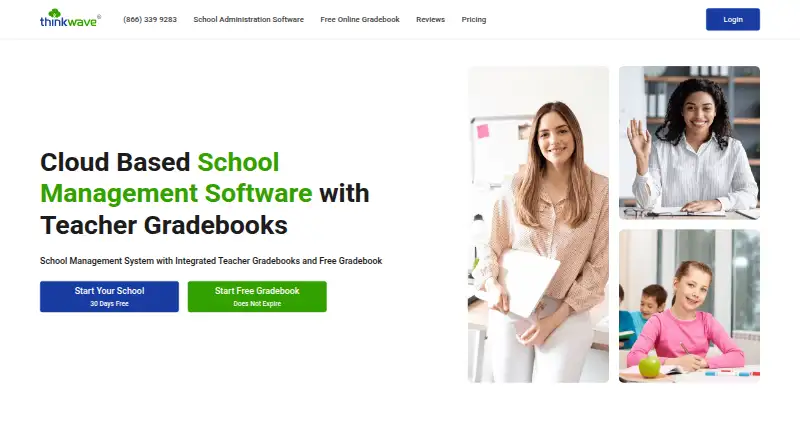
As a browser service, ThinkWave manages schools and training programs. Its tools bring together student records, attendance, gradebooks, assignments, messaging, reports, and portals for parents and students. Teachers can use a free gradebook, while school and teacher subscriptions are paid. It works on common browsers and mobile devices, exports data as CSV or PDF, and has no identified public API.
Review
In a line
ThinkWave is an online school-administration service with teacher gradebooks and a free web gradebook. K–12 schools, colleges, trade schools, homeschool networks, international schools, and training programs are among the users it names.
What it does
Student records, classes, schedules, enrollment, attendance, custom data, and multiple academic years are managed by administrators. Teachers can publish assignments and handouts, receive work online, and use points, percentages, letter, pass-fail, check-style, or custom scales, including weighted assignment types.
Results, attendance, grades, assignments, and teacher messages appear in student and parent views. Messages and announcements may target the whole school, a group, a class, or one person, with email delivery and file attachments.
Report cards and transcripts are configurable, drawing on grades, comments, attendance, and other student fields. Individual uploads may reach 25 MB, while the school service includes 100 GB of storage.
How it connects
Because ThinkWave runs wholly online, schools sign in through browsers and emailed access codes rather than maintaining a school server. It lists support for Chrome, Firefox, Safari, PC, Mac, Linux, iPad, iPhone, and Android devices.
The gradebook is described as working with Google Apps, Microsoft Teams, and other digital tools. Student, attendance, grade, and custom-field records can be downloaded in CSV, and structured custom reports can be produced as PDF. No public API or SDK is identified, and the product is not open source.
For related options, see Gradebook Software and School Management Software.
Good fit
ThinkWave suits schools that want administration, grading, attendance, homework collection, communication, and family access in one browser-based system. Organizations seeking custom fields, grading scales, calculations, report cards, or transcripts may also find it suitable.
Its free gradebook may work for an individual teacher or small setup. Larger schools can choose plans organized by teacher count or student range.
Watch for
ThinkWave is proprietary, and no public API or SDK is identified.
Uploads cannot exceed 25 MB each, so check the applicable teacher or student band before subscribing. Paid subscribers are offered email support, alongside videos, FAQs, guides, and a Quickstart PDF.
ThinkWave states that accounts are password protected, transmission uses SSL encryption, and stored data is hosted in Google Cloud data centers. Its privacy policy says personal information is not sold or shared outside ThinkWave, Inc., subject to legal and school-request exceptions.
Pricing
A free plan is available, and ThinkWave advertises a 30-day school-administration trial with every feature enabled. Paid service is advertised from $17 per month.
Solo Gradebook costs nothing, does not expire, states no limits on students, classes, or assignments, and permits files up to 25 MB. Premium Gradebook costs $49.95 per year for one teacher, with the per-teacher annual rate falling to $32.95 for 151–175 teachers; these options include 100 GB of storage and remove ads.
School subscriptions begin at $179 annually for 1–15 students and reach $329 annually for 16–35 students.
Verdict
Choose ThinkWave if your organization wants a single online place for student administration, gradebooks, attendance, assignments, communication, and family portals. Its custom reports and exports help schools shape records for their own processes.
The free gradebook offers a low-commitment classroom grading option. Larger deployments should compare teacher and student bands carefully, test the 30-day trial, and verify required integrations before subscribing.
Look elsewhere if you need open-source software, a documented developer API, or a broad named integration catalog.
Our take
ThinkWave is a sensible choice for schools and training programs that want administration and gradebook work in one browser service. The free Solo Gradebook gives teachers a no-expiry starting point, while paid options add school management, storage, and ad-free gradebooks. Its exports, custom fields, and report tools support varied record-keeping needs. Buyers should confirm the correct student or teacher band, the 25 MB file ceiling, and whether Google Apps or Microsoft Teams connections meet their requirements. Organizations needing open-source code or a public API should consider other products.
- Administration, gradebooks, attendance, assignments, messaging, and portals are combined
- Its free gradebook has no expiry and states no limits for students, classes, or assignments
- Custom grading, fields, calculations, report cards, and transcripts are supported
- CSV export covers student, attendance, grade, and custom data
- Runs in browsers and supports PC, Mac, Linux, iPad, iPhone, and Android
- No public API, SDK, or developer documentation is identified
- Each uploaded file can be no larger than 25 MB
- The official material names Google Apps and Microsoft Teams, without a broader product list
- Email support is listed for paid subscribers
- Pick it ifSchools needing administration and grading in one web system; Teachers wanting a free, no-expiry online gradebook; Programs that need custom reports and CSV/PDF exports
- Skip it ifYou require open-source software or a documented public API; Your workflow depends on integrations beyond the named tools; You need individual files larger than 25 MB
Pricing
ThinkWave provides a no-expiry free gradebook. Annual plans are priced by teacher or student range, including $179 for 1–15 students and $329 for 16–35 students.
- Free Solo GradebookDoes not expire · no stated limits on students, classes, or assignments · uploads up to 25 MB per fileFree
- School 1–15 studentsmonthly · 1–15 students · administrators, teacher gradebooks, student/parent access$17/mo
- School 16–35 studentsmonthly · 16–35 students$32/mo
- Premium Gradebook — 151–175 teachers$32.95 per teacher / year · 100 GB online storage · ad-free · uploads up to 25 MB per file$32.95/yr
- Premium Gradebook — 126–150 teachers$33.95 per teacher / year · 100 GB online storage · ad-free · uploads up to 25 MB per file$33.95/yr
- Premium Gradebook — 101–125 teachers$34.95 per teacher / year · 100 GB online storage · ad-free · uploads up to 25 MB per file$34.95/yr
- Premium Gradebook — 76–100 teachers$35.95 per teacher / year · 100 GB online storage · ad-free · uploads up to 25 MB per file$35.95/yr
- Premium Gradebook — 51–75 teachers$36.95 per teacher / year · 100 GB online storage · ad-free · uploads up to 25 MB per file$36.95/yr
As thinkwave.com lists them, checked 7 Oct 2026.
Questions
Does ThinkWave have a free plan?
Yes. Solo Gradebook remains free without an expiry, states no student, class, or assignment limits, and accepts uploads up to 25 MB per file.
What does the 30-day trial include?
The advertised school-administration trial lasts 30 days and makes all features available during that time.
Can ThinkWave track attendance and grades?
Yes. Attendance types can be customized and recorded daily or by period, while grading supports multiple scales, weighted assignment types, and term averages.
Does ThinkWave offer parent and student access?
Yes. Password-protected portals present day-to-day results, attendance, final grades, upcoming assignments, and teacher messages.
Can ThinkWave export school data?
Student, attendance, grade, and custom-field information can be exported as CSV; structured custom reports are available as PDF.
Does ThinkWave have an API?
The official resources identify no public API, SDK, or developer-documentation section.
What integrations are named?
ThinkWave says its gradebook integrates with Google Apps, Microsoft Teams, and other digital tools. No additional third-party products are named.
Which devices can run ThinkWave?
It is web based and lists modern-browser support on PC, Mac, Linux, iPad, iPhone, and Android devices.
Near it
All alternatives →- VDVidyapeeth360 Digital Gradebook#2 on this board
- STSmart Teacher#3 on this board
- MMadrasatey#4 on this board
- JJupiter#5 on this board
- GNGradebook.ng#6 on this board
- S
 SimpleGradebook#7 on this board
- IG
 iVake Gradebook#8 on this board
- G
 GradingPal#9 on this board
- G
 Gradebox#10 on this board
- IE
 iGradePlus Enterprise School Management System#11 on this board