TitanFile: Secure File Sharing and Client Collaboration
titanfile.com · checked 16 Nov 2026
Secure file sharing and client collaboration for confidential files, messages, and workspaces.
How it plugs in
Signal on Document Collection Software7.9#1 of 24
TitanFile is a secure file-sharing service for exchanging confidential files and messages with clients and outside contacts. It offers portals, web forms, Outlook and business-system integrations, mobile access, audit logs, and an API. Plans include unlimited storage, external collaborators at no charge, and a 15-day trial, but there is no free plan.
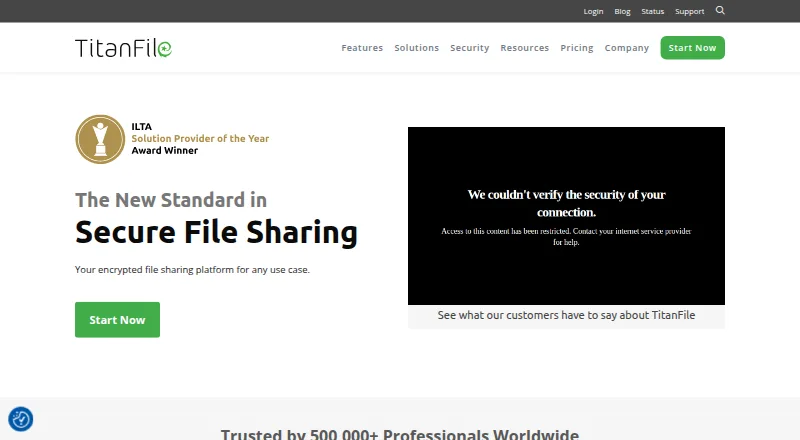
Review
In a line
TitanFile is a secure platform for sharing confidential files and messages with clients and other people outside your organization.
What it does
Secure portals organize two-way file and message exchanges, with activity tracking. Clients can submit files through branded web forms instead of ordinary email attachments.
You can send large files or folders, use shared mailboxes for team work, watermark PDFs, and keep audit records of access and email delivery. Mobile access supports file sharing from mobile devices.
Microsoft 365 integration allows in-place editing, real-time co-editing, and automatic saving. Users do not need a Microsoft 365 account for that integration.
How it connects
TitanFile runs on the web and supports Android, iOS, macOS, Windows, self-hosted use, and API access. It recommends Chrome, Firefox, Edge, or Safari 9 and later.
Listed connections include Outlook, iManage, NetDocuments, Microsoft Dynamics 365, DocuSign, and Microsoft 365. The Outlook connection sends files from Outlook and removes attachment-size limits.
Its public API handles bulk or incremental transfers, workspace actions, contact management, and activity-log intake. TitanFile is not open source. External contacts do not need paid licenses.
Good fit
TitanFile suits legal, government, accounting, healthcare, and insurance organizations that exchange sensitive files with clients or other outside contacts.
It fits teams needing secure portals, controlled sharing, delivery proof, document watermarking, or connections to Outlook and document-management systems.
Watch for
There is no free plan. Check the file-size limit for your plan: Individual and Business Starter allow files up to 10GB, Business Pro up to 50GB, and Enterprise supports 50GB or more.
Email and live chat support run Monday through Friday, 9 AM–6 PM EST. Phone support is listed only for Business Pro and Enterprise. Review the browser requirements and any integration limits; the NetDocuments API route limits each document to 2GB.
Pricing
TitanFile is paid software with a 15-day trial and no credit card required. Individual costs $22 USD/month for one user. Business Starter costs $16 USD/user/month with at least two users.
Business Pro costs $24 USD/user/month with at least two users. Enterprise uses custom pricing and requires at least 50 users. All plans list unlimited storage and unlimited external collaborators; data residency is US, Canada, or EU on the named plans.
Verdict
Choose TitanFile if your work depends on confidential exchanges with clients and you need controlled portals, audit evidence, or business-system connections. Its API and external-user policy can support repeat workflows without licensing every recipient.
Look elsewhere if you need a free option, a smaller team plan without minimum seats, or a simpler transfer-only service. Compare it with secure file transfer software and services such as SendSafely or TransferNow before deciding.
Our take
TitanFile is aimed at organizations that must exchange sensitive material with people outside their own staff. The combination of secure portals, configurable permissions, audit records, and industry compliance coverage makes it relevant for regulated work. Integrations with Outlook, document systems, DocuSign, and Microsoft 365 may reduce manual file handling. Costs start at $16 USD per user each month, with seat minimums on team plans and no free tier. Confirm your required file size, browser support, and integration path during the trial.
- Secure portals support two-way file and message collaboration.
- AES-256 encryption and customer-managed keys are available.
- External contacts are free and storage is unlimited on listed plans.
- Public API supports transfers, workspaces, contacts, and activity logs.
- No free plan is offered.
- Business plans require at least two users.
- Enterprise requires a minimum of 50 users.
- NetDocuments API transfers limit each document to 2GB.
- Pick it ifRegulated teams sharing confidential files with clients; Organizations needing portals, audit trails, and business integrations
- Skip it ifYou need a free file-sharing service.; You want a transfer-only tool without portals or collaboration features.; Your team cannot meet the plan seat minimums.
Pricing
Individual is $22 USD/month for one user; Business Pro is $24 USD/user/month with two-user minimum; Enterprise is custom pricing for at least 50 users.
- Individual$22 USD/month; maximum 1 user · unlimited external collaborators · up to 10GB per file · unlimited storage · US/CA/EU data residency$22/mo
- Business Starter$16 USD/user/month; minimum 2 users · unlimited external collaborators · up to 10GB per file · unlimited storage · US/CA/EU data residency$16/mo
- Business Pro$24 USD/user/month; minimum 2 users · unlimited external collaborators · up to 50GB per file · unlimited storage · US/CA/EU data residency$24/mo
- EnterpriseCustom pricing; minimum 50 users · unlimited external collaborators · 50GB+ files · unlimited storage · custom requirementsOn request
As titanfile.com lists them, checked 15 Oct 2026.
Questions
Does TitanFile have a free plan?
No. TitanFile offers paid plans and a 15-day trial that does not require a credit card.
Do outside clients need a license?
No. The pricing FAQ says only people inside your organization need licenses; external contacts are free.
What file sizes do plans allow?
Individual and Business Starter allow files up to 10GB. Business Pro allows up to 50GB, while Enterprise supports 50GB or more.
Which services integrate with TitanFile?
Listed integrations include Outlook, iManage, NetDocuments, Microsoft Dynamics 365, DocuSign, and Microsoft 365.
Is there a TitanFile API?
Yes. The public API supports file transfers, workspace creation and updates, contact management, and activity-log ingestion.
Where can TitanFile run?
It is a browser application with Android, iOS, macOS, Windows, self-hosted, and API options.
What support hours are listed?
Email and live chat support are listed Monday through Friday, 9 AM–6 PM EST. Phone support is listed for Business Pro and Enterprise.