TMetric: Time Tracking for Projects and Teams
tmetric.com · checked 15 Nov 2026
Time records and project tools for freelancers, agencies and teams, including billing and reporting.
How it plugs in
Signal on Time Tracking Software6.7#2 of 77
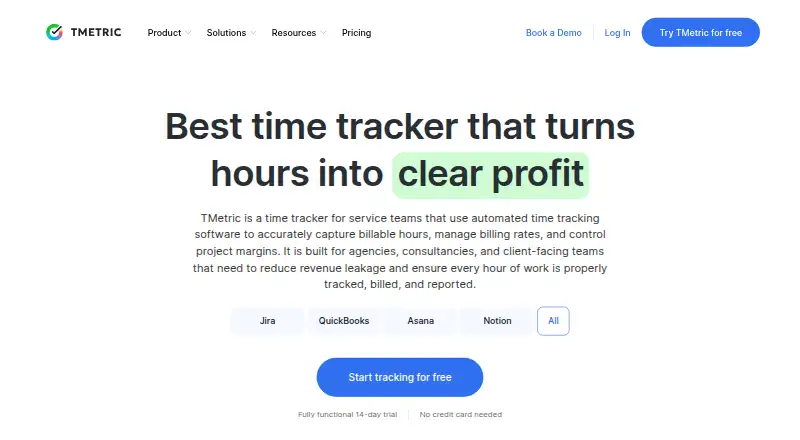
TMetric records timer and manual work, including offline hours and idle time. Recorded hours connect to projects, billing, reports, expenses and leave. It runs on web, desktop and mobile, and offers over 50 integrations plus a public REST API. The free tier is for up to two users; paid plans add billing, team and workflow features.
Review
In a line
TMetric serves freelancers, agencies and teams with time tracking. It ties recorded hours to projects, billing, reporting and profitability.
What it does
You can track time with a timer, enter it manually, work offline and use idle detection. Tasks can be created, estimated, assigned deadlines and filtered using permissions and history.
Projects can include any number of clients, along with billable rates, budgets, estimates and overspend notifications. Team tools offer groups and permissions, member editing or deactivation, dashboards and workload visibility.
Branded invoices can be made from tracked work and exported as PDF or CSV, or sent through integrations. Reports cover time, projects, tasks, activity and teams and can be filtered and exported. Project expenses and paid, sick and unpaid leave can also be tracked with accrual and approval rules.
How it connects
TMetric runs on the web, Windows, macOS, Linux, Android and iOS. Its Windows, macOS and Linux desktop apps record time outside the browser, offer reminders, capture activity and sync with the web app. Offline tracking is also available.
TMetric lists over 50 integrations, among them Jira, Asana, Trello, Notion, GitHub, GitLab, QuickBooks, Xero and Google Workspace. Its public REST API uses bearer tokens and has OpenAPI 3.1.0 documentation, but that reference does not describe the full feature set.
Data export is supported; invoices can be exported as PDF or CSV or sent through integrations. TMetric is proprietary software, rather than open source.
Good fit
TMetric is suited to people who want time records connected to clients, projects and billing. Agencies and teams can draw on budgets, rates, workload visibility, approvals and team timesheets.
It may suit organizations that need desktop, mobile or offline tracking, as well as those using tools such as Jira, Asana, Trello, Notion, GitHub, GitLab, QuickBooks, Xero or Google Workspace.
Watch for
The mobile apps may not offer all the capabilities of the web app. Check that Android or iOS covers your routine, particularly if you need more than starting, stopping and editing tasks.
Some reporting and dashboard options are not highly customizable, and advanced reporting or less common integrations may fall short of particular needs. Desktop updates may call for resynchronization; some users may also encounter bugs or disruptive reminders.
The API documentation notes that its reference is incomplete. Check API coverage and integration behavior before relying on them for a workflow.
Pricing
TMetric offers a Free plan and a 14-day trial. Free is $0 per month for up to two users, with unlimited time tracking, clients and projects, exportable project reports and API access.
Professional is $7 per user per month with monthly billing, or about $5.83 per user per month when billed annually. It includes billable rates, expenses, project budgets and alerts, time rounding, invoicing, calendar sync and task management.
Business is $9 per user per month on monthly billing, or about $7.50 per user per month annually. The plan adds time off, team timesheets, screenshots, activity tracking, QuickBooks sync, and Jira, Redmine and ClickUp integrations.
Enterprise pricing is custom.
Verdict
Consider TMetric if you want to track hours, manage projects and turn work records into invoices and reports in one service. Its free tier gives two people a way to track time and export reports.
Paid plans are relevant when budgets, expenses, billing, leave management or team oversight are needed. Its app coverage and integrations may help teams using different platforms.
Look elsewhere if your work requires highly tailored dashboards, extensive mobile functions, niche integrations or API capabilities beyond the documented reference.
Our take
TMetric may suit freelancers and small teams looking to connect time tracking with clients, budgets, invoices and reports. The free tier provides basic tracking for two users; Professional and Business add financial and team controls. It supports web, desktop and mobile use, offline tracking and connections to common work tools. Check mobile features, report customization, integration coverage and the API details you need. Enterprise buyers can request a quote and confirm deployment and support requirements.
- Free tier for up to two users, with unlimited time tracking
- Supports timer, manual, offline and idle-detected time
- Project tools include clients, rates, budgets and overspend notifications
- Over 50 listed integrations and a public REST API
- Desktop apps for Windows, macOS and Linux
- Mobile apps may have fewer capabilities than the web version
- Some reports and dashboards offer limited customization
- Advanced reporting or less common integrations may not meet specific needs
- Desktop updates may require resynchronization
- Enterprise pricing requires a request
- Pick it ifFreelancers connecting tracked hours with invoices; Agencies managing clients, budgets and billable rates; Teams that need timesheets, leave and workload visibility
- Skip it ifYou need extensively customized dashboards or advanced mobile workflows.; Your process depends on integrations outside the listed set.; You require API functions beyond the documented reference.
Pricing
Free is $0 per month for up to two users. Professional costs $7 per user per month with monthly billing or about $5.83 annually. Business costs $9 monthly or about $7.50 annually per user. Enterprise pricing is custom; a 14-day trial is available.
- Free$0 per month · up to 2 users · unlimited time tracking · unlimited clients and projects · exportable project reports · API accessFree
- Businessbilled annually · Per seat/monthOn request
- EnterpriseCustom pricing · custom features and integrations · priority support · secure deployment · volume discountsOn request
- Professionalbilled annually · Per seat/monthOn request
As tmetric.com lists them, checked 21 Oct 2026.
Questions
Does TMetric have a free plan?
Yes. Free costs $0 per month for up to two users and includes unlimited time tracking, clients and projects, exportable project reports and API access.
What devices does TMetric support?
It offers web, Windows, macOS, Linux, Android and iOS options. Desktop apps track time outside the browser and sync with the web app.
Can TMetric track time without internet access?
Yes. It supports offline tracking, as well as timer tracking, manual entries and idle detection.
Does TMetric offer integrations?
It lists over 50, including Jira, Asana, Trello, Notion, GitHub, GitLab, QuickBooks, Xero and Google Workspace.
Is TMetric open source?
No. It is proprietary software.
Does TMetric provide an API?
Yes. Its public REST API uses bearer tokens and has OpenAPI 3.1.0 documentation, which does not describe all functionality.
How much do the paid plans cost?
Professional is $7 per user per month monthly or about $5.83 annually. Business is $9 monthly or about $7.50 annually per user. Enterprise pricing is custom.