
Topaz Gigapixel: Image Upscaling and Pricing
topazlabs.com · checked 21 Oct 2026
Topaz Gigapixel enlarges images with AI in a desktop app, as a plugin, or through an image enhancement API.
How it plugs in
Signal on Photo Resizing Software7.1#3 of 28
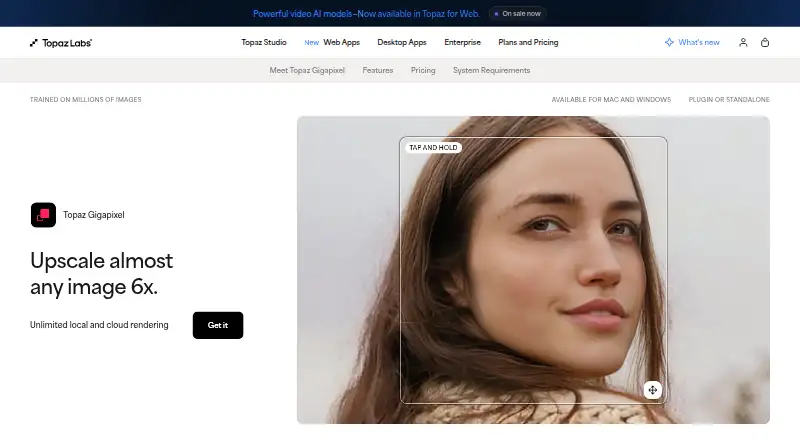
AI features in Topaz Gigapixel can enlarge photos and other images by as much as sixfold, restore them, bring out facial detail, or add detail when cropping closer to a subject. It supports batch processing and can render images on your computer or in the cloud. The desktop app works on macOS and Windows, and it can run on its own or as a Photoshop or Lightroom Classic plugin.
Review
In a line
Topaz Gigapixel is an image enlarger that uses AI to add detail as it increases image size. You can use it on a computer, as a plugin, or access image enhancement through Topaz's API.
What it does
Gigapixel can enlarge images up to six times. The available models address different material, including everyday photos, low-resolution images, text and shapes, digital art, restoration, and face recovery. A Restore workflow is intended for damaged or degraded images. Lossless Zoom lets you crop closer to a subject while increasing detail.
It supports batch processing and formats including JPG, PNG, TIFF, DNG, RAW, HEIF, WEBP, and PPM-family files. The app does not accept PSD files. Images may be rendered on your computer or in the cloud. Cloud-rendered files are removed seven days after completion unless downloaded.
How it connects
You can use Gigapixel by itself or as a plugin for Photoshop and Lightroom Classic. In Photoshop, the plugin works with images no larger than 30,000 pixels along the longest edge; Smart Objects, Smart Filters, Actions, and double-plugin workflows are not supported. Cloud rendering is not available in plugin mode.
Topaz also offers an image enhancement API, with settings for choosing a model, output size, file format, and face enhancement. With local rendering, image files remain on the computer. The product is not open source.
Good fit
Topaz describes Gigapixel for professional photographers, fine artists, designers, illustrators, and creative teams. It may suit people in those roles who need to enlarge, restore, or add facial detail to images. Batch processing and Photoshop or Lightroom Classic plugins may help fit it into image-editing work.
Watch for
The minimum desktop requirements are macOS 13 or Windows 10, 16GB of RAM, and 30GB of storage on macOS or 55GB on Windows. Linux is not supported. An internet connection is required to install the app and for activation, updates, and cloud rendering. VPNs, proxies, firewalls, and enterprise security tools may prevent model downloads, activation, updates, or cloud rendering unless Topaz domains are whitelisted.
Cloud rendering has model-specific image-size limits, and cloud results must be downloaded within seven days. A desktop app license works on one computer at a time; a Pro license is needed to use it on multiple machines. Current Gigapixel access is subscription-based and stops if the subscription expires, is canceled, or is not renewed.
Pricing
The Personal annual option is $149 per year; the other Personal choices are $19 monthly for a 12-month term or $29 month to month. All include image models, unlimited local and cloud image rendering, and two-image cloud concurrency. Personal plans limit commercial use to organizations with under $1 million in annual revenue.
Pro is $499 annually or $54 monthly for a 12-month term. It comes with Pro models, local access to Wonder 1, seat management, four-image cloud concurrency, and full commercial use. Topaz Studio is $399 annually and bundles Topaz Video, Photo, Gigapixel, Web, and Mobile, along with 300 monthly video credits. Neither a free plan nor a trial is offered.
Verdict
Gigapixel is worth considering if you regularly enlarge or restore images and want a desktop workflow, plugin options, or local rendering. Check that your computer meets its requirements and that its file and Photoshop plugin limits fit your work. The Personal plans are restricted for commercial use by larger organizations; Pro is the plan with full commercial use and multi-seat management. It will not suit users who need Linux, a trial, or a perpetual license without a subscription.
Our take
Gigapixel is a candidate for work that regularly involves enlarging images, restoring them, or enhancing facial detail, particularly if local rendering or Photoshop and Lightroom Classic plugins are useful. Personal plans include image models and cloud rendering, but commercial use is limited to organizations with less than $1 million in annual revenue. Pro provides full commercial use and seat management. Before subscribing, confirm your computer meets the storage and memory requirements and that the plugin and file-format limits work for your images.
- Enlarges images up to six times with AI.
- Offers batch processing and restoration tools.
- Can render locally, keeping files on your computer.
- Works standalone or as a Photoshop or Lightroom Classic plugin.
- Has an image enhancement API.
- There is no free plan or trial.
- Access requires an active subscription; it stops if the subscription expires, is canceled, or is not renewed.
- Linux is unsupported.
- PSD files are unsupported.
- Cloud-rendered results expire after seven days if not downloaded.
- Pick it ifPhotographers and designers enlarging or restoring images; Creative teams using Photoshop or Lightroom Classic
- Skip it ifYou need Linux support, a free trial, or a free plan.; You need PSD support or a subscription-free license.
Pricing
The Personal annual option is $149 per year; Personal is also available for $19 per month on a 12-month term or $29 month to month. Pro is $499 annually or $54 per month on a 12-month term. Topaz Studio is $399 per year. Personal commercial use is limited to organizations under $1 million in annual revenue; Pro includes full commercial use.
- PersonalMonthly · Image models; unlimited local rendering; unlimited cloud image rendering; 2-image cloud concurrency; limited commercial use for organizations under $1M USD annual revenue$29/mo
- ProBilled every month for 12 months · Personal features; local access to Wonder 1; seat management; 4-image cloud concurrency; full commercial use$54/mo
- Personal$149 billed annually · Image models; unlimited local rendering; unlimited cloud image rendering; 2-image cloud concurrency; limited commercial use for organizations under $1M USD annual revenue$12/yr
- Personal annual paid monthlyBilled every month for 12 months · image models · unlimited local rendering · unlimited cloud image rendering · 2-image cloud concurrency · organizations under $1M revenue$19/mo
- Personal monthlyBilled monthly · image models · unlimited local rendering · unlimited cloud image rendering · 2-image cloud concurrency · organizations under $1M revenue$29/mo
- Pro annual paid monthlyBilled every month for 12 months · additional Pro models · Wonder 1 local access · seat management · 4-image cloud concurrency · full commercial use$54/mo
- Personal annual$149 billed annually · image models · unlimited local rendering · unlimited cloud image rendering · 2-image cloud concurrency · organizations under $1M revenue$149/yr
- Topaz Studio$399 billed annually · Topaz Video, Photo, Gigapixel, Web and Mobile · unlimited local and cloud image rendering · 300 monthly video credits$399/yr
As topazlabs.com lists them, checked 8 Oct 2026.
Questions
Can Topaz Gigapixel enlarge an image by six times?
Yes. It can enlarge images up to six times and includes AI models for different kinds of images.
Is there a free way to try Topaz Gigapixel?
No. Gigapixel is offered without a free plan or free trial.
Does it work with Photoshop and Lightroom Classic?
Yes. Gigapixel can run as a plugin for both. The Photoshop plugin excludes Smart Objects, Smart Filters, Actions, and double-plugin workflows.
Can I use Gigapixel without sending files to the cloud?
Yes. Local rendering keeps files on your computer. Cloud rendering is also available, except when using Gigapixel as a plugin.
What computers does the desktop app support?
Minimum requirements are macOS 13 or Windows 10, 16GB of RAM, and 30GB of storage on macOS or 55GB on Windows. Linux is unsupported.
How much does a Personal plan cost?
Personal is $149 per year, $19 per month for a 12-month term, or $29 month to month.
How many computers can use one desktop license at a time?
One computer can use the desktop app at a time; use across multiple machines requires a Pro license.