TRex Review
trex-tgn.cisco.com · checked 4 Oct 2026
An open-source generator that benchmarks networks with realistic Layer 3–7 traffic.
How it plugs in
Signal on Network Testing Software6.7#4 of 33
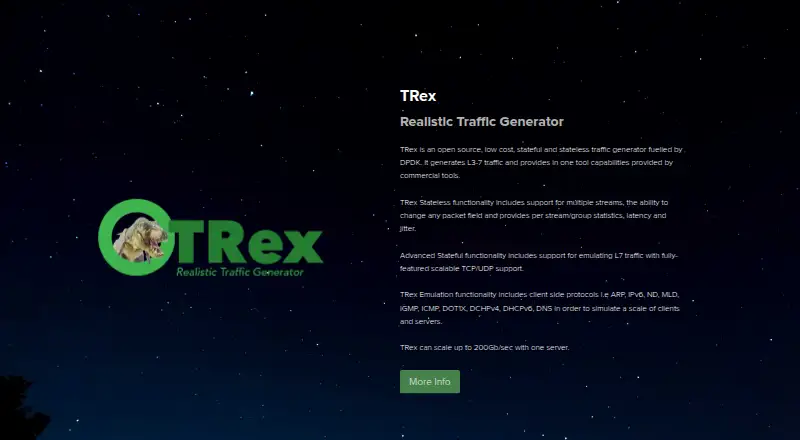
TRex provides free, open-source tooling for benchmarking networks. It generates stateless and stateful traffic, with Advanced Stateful mode handling scalable TCP and UDP flows and protocol emulation including DNS, DHCP, and IPv6 neighbor discovery. A Python API, console, and JSON-RPC access support automation. The software runs as a Linux application, with virtual-machine and Docker options for lighter tests.
Review
In a line
TRex is open-source software that generates realistic network traffic for benchmarking platforms. It supports traffic from basic packet levels through application-level flows.
What it does
Stateless mode lets you build multiple streams, alter packet fields, and collect statistics per stream or group. It also reports latency and jitter.
Advanced Stateful mode models Layer 7 traffic across scalable TCP and UDP flows. Emulation includes ARP, IPv6, neighbor discovery, MLD, IGMP, ICMP, DOT1X, DHCPv4, DHCPv6, and DNS.
Listed uses include switch tests, client and server scale tests, routing protocol tests, production tests, high-scale network-device benchmarks, and DDoS traffic generation. A single server is reported to reach 200 Gb/sec.
How it connects
TRex includes Python automation APIs for stateless, stateful, advanced stateful, emulation, and NDR functions. Its stateless API can also be called through JSON-RPC from languages that support it. A console interface is included.
The documentation describes integration with BIRD for Linux-based stack configuration. The Linux application uses DPDK and interacts with Linux kernel modules. Lower-performance, low-footprint deployments can use a virtual machine or Docker.
The product is listed for API, Linux, macOS, self-hosted, web, and Windows use. The TRexViewer live-monitoring application is supported only on Windows.
Good fit
TRex suits teams that need repeatable network-load generation for device, routing, protocol, or scale testing. It is also relevant to users building automated tests with Python or JSON-RPC.
For a wider starting point, see Network Testing Software.
Watch for
The manual describes TRex as a Linux application, and hardware and network-interface requirements apply. It should work on standard x86 servers; ARM compilation is possible but is not tested in regression.
Virtual switches may deliver only around 1 MPPS, and virtual-machine latency results are inaccurate. Windows support for the live-monitoring viewer does not mean the core application is a Windows-native tool.
The documentation names the TRex community forum and Cisco DevNet community for support. The official pages do not state security certifications or compliance claims.
Pricing
TRex is free and open source. The TRex plan has no charge, but Linux use plus hardware and network-interface requirements apply.
Verdict
Choose TRex if you need an open-source generator for high-volume or protocol-aware network tests and can provide the required Linux environment and hardware. Its traffic modes, protocol emulation, and automation interfaces cover varied benchmark jobs.
Look elsewhere if your setup depends on accurate virtual-machine latency, expects full throughput from virtual switches, or needs a tested ARM regression path. Windows users should also check whether the Linux-based core and Windows-only viewer fit their workflow.
Our take
TRex is a practical choice for network teams that need free, programmable traffic generation across packet, protocol, and application layers. Python and JSON-RPC interfaces support repeatable automation, and Advanced Stateful mode provides scalable TCP and UDP flows. Key operational constraints include its Linux core, hardware and NIC requirements, potentially distorted results in virtual environments, and the absence of ARM regression testing. Confirm those constraints before adopting it for production-scale benchmarks.
- Free, open-source traffic generator
- Stateless, stateful, and advanced stateful generation
- Python API, console, and JSON-RPC access
- Protocol emulation includes DHCP, DNS, IPv6, and more
- A single server can reach 200 Gb/sec
- Core application is described as Linux-based
- Hardware and network-interface requirements apply
- Virtual switches may limit throughput to about 1 MPPS
- Virtual-machine latency results are inaccurate
- ARM compilation is not regression-tested
- TRexViewer live monitoring is Windows-only
- Pick it ifNetwork-device, switch, routing, and scale testing; Automated traffic tests using Python or JSON-RPC; Teams able to provide Linux and required hardware
- Skip it ifYou need trustworthy latency measurements from virtual machines; Your deployment relies on ARM with a tested regression path; You need a Windows-native core application
Pricing
TRex costs nothing and is open source. Budget separately for compatible Linux hardware and network interfaces, which the plan requires.
- TRexOpen source · Linux application · hardware and NIC requirements applyFree
As trex-tgn.cisco.com lists them, checked 4 Oct 2026.
Questions
Is TRex free?
Yes. The TRex plan is free and open source, with Linux, hardware, and network-interface requirements.
What traffic can TRex generate?
TRex generates stateless, stateful, and advanced stateful traffic. Advanced Stateful mode models Layer 7 traffic over scalable TCP and UDP flows.
Can TRex automate tests?
Yes. It provides Python APIs, a console interface, and stateless JSON-RPC access for supported languages.
Can TRex run without extra hardware?
The documentation describes virtual-machine or Docker deployments for lower-performance, low-footprint use. Virtual switches may limit throughput, and virtual-machine latency results are inaccurate.
What operating systems does TRex support?
Listings include API, Linux, macOS, self-hosted, web, and Windows. The manual describes the core as a Linux application; TRexViewer is Windows-only.
Does TRex support ARM servers?
ARM compilation is possible, but ARM is not tested in the project's regression testing.
How fast can TRex run?
The site says TRex can scale to 200 Gb/sec with one server.
Where can users get support?
The documentation names the TRex community forum and Cisco DevNet community as support resources.