
TryOn Virtual: Browser Try-On for Retail
tryonvirtual.com · checked 14 Oct 2026
Retail shoppers can try products in the browser through AR tracking and AI-generated photo swaps.
How it plugs in
Signal on AI Virtual Try-On Tools6.6#1 of 27
Retail product pages can include TryOn Virtual's browser try-on tools. Eyewear and watches appear through live AR, while clothing, shoes, accessories, and jewelry are rendered in an AI-edited shopper photo. It supports Shopify, other major storefronts, custom JavaScript sites, and a REST API. A free plan is available, with paid plans starting at $15 per month.
Review
In a line
TryOn Virtual provides browser try-on for retail product pages. It was founded in 2025 and is based in Dubai, United Arab Emirates.
What it does
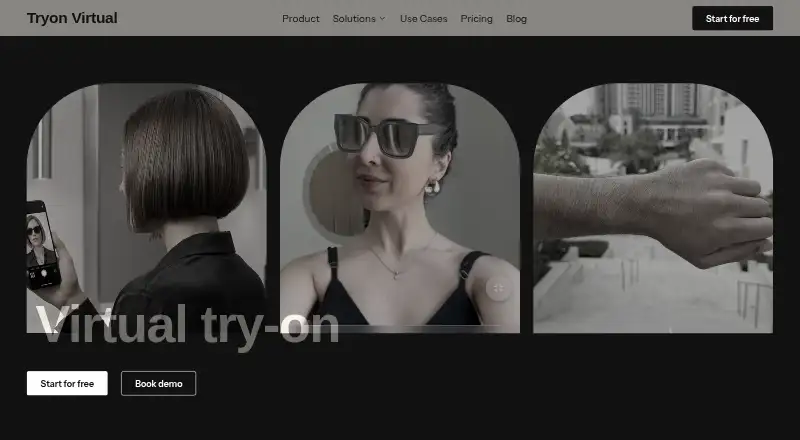
In-browser tracking follows the face for eyewear and the wrist for watches. Rendering is described as operating at 60 frames per second. Jewelry tracking outside those two categories remains beta.
For clothing, shoes, accessories, jewelry, bags, and luggage, shoppers submit a photo that the service turns into an AI composite; a product 3D model is not required. Ordinary product photos can also be used to produce AR-ready 3D models.
A merchant dashboard shows try-on sessions, product engagement, conversion lift, time spent, and top-performing products. Results can be exported through the API.
How it connects
Shopify, WooCommerce, Magento, BigCommerce, and JavaScript-based custom sites are the storefront choices listed by the maker. Shopify uses a native theme extension and a one-click installation flow; the maker says products can go live without code after existing product photos are uploaded.
A documented REST API manages products, images, try-on status, and usage for non-Shopify stores. Requests authenticate with bearer API keys, each capped at 120 per minute. The client can also open the widget with a JavaScript function.
The supported 3D formats are GLB, GLTF, USDZ, SPZ, and PLY; GLB is the recommended choice for performance. It runs on iOS Safari, Android Chrome, and major desktop browsers with WebGL 2.0. See virtual try-on software for related products.
Good fit
TryOn Virtual suits retailers that want try-on on product pages across common commerce platforms or a custom site. Its documented categories include eyewear, watches, shoes, jewelry, clothes, bags, and luggage.
It can suit merchants that need AI-created 3D models, session and conversion reporting, or a REST connection to an existing storefront. The free Starter plan provides a way to begin with a limited number of sessions.
Watch for
Starter usage stops once its monthly session allowance has been used. On paid Shopify plans, sessions and additional 3D generations incur charges beyond the included amounts.
The shopper's device handles live AR camera processing. The maker says camera frames, facial geometry, and tracking data are not transmitted or stored. For photo swaps, the selected upload is processed and deleted within 24 hours, is not used to train TryOn Virtual models, and saved results stay in the shopper's browser.
The API uses a 120-request-per-minute limit. Check the browser requirements, category needs, beta jewelry tracking, and any expected overage before choosing a plan.
Pricing
Starter is free and covers the entire catalog, 25 try-on sessions each month, basic analytics, email support, and three AI-built 3D models. Usage pauses at the limit.
Essentials is priced at $15 monthly or $150 annually and includes 150 sessions plus five AI-built models. Extra sessions cost $0.15 and extra 3D generations cost $0.75.
Growth is $49 monthly or $492 annually, with 500 sessions and 10 AI-built models. Additional sessions cost $0.08 and 3D generations $0.50. Scale is $149 monthly or $1,548 annually, providing 2,500 sessions and 100 models; extra sessions are $0.07 and extra 3D generations $0.50. Custom pricing is by contract for unlimited sessions and models.
Verdict
Choose TryOn Virtual if your store needs browser try-on across Shopify or another listed storefront, or if you need a documented API for a custom integration. The free plan is suitable for a small trial, while larger catalogs can use paid session allowances and AI-built models.
Look elsewhere if your required browser, product category, or traffic pattern falls outside its stated support. Also account for session pauses on Starter, usage-based overages on paid Shopify plans, and the beta status of jewelry tracking. Compare AI virtual try-on tools before deciding.
Our take
TryOn Virtual is a practical option for retailers that want try-on features without building a 3D catalog from scratch. Its Shopify setup, other storefront connections, API, and browser coverage give merchants several deployment paths. The free tier lowers the barrier to a small launch, while paid plans add sessions, models, support, and analytics. Buyers should estimate monthly sessions, possible 3D-generation needs, and overage costs. Stores focused on jewelry live tracking should treat that capability as beta, and teams with unusual browser requirements should confirm compatibility first.
- Starter provides 25 try-on sessions each month at no charge.
- Storefront support covers Shopify, WooCommerce, Magento, BigCommerce, and custom JavaScript sites.
- Ordinary product photos can be turned into AR-ready 3D models.
- The REST API manages products, images, try-on status, and usage.
- The shopper's device handles live AR processing.
- Starter pauses when its monthly session allowance is exhausted.
- Paid plans apply separate charges for sessions and 3D generations beyond included usage.
- Jewelry tracking outside eyewear and watches remains beta.
- Photo-swap images are uploaded for processing and deleted within 24 hours.
- Pick it ifRetailers adding try-on to supported storefronts; Teams needing API access or AI-built 3D models; Stores covering eyewear, watches, clothing, shoes, or accessories
- Skip it ifYou need jewelry live tracking beyond its stated beta support.; Your traffic may exceed plan sessions and overage charges are unsuitable.; Your shoppers use browsers without WebGL 2.0 support.
Pricing
Starter is free with 25 monthly sessions.
- StarterEntire catalog · 25 try-on sessions/month · basic analytics · email support · 3 AI-built 3D models · usage pauses at limitFree
- Essentialsor $150/year — save 17% · Entire catalog · 150 sessions/month · basic analytics · email support · 5 AI-built 3D models · $0.75 extra 3D generation · $0.15 extra session$15/mo
- Growthor $492/year — save 16% · Entire catalog · 500 sessions/month · basic analytics · priority chat and email · 10 AI-built 3D models · $0.50 extra 3D generation · $0.08 extra session$49/mo
- Scaleor $1,548/year — save 13% · Entire catalog · 2,500 sessions/month · advanced analytics · 24/7 support · 100 AI-built 3D models · $0.50 extra 3D generation · $0.07 extra session$149/mo
- CustomContract-based · Entire catalog · unlimited sessions · unlimited AI-built 3D models · advanced analytics · 24/7 support · smart-mirror and in-store deployments in early accessOn request
As tryonvirtual.com lists them, checked 14 Oct 2026.
Questions
Does TryOn Virtual have a free plan?
Yes. The no-cost Starter tier provides 25 monthly try-on sessions, basic analytics, email support, and three AI-built 3D models.
Does it offer an API?
Yes. Its REST API handles products, images, try-on status, and usage. API keys are bearer keys, with a limit of 120 requests per minute.
What products can shoppers try on?
Documented categories are eyewear, watches, shoes, jewelry, clothes, bags, and luggage. Real-time mode mainly covers eyewear and watches.
How are camera images handled?
Live AR runs on the shopper's device. The maker says camera images, video, facial geometry, and tracking data are not transmitted or stored.
What happens to uploaded try-on photos?
The service processes uploaded photo-swap images and deletes them within 24 hours; it does not use them to train TryOn Virtual models. Saved results remain in the shopper's browser.
What does the $15 plan include?
Essentials costs $15 monthly or $150 annually. It includes 150 sessions, five AI-built 3D models, basic analytics, and email support.
Near it
All alternatives →- F
 Fitly#2 on this board
- FVFittingbox Virtual Try-On#3 on this board
- PC
 Perfect Corp. Virtual Try-On#4 on this board
- VVeesual#5 on this board
- TTryonixs#6 on this board
- KVKivisense Virtual Try-On#7 on this board
- VFvirtual.fit#8 on this board
- DVDRESSX Virtual Try-On#9 on this board
- TTryOnJewel#10 on this board
- W
 WEARFITS#11 on this board