
Understand: Static Analysis and Code Comprehension
scitools.com · checked 15 Oct 2026
Desktop static analysis and code-comprehension software with code maps, metrics, standards checks, and local AI.
How it plugs in
Signal on Code Search Tools6.6#4 of 42
Understand builds a searchable model of source code without running it. It maps calls and dependencies, shows graphs, calculates more than 270 metrics, checks standards, and offers a local AI assistant. It runs on Windows, macOS, and x86_64 Linux, with command-line, Docker, VS Code, Python API, and self-hosted options.
Review
In a line
Understand is a desktop tool for understanding and checking source code. It creates a cross-referenced model of a codebase without executing the program.
What it does
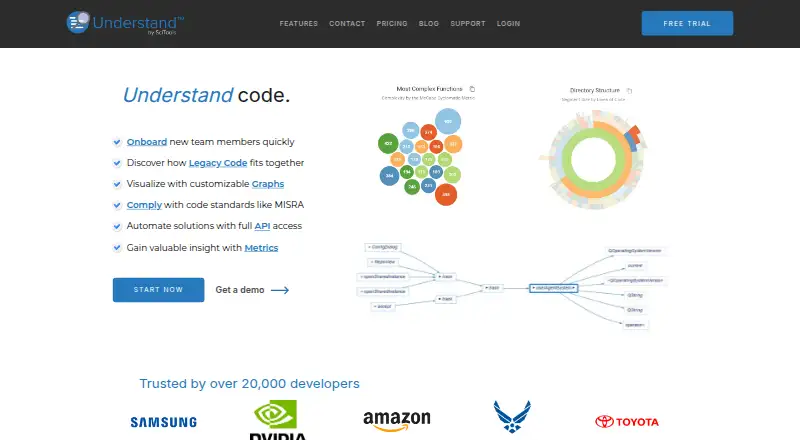
You can browse references, call trees, dependencies, and logical architectures. Graph views include dependency, butterfly, data-flow, called-by, control-flow, and UML-style diagrams.
The software calculates more than 270 measures covering size, complexity, coupling, and cohesion. CodeCheck applies MISRA, AUTOSAR, CERT, CWE, and other published or custom rules. A virtual debugger traces logical execution paths without compiling or running the program.
An offline AI assistant can describe code locally. The product also includes version comparison, reports, an Information Browser, and an und command-line tool.
How it connects
Understand runs on Windows 11 x64, macOS Monterey 12 or later on Intel or Apple Silicon, and x86_64 Linux based on RHEL/CentOS 8.6+ or Ubuntu 22.04+. Docker is available for command-line use. Linux does not support ARM, including ARM virtual machines on Apple Silicon.
The und tools support automated and CI work. A Python API queries the parsed database, builds custom metrics and reports, and manages CodeCheck rules. The older Perl API is deprecated as of 2026. Plugins use the same Python API model.
A separately licensed VS Code extension shows references, implementations, hover information, and CodeCheck violations. With the bundled local model, code and prompts stay on the user's hardware. Cloud choices such as ChatGPT, Claude, Gemini, Grok, or a custom endpoint send requests and embedded code to that provider after an API key and data-sharing acknowledgement.
Good fit
Understand suits teams working on large or safety-sensitive codebases that need code navigation, dependency reviews, measurable code quality, or standards checks. It supports languages including Ada, assembly, C/C++, C#, Fortran, Java, JOVIAL, Pascal/Delphi, Python, Rust, VHDL, Visual Basic, and web languages.
It can also fit air-gapped or secure-lab work: installation, analysis, metrics, CodeCheck, reports, graphs, and local AI can operate without internet access with offline licensing. SciTools says it is certified as a support tool for projects requiring ISO 26262, IEC 61508, and EN 50128 compliance.
Watch for
Understand is proprietary commercial software, not open source. The VS Code extension is licensed separately, and the Linux build is limited to x86_64.
Check which subscription includes the automation and export features you need. One Developer license excludes und command-line automation, API access, and exporting dependencies, graphs, metrics, CodeCheck results, and reports.
If you choose a cloud AI provider, each request can include embedded code context and goes to that provider. Qualifying public open-source projects may receive a free license, while students and teachers can apply for an annually renewable educational license for non-commercial use.
Pricing
Understand has a free plan and a free trial. Paid access starts at $100 a month per user when billed annually.
The Understand subscription is $100 a month, billed annually, with a 12-month minimum. It includes static analysis, dependency graphs, metrics, standards compliance, and an offline or secure-lab option.
The Understand annual subscription is listed at $100120 a year, with a 12-month minimum. Its Developer license leaves out und command-line automation, API access, and exports for dependencies, graphs, metrics, CodeCheck results, and reports.
Verdict
Choose Understand when you need a desktop code map, detailed measurements, standards rules, and automation across a broad set of languages. Its local AI and offline operation are useful when source code cannot leave the machine.
Look elsewhere if you require open-source software, ARM Linux support, or a single license that includes the VS Code extension and every API, command-line, and export feature. Compare the subscription terms before committing, especially if your workflow depends on Developer-license exclusions.
Our take
Understand is a strong match for organizations that need to explain and audit complex code rather than simply run it. Its broad language coverage, visual relationship maps, standards checks, Python automation, and offline mode support structured engineering work. The main buying risks are its proprietary license, separate VS Code licensing, x86_64-only Linux build, and plan limits around command-line, API, and export functions. Teams should also decide whether local AI is required or whether sending code context to an outside provider is acceptable.
- Maps calls, dependencies, and architectures without running the code
- More than 270 metrics with charts and export
- CodeCheck covers MISRA, AUTOSAR, CERT, CWE, and custom rules
- Local AI and analysis can run without internet access
- Python API, CLI, Docker, CI, and VS Code integration
- Proprietary software, not open source
- Linux support is limited to x86_64
- VS Code extension requires a separate license
- Some Developer plans exclude API, CLI, and export features
- Cloud AI sends requests and code context to the selected provider
- Pick it ifTeams reviewing large or safety-sensitive codebases; Offline, secure-lab, and air-gapped analysis; Engineers needing standards checks and code metrics
- Skip it ifYou need open-source licensing or ARM Linux support; Your workflow requires API, CLI, and exports on the Developer license; You cannot send code context to a cloud AI provider
Pricing
A free plan and free trial lower the entry cost. Check the 12-month minimum and the annual Developer-license exclusions before buying.
- Understand subscriptionannually; 12-month minimum · static analysis · dependency graphs · metrics · standards compliance · offline/secure-lab option$100/mo
- Understand annual subscriptionannual subscription; minimum term of 12 months · Developer license excludes und command-line automation, API access, and exporting dependencies, graphs, metrics, CodeCheck results and reportsOn request
As scitools.net lists them, checked 15 Oct 2026.
Questions
Does Understand run code?
No. It builds a cross-referenced model and can trace logical paths with a virtual debugger without compiling or running the program.
Which operating systems are supported?
Windows 11 x64, macOS Monterey 12 or later on Intel and Apple Silicon, and x86_64 Linux based on RHEL/CentOS 8.6+ or Ubuntu 22.04+.
Is Understand open source?
No. It is proprietary commercial software. Qualifying public open-source projects may receive a free license.
Can Understand work offline?
Yes. With offline licensing, installation, analysis, metrics, CodeCheck, reports, graphs, and local AI can run without internet access.
What does the VS Code extension provide?
It shows references, implementations, hover information, links into Understand, and CodeCheck violations. It is licensed separately.
What happens when I use cloud AI?
Requests, including embedded code context, go to the chosen ChatGPT, Claude, Gemini, Grok, or custom endpoint provider. An API key and data-sharing acknowledgement are required.
What is the paid starting price?
Paid access starts at $100 a month per user when billed annually. The listed Understand subscription has a 12-month minimum.