Intercompany Accounting Software
UniFi: Finance and Business Process Automation
unifiplatform.com · checked 15 Oct 2026
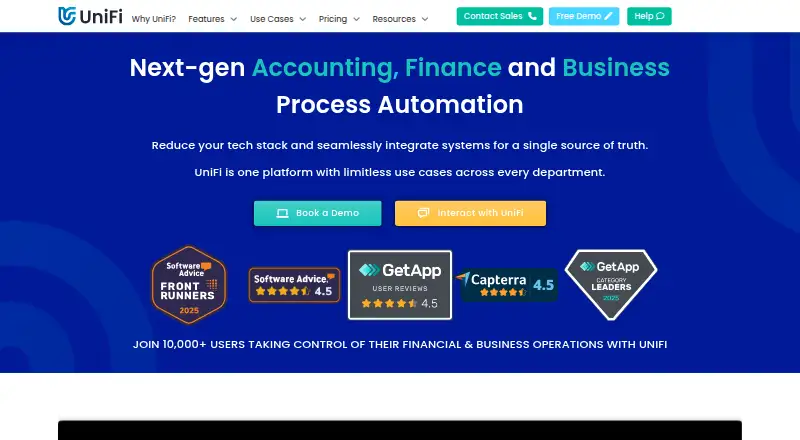
UniFi helps teams automate finance and other business processes through a cloud platform.
How it plugs in
Signal on Intercompany Accounting Software5.8#7 of 43
UniFi gives mid-market and enterprise teams tools to create business apps, direct approvals, bring together system data, and automate finance work. It connects to ERP and accounting systems through connectors and a public API, while its Excel add-in transfers data in both directions. The software is paid; customer-led implementation is available at no charge, with user and implementation fees listed separately.
Review
In a line
FinanSys offers UniFi as a cloud service for automating finance and business processes. It targets mid-market and enterprise organizations.
What it does
With a visual, drag-and-drop builder, teams can make and customize business applications without writing code. Workflow tools direct tasks, handle approvals, and support reporting and custom views.
At process launch, UniFi can collect accounting data and automatically post journal transactions to a finance system. Its business intelligence tools also bring together data across systems for live dashboards, analysis, and detailed drill-down reporting.
Listed uses include purchasing, expenses and travel, compliance, budgeting, and financial accounting. The platform also offers bot-driven process types, including data capture, scheduling, integrations, and robotic process automation (software that performs repeated tasks).
How it connects
Data connectors, middleware, and a public API link UniFi with business systems. The API can initiate and submit transactions, create or update reference data, and read transaction or reference records. Connectors can convert JSON, XML, CSV, and fixed-width text.
Through the Excel add-in, users can pull UniFi records into a spreadsheet and transfer spreadsheet data back. Connect Hub lists Companies House, 64 e-commerce platforms, and Amadeus flight and hotel services.
The platform belongs to FinanSys and is proprietary; no open-source licence is published. UniFi is cloud-based and available through web, Android, and iOS interfaces. No self-hosting option is described.
Good fit
UniFi may suit organizations seeking to automate finance and operational workflows alongside their ERP or accounting system. Its app builder is intended for non-programmers, and use cases include expenses, purchasing, reporting, and asset management.
Full users get pre-installed foundation applications and future releases without additional module fees. Support options include phone, email, a portal, training resources, and free bi-weekly training.
Watch for
Check which user and bot licenses your workflows require. Credit users cannot approve submissions, and autonomous processes require bot licenses; RPA needs two bots and generative AI needs at least three.
The listed storage allowance is 300GB per full user, shared across users. Independent reviewers describe occasional bugs, errors, and instability, though support may resolve incidents quickly. Some also report difficulty reading or using UniFi on iPhone or iPad, and note the absence of a dedicated mobile app.
Pricing
UniFi is paid. Annual-billing pricing is noted from £9 per user monthly. The Full User plan is priced at £159 a month on annual billing, with lower per-user pricing as user numbers rise.
Customer-led Self-Start Implementation costs nothing, but it is an implementation choice rather than a free software plan. Credit users are charged £3.50 per submission as a one-time fee; credits are purchased in bulk and billed annually, and unused credits expire at year-end.
Empower Implementation costs £17,000 one-time. Consultant-led implementation is priced on request.
Verdict
Consider UniFi if your organization needs configurable workflows and finance automation connected to existing ERP or accounting systems, and wants staff to create apps without coding. Its API, connectors, and Excel add-in support data movement in both directions.
Before choosing it, check the applicable user and bot charges, implementation route, and mobile requirements. Although iOS is listed as a platform, reviewers have reported usability difficulties on iPhone and iPad. The product is proprietary, with no self-hosting option described.
Our take
UniFi merits consideration by mid-market and enterprise teams aiming to create internal apps, standardize approvals, and automate finance processes alongside ERP or accounting systems. Its public API and two-way Excel add-in provide routes for data exchange. Buyers should verify user, bot, and implementation costs, and weigh reports of bugs and mobile-use difficulties. Teams requiring open-source software or a documented self-hosting option should look elsewhere.
- Visual no-code builder supports business app creation and customization
- Public API, system connectors, and two-way Excel data transfer
- Can capture accounting data at process start and post journal transactions to finance systems
- Full users receive foundation apps and future releases without extra module fees
- No free software plan; the free option is customer-led implementation
- Credit users cannot approve submissions
- Reviewers report occasional bugs and difficulties using UniFi on iPhone or iPad
- Pick it ifMid-market and enterprise teams automating finance and business workflows; Organizations connecting processes to ERP or accounting systems
- Skip it ifYou need open-source software or a described self-hosting option; Your team depends on an easy iPhone or iPad experience
Pricing
Free Self-Start covers customer-led implementation, not software access. Credit, bot, and implementation costs may also apply.
- Self-Start ImplementationCustomer-led implementation at its own paceFree
- Credit Userper submission; credits purchased in bulk and billed annually · Minimum 10 credits monthly · Credit users cannot approve · Unused credits expire after billing year£3.50 one-time
- Full Userannually; price decreases with more users · All current and future features · 300GB storage per user, shared · 99.9% uptime guarantee · SSO · premium support£159/mo
- Empower ImplementationRemote implementation; on-site available£17,000 one-time
- Bot Userannually · One bot licence per autonomous process; RPA requires 2 bots · Generative AI requires at least 3 botsOn request
- Consultant ImplementationConsultant-led implementation for complex or resource-constrained projectsOn request
As unifiplatform.com lists them, checked 15 Oct 2026.
Questions
Does UniFi have a free plan?
No free software plan is listed. Self-Start Implementation is free for customer-led setup, but UniFi itself is paid.
How much does UniFi cost?
Pricing is noted from £9 per user monthly with annual billing. The Full User plan is listed at £159 a month, billed annually, with lower prices as user numbers grow.
Can people use UniFi without programming?
Yes. The drag-and-drop builder lets non-programmers create and customize business apps.
Does UniFi work with Excel?
Yes. The add-in can bring UniFi data into Excel and send spreadsheet data back to UniFi.
What systems can UniFi connect to?
Middleware, data connectors, and a public API can connect business systems, including ERP or accounting systems. Connect Hub lists Companies House, 64 e-commerce platforms, and Amadeus flight and hotel services.
Is UniFi open source or self-hosted?
UniFi is proprietary, and no self-hosting option is described.
Near it
All alternatives →- IE
 Intuit Enterprise Suite for Nonprofits#6 on this board
- CN
 Corpay Netting Manager#8 on this board
- MDMicrosoft Dynamics 365 Sales#5 on this board
- H
 HighRadius#9 on this board
- OFOracle Fusion Cloud Expenses#4 on this board
- RReconcilio#10 on this board
- TI
 Translucent Intercompany#3 on this board
- O
 OneStream#11 on this board
- MMayday#2 on this board
- SBSAP Business One#12 on this board