
Vectorization.eu: Image Vectorization and API
vectorization.eu · checked 15 Oct 2026
Turn bitmap artwork into scalable vectors online, with browser editing, batch API tools, and paid AI features.
How it plugs in
Signal on Image Vectorization Software6.7#4 of 26
Vectorization.eu changes bitmap files into scalable vector artwork through an online service. Common raster formats can be exported as EPS, PS, PDF, DXF, or SVG. SVGs can be edited in the browser, and the public API accepts batch jobs through several programming languages. The free route requires no account; subscriptions and credit packs cover higher-volume and AI features.
Review
In a line
Vectorization.eu provides online bitmap-to-vector conversion. The project began in 2015 and is run by a Europe-based team.
What it does
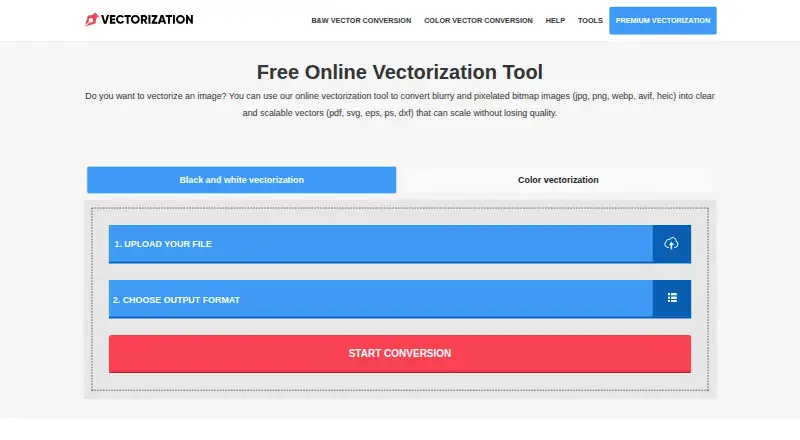
Upload an image for black-and-white or full-color tracing. JPG, BMP, PNG, TIFF, WEBP, AVIF, and HEIC appear among the bitmap inputs, while EPS, PS, PDF, DXF, and SVG are listed as vector outputs.
Color tracing exposes controls for clustering, curve fitting, color precision, gradient steps, speckle filtering, corner thresholds, segment length, and splice thresholds. Best results are associated with images near 1000 pixels or under 1MB. Processing generally finishes within seconds, though it can take about a minute.
The service describes applications including logos, screen printing, vinyl cutting, embroidery, digital printing, laser cutting, engraving, CNC, and 3D printing. Another converter accepts vector and CAD files such as SVG, EPS, PDF, AI, DXF, DWG, CDR, PS, and PLT.
Its browser editor modifies SVG paths, groups, colors, and text before exporting SVG or PNG. Modern browsers on Windows, macOS, Linux, and Chromebook are supported without installation; the editor says files stay on your computer and remain usable offline after loading.
How it connects
The public image-vectorizer API takes raster uploads and sends back vector files. Documentation describes batches of 500, 1,000, or more images, including customer uploads originating on another website.
Code examples cover cURL, Java, .NET, Node.js, PHP, Python, and Ruby. Calls use an authorization secret key together with multipart file fields. Free API access lets developers test an app before buying a subscription.
The service is not open source. Its vector-file converter credits CairoSVG and Inkscape, licensed under GNU LGPL-3.0 and GNU GPLv2.
Vectorizing through the free converter does not require registration or personal details. The homepage says submitted data leaves its server within a few hours, while the privacy notice specifies automatic deletion of conversion files after three hours.
Good fit
It is aimed at users who need production vector formats from ordinary images for print, cutting, engraving, embroidery, or fabrication.
Teams receiving files through their own website can use the batch API. The browser editor helps with SVG adjustments without installing desktop software.
Watch for
The recommended input is relatively small—about 1000 pixels or 1MB—so inspect files before conversion. Color tracing also presents several settings to choose from.
Once an API plan reaches its purchased image allowance, processing stops and upgrades are handled through support. Orders above 600 images use custom pricing.
Pricing
The free online vectorization options are billed at no cost, require no registration, and list the bitmap inputs and vector outputs above. A free trial is available.
Yearly subscriptions list $0.05 per year, renew annually, and require at least 50 images monthly. The API yearly option has the same price and minimum and charges per image. Monthly subscriptions list $0.08, billed as a one-time payment for at least 50 images; the API monthly option matches that price and minimum and bills per image.
One-time credit bundles are Starter at $2.50 for 160 credits, Professional at $20 for 6,000 credits, and Ultimate at $80 for 24,000 credits. Each bundle states allowances for vectorizations and VectorArt generations.
Individual and API individual subscriptions provide pricing on request for orders exceeding 600 images.
Verdict
Choose Vectorization.eu for a no-account web converter, local browser-based SVG editing, or an API that handles raster batches. Its listed formats cover common design and fabrication workflows, and the free option allows testing.
Consider another route when files routinely exceed the stated size guidance, API work must continue beyond a purchased allowance without support, or open-source software is required. AI vectorization and VectorArt credits are confined to paid options.
Our take
Vectorization.eu works well for occasional tracing because its free converter accepts common bitmap files without an account. Teams can add batch API processing, and the browser editor supports local work. Keep the minimum image counts and API cutoff in mind; larger orders need a quote. The service is proprietary, and its recommended input size is modest. Paid credit bundles add AI vectorization and VectorArt allowances.
- Free converter requires no registration
- Common bitmap inputs and vector outputs are supported
- API documentation covers batches of 500, 1,000, or more images
- Browser SVG editor supports major desktop systems
- Conversion files are automatically deleted
- Best-result guidance favors images near 1000px or 1MB
- API processing ends at the purchased image allowance
- Not open source
- Orders above 600 images require custom pricing
- Pick it ifPreparing everyday images for print, cutting, or fabrication; Websites processing image-to-vector uploads in batches; Making SVG edits in a browser
- Skip it ifOpen-source conversion software is mandatory; Regular uploads exceed the stated size guidance; API jobs must exceed a plan allowance without support
Pricing
Free conversion and a free trial are available. Paid subscriptions list $0.05 yearly or $0.08 monthly with minimum image counts. One-time credit bundles are priced at $2.50, $20, and $80; larger orders use custom pricing.
- Free online vectorization toolNo registration required · converts bitmap images to vector formatsFree
- Free online vectorizerfree · No registration · JPG, BMP, PNG, TIFF, WEBP, AVIF and HEIC input · EPS, PS, PDF, DXF and SVG outputFree
- Yearly SubscriptionRenews annually · Minimum 50 images per month$0.05/yr
- API yearly subscriptionrenews annually · Per image · Minimum 50 images per month$0.05/yr
- Monthly SubscriptionOne-time payment · Minimum 50 images$0.08 one-time
- API monthly subscriptionone-time payment · Per image · Minimum 50 images$0.08 one-time
- Starterpay once, use anytime · 160 credits · Up to 16 vectorizations · Up to 2 VectorArt generations · Free customer support · Continuous updates$2.50 one-time
- Professionalpay once, use anytime · 6,000 credits · Up to 600 vectorizations · Up to 75 VectorArt generations · Free customer support · Continuous updates$20 one-time
As vectorization.eu lists them, checked 30 Sept 2026.
Questions
Which file types are supported?
The listed bitmap inputs are JPG, BMP, PNG, TIFF, WEBP, AVIF, and HEIC; vector outputs listed are EPS, PS, PDF, DXF, and SVG.
Can I use the converter without registering?
Yes. The free converter says neither registration nor personal information is needed.
Is an API available?
Yes. It receives raster uploads, returns vector files, handles batches, and documents cURL, Java, .NET, Node.js, PHP, Python, and Ruby examples.
When are uploaded files deleted?
The homepage describes removal within a few hours, and the privacy notice sets automatic deletion of conversion files at three hours.
What comes with the free option?
The free online tools are billed at no cost and list the bitmap inputs and vector outputs above. A free trial is also offered.
What are the paid prices?
Subscriptions list $0.05 yearly or $0.08 monthly with minimum image counts. Starter, Professional, and Ultimate credit bundles cost $2.50, $20, and $80 once.