
Technical Documentation Software
VuePress review
vuepress.vuejs.org · checked 8 Oct 2026
A Markdown-centered static site generator powered by Vue for documentation, blogs, and other static sites.
How it plugs in
Signal on Technical Documentation Software6.0#15 of 37
VuePress turns Markdown into pre-rendered HTML and then loads it as a Vue single-page app. It includes a documentation-focused default theme, Vue components in Markdown, configurable navigation, search support, plugins, and several deployment guides. VuePress is MIT licensed, available free of charge, and can be self-hosted; the current requirement is Node.js v20.9.0 or newer.
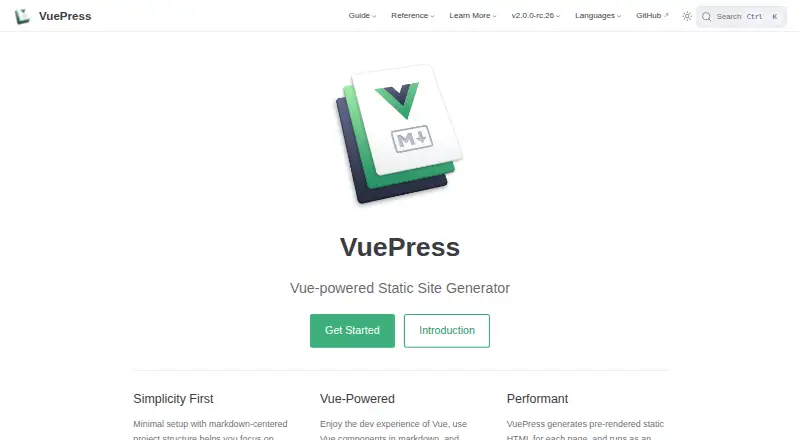
Review
In a line
VuePress is a free static site generator powered by Vue and centered on Markdown. It is aimed at documentation, blogs, and other sites made from static files.
What it does
VuePress pre-renders each page as HTML during a build. After the page loads, Vue turns it into a single-page application, so visitors can move through the site without full page reloads.
Markdown files can include Vue templates and components. The built-in Markdown toolkit covers tables of contents, custom containers, line highlighting, line numbers, imported code snippets, tables, and strikethrough.
The default theme is designed for technical documentation. Header search, configurable navigation and sidebars, and Algolia Search support are included. VuePress also supports community themes and custom Vue themes.
How it connects
Either Vite or Webpack can be used with VuePress without additional configuration. The project offers an official plugin API and plugins, while community plugins are available on npm. One official plugin connects Google Analytics.
Sites can be deployed using guides for GitHub Pages, GitLab Pages, Firebase, Heroku, Netlify, and Vercel. Locale settings support multiple site languages, although multilingual features depend on the theme.
VuePress is MIT licensed and can be run self-hosted or on the web. Its documentation also lists an API as a platform option.
Good fit
VuePress suits teams building technical documentation or developer documentation from Markdown. Blogs and other static sites are supported as well.
It is a natural fit for authors who want Vue components or dynamic content inside Markdown, and for projects already using Vite or Webpack.
Watch for
Before starting, install Node.js v20.9.0 or later and use a package manager such as pnpm, Yarn, or npm.
VuePress v2 is in release-candidate status. Its configuration and API may have minor breaking changes between releases, so check compatibility before committing.
Multilingual behavior varies by theme, and advanced Markdown behavior may require configuring or adding markdown-it extensions.
Pricing
VuePress is free and has a free plan. The project is MIT licensed.
Verdict
Choose VuePress if you want a Markdown-first site with Vue components, a documentation-ready theme, and control over hosting. Its plugin system, bundler support, and deployment guides cover common project needs.
Look elsewhere if you need a stable v2 release or multilingual behavior that does not depend on the selected theme. For a similar category, compare other static site generators such as Gatsby.
Our take
VuePress is a sensible choice for free, self-hosted documentation and blog projects that are comfortable with Node.js and Markdown. Vue users gain a direct way to add components and dynamic content to pages, while the default theme covers common documentation navigation and search needs. The main caution is v2’s release-candidate status and the possibility of minor configuration or API changes. Theme-dependent multilingual support also deserves a check before launch. Projects requiring a fixed, mature release should consider another tool.
- Free and MIT licensed
- Markdown pages can include Vue components
- Default theme targets technical documentation
- Vite and Webpack work without additional configuration
- Deployment guides cover several hosting services
- VuePress v2 is still a release candidate
- Requires Node.js v20.9.0 or newer
- Multilingual features vary by theme
- Requires a package manager and self-managed setup
- Pick it ifMarkdown-based technical documentation; Vue teams building blogs or static sites; Projects wanting self-hosted Vue components
- Skip it ifYou require a stable v2 API with no expected breaking changes; Your multilingual needs cannot depend on a theme
Pricing
VuePress is free and has a free plan.
Questions
Is VuePress free?
Yes. VuePress has a free plan and is described as MIT licensed.
What can I build with VuePress?
Technical documentation, blogs, and other static sites can be built from Markdown with VuePress.
Can Markdown files use Vue components?
Yes. VuePress processes Markdown pages as Vue components after compiling them to HTML, so Vue templates and components can be included.
What do I need to install VuePress?
The current guide requires Node.js v20.9.0 or later together with a package manager such as pnpm, Yarn, or npm.
Where can I deploy a VuePress site?
Deployment guides are provided for GitHub Pages, GitLab Pages, Firebase, Heroku, Netlify, and Vercel.
Is VuePress v2 stable?
The guide describes v2 as a release candidate and notes that its configuration and API may have minor breaking changes between releases.
Does VuePress support multiple languages?
Site locales can be configured, but multilingual features vary by theme.