VulkanMod review: Minecraft rendering through Vulkan
github.com · checked 15 Oct 2026
A no-cost, open-source Minecraft client mod that renders through Vulkan instead of OpenGL.
How it plugs in
Signal on Minecraft Performance Mods7.6#1 of 24
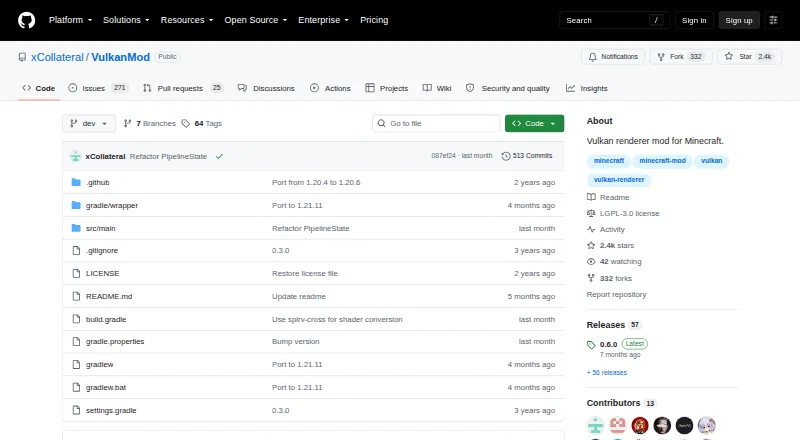
VulkanMod brings a Vulkan voxel engine to Minecraft Java Edition in place of the standard OpenGL path. It lists terrain, chunk-building, and entity-rendering improvements, works on Windows, macOS, and Linux with native Wayland support, and requires Vulkan 1.2-capable graphics hardware. Shaders are handled separately, and mods dependent on OpenGL may not work.
Review
In a line
Minecraft Java Edition can use VulkanMod as a client-side replacement for its OpenGL renderer, using a Vulkan voxel engine instead. The mod is free to use.
What it does
Rendering performance is the focus, with the project listing lower CPU and GPU overhead. Terrain uses section culling and an optimized draw loop, while chunk construction and entity rendering are also optimization targets.
Linux users get native Wayland support, and windowed fullscreen is included.
How it connects
The source is available under the GNU Lesser General Public License version 3. Distribution pages mention Fabric and Quilt, but the setup instructions require Fabric and copying VulkanMod.jar into the instance’s mods directory.
Windows, macOS, and Linux are listed platforms. The wiki requires a GPU supporting Vulkan 1.2 or later. No public API, SDK, server-hosted service, or self-hosted service is documented.
For shader use, the project directs users to the separate Beryl mod. VulkanMod itself does not yet provide shaders, and no delivery date is given.
Good fit
VulkanMod is aimed at Minecraft players seeking a Vulkan renderer and client-side rendering improvements. Listed Minecraft coverage runs from 1.18.2 through selected 1.21 releases and 26.1.x.
Linux players interested in native Wayland and users wanting windowed fullscreen may benefit from those display features. The project is focused on client rendering, not server software.
Watch for
Running the mod requires graphics hardware with Vulkan 1.2 support or newer. Mods that issue direct OpenGL calls are unsupported and can crash while VulkanMod is active.
The maintained incompatibility page names Sodium, Iris Shaders, Create, Distant Horizons, Embeddium, and additional version-specific mods. Review it before modifying an existing setup.
The project asks users to consult the wiki first, then include their launcher, logs or crash reports, reproduction steps, and installed mods when filing an issue.
Pricing
VulkanMod is available at no cost. Fabric is needed for installation, and the client also requires a Vulkan-capable GPU.
Verdict
VulkanMod is worth considering when your Minecraft installation supports Vulkan 1.2 and you want client-side work focused on terrain and other rendering tasks. Linux users may especially value its Wayland support.
Look elsewhere if you need built-in shaders immediately, depend on mods that call OpenGL, or use projects listed as incompatible, including Sodium, Iris Shaders, Create, and Distant Horizons.
Our take
VulkanMod gives Minecraft players a free way to try a Vulkan-based client renderer, provided their hardware and mod loader meet its requirements. Key checks are Vulkan 1.2 support, Fabric setup, and whether existing mods make direct OpenGL calls. Linux includes Wayland support; shader users must use Beryl or wait for native support. Since compatibility is not guaranteed and named conflicts exist, inspect the project’s compatibility guidance before adding it to an established instance.
- Free, open-source client-side mod
- Optimizes CPU/GPU load plus terrain, chunk, and entity rendering
- Provides native Wayland on Linux
- Supports Windows, macOS, and Linux
- Offers windowed fullscreen mode
- Vulkan 1.2-capable graphics hardware is needed
- VulkanMod does not currently include shaders
- Mods relying on OpenGL calls are unsupported
- The installation instructions require Fabric
- Sodium, Iris Shaders, Create, and Distant Horizons are among known conflicts
- Pick it ifMinecraft players wanting a Vulkan client renderer; Linux users interested in native Wayland; Players prepared to check mod compatibility
- Skip it ifYou require integrated shaders now; Your setup relies on OpenGL-dependent mods; Your GPU cannot provide Vulkan 1.2
Pricing
The Minecraft client mod has a free plan. Minecraft, Fabric for setup, and a Vulkan-capable GPU are still required.
- VulkanModMinecraft client mod · requires Fabric · Vulkan-capable GPUFree
As modrinth.com lists them, checked 15 Oct 2026.
Questions
What is VulkanMod?
It is a client-side Minecraft Java Edition mod that routes rendering through a Vulkan voxel engine rather than the default OpenGL renderer.
Which systems does VulkanMod support?
The project lists Windows, macOS, and Linux; Linux also receives native Wayland support.
What hardware does it require?
According to the wiki, the graphics card must support Vulkan 1.2 or newer.
Does VulkanMod support shaders?
Native shader support has not arrived and no release estimate is provided. For shaders, the project recommends the separate Beryl mod.
Which mods are incompatible?
The incompatibility list includes Sodium, Iris Shaders, Create, Distant Horizons, Embeddium, and other version-specific entries. Software making direct OpenGL calls is unsupported.
How do I install it?
Set up Fabric and copy VulkanMod.jar into the instance’s mods directory, following the project’s installation instructions.