WashingtonDC (washDC) Dreamcast Emulator
washemu.org · checked 3 Oct 2026
Open-source Dreamcast emulator for Linux and Windows x86 PCs.
How it plugs in
Signal on Dreamcast Emulators6.4#5 of 9
WashingtonDC, now called washDC, emulates SEGA Dreamcast games on modern x86 computers. It runs on Linux and Windows, supports several game-image formats, and accepts up to four gamepads or keyboard controls. The project is free and open source under the GNU GPL version 3, but requires Dreamcast BIOS and flash images.
Review
In a line
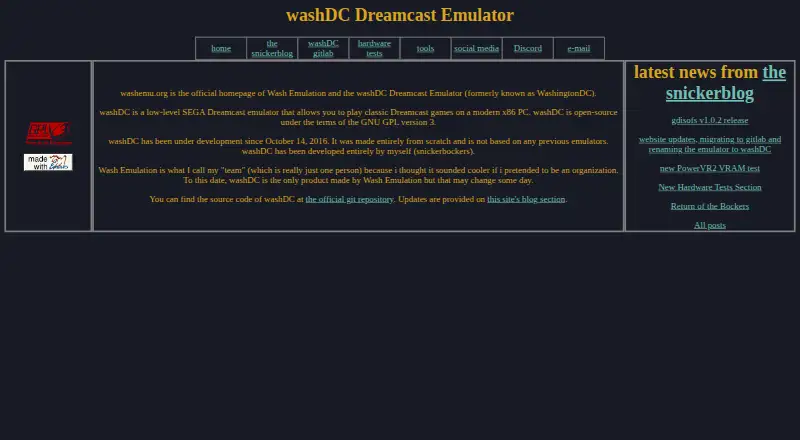
washDC is a low-level SEGA Dreamcast emulator for playing classic games on modern x86 PCs. It was formerly known as WashingtonDC.
What it does
The emulator recreates Dreamcast hardware so users can run Dreamcast game images on Linux or Microsoft Windows computers. Supported image types include GDI, CHD, CDI, ELF, and raw BIN.
It supports up to four gamepads and keyboard controls. OpenGL is its listed graphics backend.
How it connects
washDC is open-source software under the GNU GPL version 3, with source code in its official GitLab repository.
Running it requires Dreamcast BIOS and flash images. The project also lists remote GDB and WashDbg debugging over TCP. A separate Linux tool called gdisofs mounts Dreamcast games as read-only filesystems.
Good fit
This suits people with Linux or Windows x86 PCs who want to play classic Dreamcast games through an open-source emulator. It also fits users who need support for multiple game-image formats or several controllers.
Watch for
BIOS and flash images are mandatory, so the emulator cannot run without them. The listed graphics option is OpenGL, and the supported platforms are limited to Linux and Windows.
The maker describes washDC as a one-person project made from scratch. Updates appear in the site's blog, with Discord and email available for contact.
Pricing
washDC is free. Its free plan is the only listed plan, and the software is released under the GNU GPL version 3.
Verdict
Choose washDC if you want a no-cost, open-source way to emulate Dreamcast on a Linux or Windows x86 computer and you can provide the required firmware files. Its broad image-format support and four-controller limit cover common local play setups.
Look elsewhere if you need another operating system, a different graphics backend, or software that runs without BIOS and flash images.
Our take
washDC is a sensible pick for technically minded Dreamcast fans who have a Linux or Windows x86 PC, the required BIOS and flash files, and game images in one of its supported formats. Its open-source license and controller support keep the cost low and allow local multiplayer. The project is less suitable for people on other systems or anyone seeking a ready-to-run package without firmware setup. Because it is the maker's only product and comes from a one-person team, buyers should follow its blog and community channels for project updates.
- Free plan with GNU GPL version 3 open-source code
- Runs on Linux and Microsoft Windows x86 PCs
- Supports GDI, CHD, CDI, ELF, and raw BIN images
- Handles up to four gamepads plus keyboard controls
- Dreamcast BIOS and flash images are required
- Only OpenGL is listed as a graphics backend
- Project comes from a one-person team
- Pick it ifLinux or Windows users emulating Dreamcast games; Players needing multiple image-format options; Local play with up to four controllers
- Skip it ifYou need macOS or another unsupported platform; You want an emulator that runs without BIOS and flash files
Pricing
washDC has one free plan. The software is open source under GNU GPL version 3, with no paid tier listed.
- washDCOpen-source Dreamcast emulator · GNU GPL version 3Free
As washemu.org lists them, checked 3 Oct 2026.
Questions
What is WashingtonDC called now?
The project was formerly called WashingtonDC and is now named washDC.
Which systems can run washDC?
The README lists Linux and Microsoft Windows on modern x86 PCs.
Which game-image formats are supported?
The project lists GDI, CHD, CDI, ELF, and raw BIN formats.
Does washDC need Dreamcast firmware?
Yes. Dreamcast BIOS and flash images are mandatory for running the emulator.
How many controllers does it support?
It supports up to four gamepads, along with keyboard controls.
Is washDC free and open source?
Yes. It has a free plan and uses the GNU GPL version 3 license.
Where can users follow updates or ask questions?
Updates are posted on the project's blog. The homepage also lists an email contact and links to Discord.