WebNES Review: Browser NES Emulator
github.com · checked 4 Oct 2026
Run NES games in a browser with this free emulator, which includes save states, shaders, gamepad input, and ROM utilities.
How it plugs in
Signal on NES Emulators6.0#15 of 26
WebNES brings Nintendo Entertainment System emulation to JavaScript in the browser. Chrome is its optimization target; rendering can use WebGL or canvas, while keyboard remapping, gamepads, save states, screenshots, speed adjustment, and ZIP-based ROM loading are included. The project is free and MIT-licensed, but Internet Explorer is unsupported.
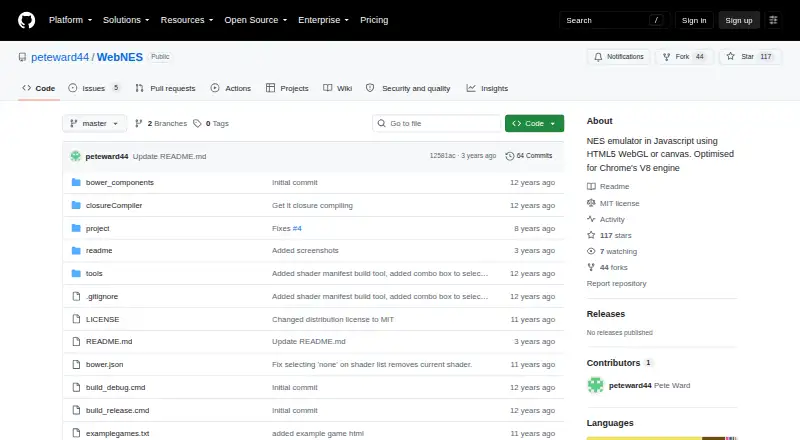
Review
In a line
WebNES is a JavaScript NES emulator designed to run in a web browser. It is free to use and optimized for Chrome.
What it does
NES titles open directly in the browser, with support for common mapper formats. The README puts expected coverage at approximately 98% of games.
Players can change keyboard mappings, connect a game pad, use quick save and quick load states, capture screenshots, adjust playback speed, and open ZIP archives. NTSC and PAL formats are supported.
WebGL rendering is available alongside a canvas fallback, and selected shaders include CRT monitor emulation. Sound is handled by the HTML5 WebAudio API. A Game Genie database provides known codes that can be enabled or disabled.
For development work, WebNES can create trace logs for CPU instructions and PPU events.
How it connects
WebNES runs on web browsers, with Chrome as its optimization target. The maker provides a playable release build through GitHub Pages.
The source repository is MIT-licensed. It can run without a build step; building the project requires npm and Bower, with instructions for Windows and Linux.
Good fit
WebNES suits people who want to play NES games in a browser without installing a desktop emulator. Its remappable controls, gamepad support, save states, screenshots, and speed settings cover common play needs.
ROM authors and emulator developers may value its CPU and PPU trace logs.
Watch for
Internet Explorer is explicitly unsupported because of performance problems and its lack of real typed arrays. Check your browser before relying on it.
The roughly 98% compatibility figure is an estimate, so a particular game may not work. Building from source also adds npm and Bower requirements.
Pricing
WebNES is free to use; the listed pricing model is a free plan with no paid tier noted.
Verdict
Choose WebNES if browser-based NES play, save states, flexible controls, and simple ROM loading match your needs. It also has useful logging for people creating ROMs or emulators.
Look elsewhere if you need Internet Explorer support or guaranteed compatibility with every NES title. Developers who want to build the project should be ready to use npm and Bower. For more emulator options, see NES emulators.
Our take
WebNES is a sensible pick for people seeking a no-cost NES emulator that stays in the browser, especially with Chrome. Its feature set covers play, including game pads, save states, screenshots, speed changes, ZIP files, and Game Genie codes. The MIT license and optional trace logs add value for developers. Compatibility is not absolute, and Internet Explorer is ruled out, so users with older browser requirements or a specific untested game should choose another emulator from the start.
- Free NES emulator that runs in a browser
- About 98% of games estimated to work
- Keyboard remapping and gamepad support
- Quick save and load states
- WebGL shaders with canvas fallback
- MIT-licensed source code
- Internet Explorer is unsupported
- Compatibility estimate is not a guarantee
- Source builds require npm and Bower
- Pick it ifPeople using Chrome who want NES games in a browser; Players needing save states and remappable controls; ROM or emulator authors needing trace logs
- Skip it ifYou need Internet Explorer support; You require every NES game to run; You want to build without npm and Bower
Pricing
WebNES is free. The facts list a free plan and no paid tier.
Questions
What is WebNES?
WebNES is JavaScript software for playing NES games through a web browser.
Which browsers support WebNES?
Chrome is the browser it is optimized for. Internet Explorer is explicitly unsupported because of performance issues and its lack of real typed arrays.
How many NES games work?
Its README estimates that approximately 98% of games should work with the supported common mapper formats.
Can I use a game pad?
Yes. Input can come from a game pad or remapped keyboard, and the emulator also offers quick save/load states, screenshots, and speed changes.
Does WebNES support cheats?
Yes. Known Game Genie codes can be activated or deactivated through its code database.
Can developers inspect emulator activity?
Yes. Trace output is available for CPU instructions and PPU events, for ROM and emulator authors.
Can I build WebNES from source?
It can run without building. Creating a source build uses npm and Bower, and the README includes Windows and Linux instructions.