WineGUI review: a free graphical Wine manager for Linux
github.com · checked 9 Oct 2026
A no-cost Linux interface for managing Wine and Windows software.
How it plugs in
Signal on Windows Compatibility Layers6.3#4 of 26
On Linux, WineGUI provides visual controls for Wine machines, runners, and Windows programs. Its guided setup can create machines and later change, delete, or duplicate them. Per-machine options include runner changes, one-click DirectX or DXVK installation, application search, and shortcut creation. It supports several Linux package formats, but Wine 9 or newer must already be installed.
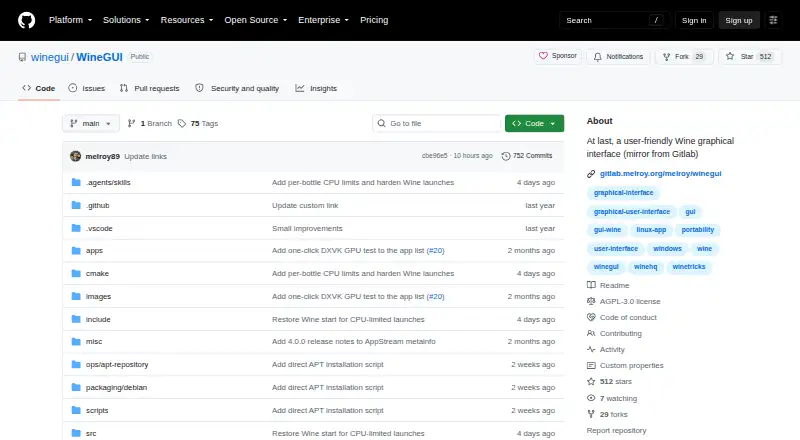
Review
In a line
WineGUI presents Linux users with a graphical manager for Windows compatibility layers used to run Windows applications.
What it does
A guided sequence sets up each machine, after which it can be edited, deleted, or copied. Machines may use separate runners such as Vanilla, Staging, Staging-TkG, Wine-Proton, or GE-Proton.
For every machine, WineGUI offers a searchable application list. Shortcuts can be placed on the desktop or in menus; one-click controls install DirectX and DXVK, while actions launch a program, open the C: drive, mimic a reboot, or terminate every process.
How it connects
A managed UMU launcher lets WineGUI use GE-Proton without Steam. Proton initialization and protonfixes are handled for win64 and WoW64 bottles.
Linux downloads come as AppImage, DEB, RPM, compressed tar.gz binaries, or a source archive. Official DEB packages install a signed APT source and repository key on supported distributions. The project code is licensed under AGPL-3.0, with issue tracking and contribution instructions on GitHub.
Good fit
WineGUI suits Linux users who want a visual way to organize Wine machines and run Windows software. It is useful for switching runners per machine, managing prefixes, adding shortcuts, and installing graphics components such as DXVK.
It supports Linux distributions including Debian, Ubuntu, Fedora, and related derivatives.
Watch for
Wine 9 or newer must be installed on the host computer. The AppImage does not include Wine.
GE-Proton support covers win64 and WoW64 bottles, but not 32-bit Windows versions. A standard Wine runner is required for a genuinely 32-bit bottle.
Pricing
WineGUI has one free plan. There are no paid plans or free trial.
Verdict
Choose WineGUI if you run Linux and want machine, runner, application, and shortcut controls in a graphical interface. Its package choices and GE-Proton management add flexibility, while the one-click setup tools reduce repeated configuration work.
Look elsewhere if you need a Windows or macOS tool, a bundled Wine runtime, or GE-Proton support for a true 32-bit bottle. You also need to install Wine 9 or newer before using WineGUI.
Our take
WineGUI is a practical free option for Linux users who manage several Wine environments or prefer visual controls over command-line setup. Its wizards, runner switching, application search, shortcuts, and one-click DirectX or DXVK installation cover common setup tasks. The key checks are technical: Wine 9 or newer must be installed separately, the AppImage does not bundle it, and GE-Proton cannot create true 32-bit bottles. Users needing other operating systems or a bundled runtime should not choose it.
- Free plan with no paid tiers
- Machine workflows support creation, editing, deletion, and cloning
- Switches among five listed Wine runners per machine
- One click adds DirectX and DXVK
- Provides AppImage, DEB, RPM, tar.gz, and source downloads
- Linux only
- Wine 9 or newer must be installed separately
- AppImage does not bundle Wine
- GE-Proton does not support true 32-bit bottles
- No free trial is offered
- Pick it ifLinux users managing multiple Wine machines; People wanting graphical runner and shortcut controls; Users needing non-Steam GE-Proton management
- Skip it ifYou need Windows or macOS support; You want Wine bundled with the application; You need GE-Proton for a true 32-bit bottle
Pricing
WineGUI is free, with no paid plans and no free trial. You pay nothing for the software itself.
- WineGUINo paid plans or pricing stated on the opened pagesFree
As github.com lists them, checked 9 Oct 2026.
Questions
What is WineGUI?
WineGUI is a graphical Wine manager for Linux users who need to create machines and run Windows applications.
Which systems run WineGUI?
WineGUI supports Linux distributions, including Debian, Ubuntu, Fedora, and related derivatives.
Does WineGUI include Wine?
No. The host must have Wine 9 or newer installed, and Wine is absent from the AppImage.
Can WineGUI use GE-Proton without Steam?
Yes. WineGUI manages a non-Steam GE-Proton runtime through a UMU launcher for win64 and WoW64 bottles.
Does GE-Proton support 32-bit bottles in WineGUI?
No. WineGUI does not provide 32-bit Windows versions with GE-Proton. A regular Wine runner is needed for a true 32-bit bottle.
What packages can I download?
Downloads include AppImage, DEB, RPM, compressed tar.gz binaries, and a source archive.
Is WineGUI free?
Yes. It has a free plan, with no paid plans and no free trial.