WorkflowMAX: Job Management and Invoicing Software
workflowmax.com · checked 11 Oct 2026
A workflow platform for quoting, tracking time, managing jobs and billing professional services work.
How it plugs in
Signal on Invoicing software6.8#13 of 83
WorkflowMAX presents a paid system for managing profitability across professional-services work. Its web, iOS and Android editions combine estimates, job information, schedules, timesheets, work in progress and billing, and an API is available too. Connections listed include Xero, QuickBooks, HubSpot, Zapier, Airwallex, Google Calendar and MCP access for AI assistants.
Review
In a line
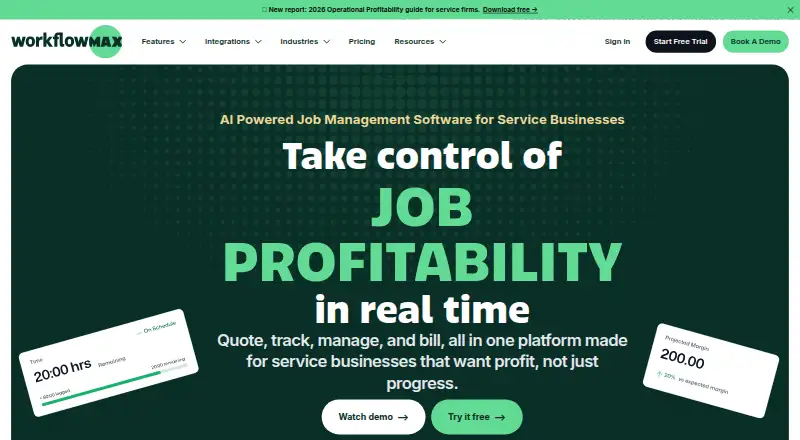
WorkflowMAX presents itself as a job-profitability platform for professional services firms. Estimates, jobs, logged hours, work in progress and invoices all sit in one service.
What it does
A job can be created, allocated and followed from one record containing its tasks, costs, time and documents. The feature set also covers quoting, scheduling, purchase orders, work-in-progress oversight and invoicing.
Timesheets can assign hours to jobs and tasks through eight entry methods. Recurring invoices, online payment collection and multi-currency invoicing are supported.
Dedicated iOS and Android apps let people handle jobs, enter time and review tasks when they are away from a desk.
How it connects
WorkflowMAX lists integrations for Xero, QuickBooks, HubSpot, Zapier, Airwallex and Google Calendar. Its integrations page also details MCP connections to Claude, ChatGPT, Gemini and Microsoft Copilot.
Web, iOS, Android and API access are listed as platform options. WorkflowMAX says private user information is encrypted with AES 256-bit protection, stored on Amazon Web Services in Sydney, Australia, and managed in line with the European Union's GDPR.
It may suit teams already comparing invoicing software, time tracking software or project management software.
Good fit
WorkflowMAX identifies architects, engineers and designers, business consultants, creative agencies, and building and construction firms among its industries.
It fits teams wanting estimates, job delivery, time capture and billing in one place, alongside mobile access and links to accounting, sales, automation and calendar tools.
Watch for
WorkflowMAX does not provide a free tier. Pricing is per user each month, so every person who logs in needs a licence.
Essentials is intended for 3–25 users. Pro starts at five users and Advanced at 10, while no upper limit is stated for either of those plans. Check headcount and required features before choosing.
The FAQ says all customers get 24/7 in-product support and a help centre. Every plan offers 14 days of full access to its selected features without requiring a card.
Pricing
WorkflowMAX has three paid tiers. Essentials costs $8.33 per user monthly, $7.91 on quarterly billing, or $7.50 on annual billing, for 3–25 users.
Pro costs $15 per user monthly, $14.25 quarterly, or $13.50 annually, with at least five users. Advanced costs $25 monthly, $23.75 quarterly, or $22.50 annually per user, starting at 10 users.
All tiers include a 14-day trial; no free plan is offered.
Verdict
Choose WorkflowMAX if your professional services team wants one system to estimate work, run jobs, capture staff time and issue bills. Mobile applications, accounting integrations and AI-assistant connections provide options for distributed teams.
Review the per-user licence rule and the minimum headcounts for Pro and Advanced. Smaller groups may suit Essentials, while capacity planning, individual work-in-progress ledgers and automated or AI-powered reports require Advanced. Teams looking for free software should look elsewhere.
Our take
WorkflowMAX suits professional services companies seeking one paid product for estimates, delivery tracking, time capture and billing. Its iOS and Android applications support work away from a desk, while accounting, CRM, automation and calendar links may limit duplicate data entry. Buying decisions center on seats and tier: every login needs a licence, Essentials allows 3–25 users, and the upper plans set minimum headcounts. A 14-day full-feature trial without a card lets teams test the workflow.
- Estimates, job control, timesheets, work-in-progress and invoicing share one system
- Recurring invoicing, online payments and multiple currencies are available
- Integrations list Xero, QuickBooks, HubSpot, Zapier and Google Calendar
- iOS and Android apps handle jobs, time entry and task checks
- The 14-day full-access trial requires no credit card
- There is no free tier
- Every login requires a paid licence
- Essentials is limited to 3–25 users
- Pro starts at five users and Advanced at 10 users
- Customer data is hosted in Sydney, Australia
- Pick it ifProfessional services firms managing jobs, time and invoices; Architects, engineers, consultants, agencies and builders; Teams needing mobile apps alongside accounting connections
- Skip it ifYou need a no-cost plan; Your team cannot reach the minimum headcount for Pro or Advanced; You require data hosting outside the Sydney AWS region
Pricing
Plans are paid per user each month. Every plan includes a 14-day trial, with no free plan.
- EssentialsMonthly; $7.91 quarterly (Save 5%); $7.50 annual (Save 10%) per user · 3–25 users · Quoting · Jobs · Scheduling · Timesheets · Invoicing · Purchase orders · Xero/QuickBooks integration$8.33/mo
- ProMonthly; $14.25 quarterly (Save 5%); $13.50 annual (Save 10%) per user · From 5 users · Essentials features plus leads, quote variations, custom reporting, branded templates, and more invoicing, purchasing, and integration options$15/mo
- AdvancedMonthly; $23.75 quarterly (Save 5%); $22.50 annual (Save 10%) per user · From 10 users · Pro features plus capacity planning, individual WIP ledger management, automated and AI-powered reporting, and calendar sync$25/mo
As workflowmax.com lists them, checked 11 Oct 2026.
Questions
Does WorkflowMAX offer a free plan?
No. It is paid software, but every tier includes a 14-day trial with full access and no card required.
How does WorkflowMAX charge?
The charge is calculated per user per month, and each person who signs in must hold a licence.
Which accounting tools connect to WorkflowMAX?
Xero and QuickBooks appear as accounting integrations. Other listed connections are HubSpot, Zapier, Airwallex and Google Calendar.
Are mobile apps available for WorkflowMAX?
Yes. Dedicated iOS and Android apps let users handle jobs, enter time and check tasks.
Which industries does WorkflowMAX name?
It names architects, engineers and designers, business consultants, creative agencies, and building and construction.
Where does WorkflowMAX host customer data?
The FAQ places customer data on Amazon Web Services in the Sydney, Australia region.
What user limits apply to each plan?
Essentials is for 3–25 users. Pro begins at five and Advanced at 10, with no stated upper limit for either.
Can WorkflowMAX connect with AI assistants?
The integrations page describes MCP connections for Claude, ChatGPT, Gemini and Microsoft Copilot.