
Write.as: Ad-Free Blogging and Publishing
write.as · checked 28 Sept 2026
Write.as is an ad-free blogging and publishing service with Markdown, memberships, scheduling, and self-hosting options.
How it plugs in
Signal on Writing Apps6.6#21 of 135
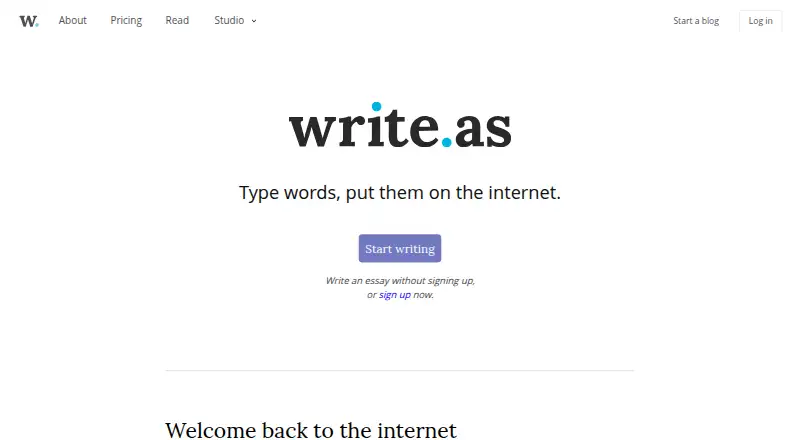
Write.as lets one person or a team publish blogs without ads. You can write in Markdown or a rich-text editor, schedule posts, offer memberships, and view blog analytics. Posts reach readers through browsers, email, RSS, e-readers, or Mastodon. A free plan covers one blog, while paid plans add blogs, newsletters, and collaboration.
Review
In a line
Write.as is a publishing service for blogs and other posts. It is made by Write.as, a founder-owned company based in New York City since 2015.
What it does
You can write with Markdown or a Rich Text editor. Your work saves automatically in the browser while you write, and you can schedule posts instead of publishing them immediately.
The service supports custom domains, built-in memberships, and blog analytics. Readers can follow posts in a browser, by email or RSS, on e-readers, or through Mastodon.
Teams can edit together asynchronously, with team access and roles. Team plans allow up to five members on the listed plan.
How it connects
Write.as supports RSS, ActivityPub federation, Web Monetization, email, application programming interfaces (APIs), and command-line publishing. These options connect posts to feeds, federated services, email, and publishing tools.
You can export work as ePub or self-host it with WriteFreely, the open-source software that powers Write.as. For related publishing choices, see blogging platforms and writing apps.
Good fit
Write.as suits individuals who want a simple, ad-free blog with optional custom domains, newsletters, memberships, or scheduled posts. The free plan is aimed at one personal blog.
Pro adds up to three blogs on Write.as or your own domain. Team plans are for collaborative blogs, multiple users, and larger newsletter lists.
Watch for
The free plan includes one personal blog and allows three posts per day. It also carries Write.as branding. Pro and Team are billed yearly at their listed monthly rates, with separate monthly billing options at higher prices.
Only one author is allowed on the standard setup. Enterprise pricing is by request. The service does not state a refund policy, encryption details, or security certifications.
If you cancel, your account drops to Free and paid features stop, but your writing stays online.
Pricing
Write.as has a free plan and a 14-day trial. Free includes one personal blog, three posts per day, unlimited monthly views, and Write.as branding.
Pro costs $6 a month when billed yearly, or $9 a month with monthly billing. It includes up to three personal blogs, unlimited posts, and 1–500 newsletter subscribers.
Team costs $25 a month when billed yearly, or $30 a month with monthly billing. It includes one collaborative blog, one to five team members, unlimited posts, and 500 or more newsletter subscribers.
Enterprise pricing is on request and includes unlimited team members and team blogs, plus single sign-on and invoice billing.
Verdict
Choose Write.as if you want ad-free publishing with a free starting tier and a path to custom domains, newsletters, memberships, or team work. Its export and self-hosting options give you more control over where your writing lives.
Look elsewhere if you need several authors on a basic account, stated security certifications, or a published refund policy. Monthly Pro and Team billing costs more than the yearly-billed options.
Our take
Write.as is a practical choice for solo writers who need a clean blog, scheduled publishing, or a custom domain without advertising. The free tier lets you start with one personal blog, while Pro adds more blogs and newsletters and Team adds shared editing. Its RSS, email, Mastodon, API, export, and self-hosting support broaden distribution. Check the author limit, branding on Free, missing refund and security details, and the higher month-to-month prices before committing. Teams needing more than five members should review the Enterprise option.
- Free plan with one personal blog and three posts per day
- Markdown and Rich Text editing with automatic browser saving
- Custom domains, scheduling, memberships, and blog analytics
- RSS, email, Mastodon, API, export, and self-hosting support
- Ad-free publishing and reader experience
- Free plan includes Write.as branding
- Standard setup allows one author
- No refund policy is stated
- Monthly Pro and Team billing costs more than annual billing
- Pick it ifSolo bloggers wanting ad-free publishing; Writers needing custom domains, newsletters, or memberships; Small teams publishing a collaborative blog
- Skip it ifYou need many authors on a basic plan; You require published security certifications or a refund policy; You want the lowest possible monthly price
Pricing
A free plan is available. Enterprise pricing is on request, and a 14-day trial is offered.
- FreeAlways · 1 personal blog · 3–15 posts per day · Unlimited views per monthFree
- ProBilled yearly · 3 personal blogs · Unlimited posts · 1–500 newsletter subscribers$6/mo
- TeamBilled yearly · 1 collaborative blog · 1–5 team members · Unlimited posts · 500+ newsletter subscribers$25/mo
- EnterpriseUnlimited team members · Unlimited team blogsOn request
- Pro Annualbilled annually at $6 per month$6/mo
- Pro Monthlybilled monthly at $9 per month$9/mo
- Team Annualbilled annually at $25 per month$25/mo
- Team Monthlybilled monthly at $30 per month$30/mo
As write.as lists them, checked 28 Sept 2026.
Questions
Does Write.as have a free plan?
Yes. Free includes one personal blog, three posts per day, unlimited monthly views, and Write.as branding.
How much does Write.as Pro cost?
Pro is $6 a month when billed yearly, or $9 a month with monthly billing.
Can I use my own domain?
Yes. Pro supports up to three blogs on Write.as or your own domain, and custom domains are supported.
Can teams collaborate on Write.as?
Yes. Team includes asynchronous collaborative editing, team access, roles, and one to five team members.
What happens after cancellation?
The account downgrades to Free and paid features are disabled. Existing writing remains online.
Can I export or self-host my writing?
You can export work as ePub or self-host with WriteFreely, the open-source software powering Write.as.
How can readers access posts?
Readers can use browsers, email or RSS, e-readers, and Mastodon.