
WriteHuman: AI Text Rewriting and Detection
writehuman.ai · checked 21 Oct 2026
WriteHuman reshapes AI-generated drafts, analyzes AI signals, and connects through web, mobile, extension, and API tools.
How it plugs in
Signal on AI Text Humanizers6.7#1 of 24
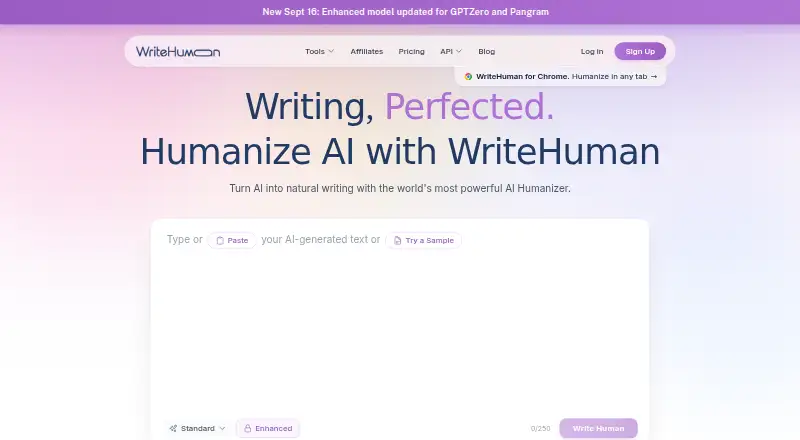
Paste text from ChatGPT, Claude, Gemini, Grok, DeepSeek, or another AI writing service into WriteHuman for a more natural version that seeks to keep its meaning and voice. The humanizer supports more than 40 languages, while AI and image detectors work across web, mobile, Mac, Chrome, and REST API access. A free tier exists, and subscriptions start at $12 monthly.
Review
In a line
WriteHuman is a writing rewriter for AI-generated text. It aims to make drafts sound more natural without changing their meaning, tone, or structure.
What it does
Paste material made with ChatGPT, Claude, Gemini, Grok, DeepSeek, or comparable tools and get a rewritten draft. Its humanizer handles 40-plus languages and is presented for articles, blog posts, marketing copy, emails, landing pages, newsletters, and reports.
An AI detector gives every sentence its own AI-probability estimate, and the service also includes an image detector. Depending on the paid web level, users can ask for between two and five versions.
How it connects
WriteHuman runs on the web, Android, iOS, macOS, and a browser extension. In Chrome, it suggests spelling and grammar fixes, applies edits inline, stores a personal dictionary, and humanizes drafts from a side panel in Gmail, Outlook, LinkedIn, Notion, Slack, X, WordPress, and other web text fields.
A hosted REST API handles humanizing, usage, and detection requests. It uses revocable Bearer keys, allows up to five keys per account, and documents cURL, Python, and JavaScript examples without requiring an SDK installation. Paid Pro, Ultra, and API plans also list access to an MCP server for compatible AI clients.
Google Docs is not supported by the extension. The initial release also omits right-click commands, keyboard shortcuts, tone settings, an integrated detector, non-English checking, Safari, and Firefox support.
Good fit
WriteHuman presents its service to marketers, freelancers, professionals, content creators, and agencies revising AI drafts for different channels.
Its API fits teams seeking automated rewriting or detection. Documented tone options are professional, academic, blog, casual, creative, scientific, and technical.
Watch for
WriteHuman cautions that rewrites and detection readings can be wrong, can alter submitted meaning, and are not tied to guaranteed detector scores. Processing may involve its own models as well as third-party providers.
Humanizer text sent through the website, apps, or extension may contribute to model training, and no opt-out is stated. The privacy policy says API and MCP text is excluded from database storage, training, and third-party AI-detection services.
Each mobile app offers five free humanizer, writing-detector, and image-detector uses during a rolling 30-day period. Review the extension limitations and data terms before relying on it regularly.
Pricing
The free plan allows three humanizer requests per month, up to 250 words each, one output variation, 10 detection checks, and 10 image scans. No trial period is provided.
Plan displays show Basic at $20 monthly, Pro at $29, and Ultra at $59. Annual cards show $144 for Basic, $228 for Pro, and $468 for Ultra. Elsewhere, the site advertises paid access from $12 per month, so verify the checkout amount against the comparison table.
API plans include a $29 monthly option for 125,000 words and a $69 option for 400,000 words. A larger API Premium range spans 400,000 to 3,000,000 words per month without a listed price.
Verdict
Choose WriteHuman if you need to reshape AI drafts in many languages, inspect sentence-level AI signals, or connect rewriting with your software. Its web, mobile, Chrome, REST API, and MCP options cover personal and automated use.
Resolve the inconsistent monthly prices and assess the training terms before subscribing. The Google Docs limitation and missing extension controls may also make it unsuitable for some workflows.
Our take
WriteHuman suits users who draft with multiple AI writers and want a separate rewriting stage, broad language coverage, and detection features. The free allowance supports occasional checks, while paid tiers increase limits and add output variations plus API or MCP access. Verify the final monthly charge because pricing displays differ, and review the data terms carefully: some submissions may train models, while rewritten and detected results are not guaranteed accurate.
- Supports more than 40 languages.
- Works on web, Android, iOS, macOS, Chrome, and through a REST API.
- Includes AI and image detection tools.
- Paid tiers can return up to five rewrite versions.
- API and MCP options support automated workflows.
- No free trial is offered.
- Outputs and detector readings can be inaccurate or change meaning.
- Humanizer submissions may be used for model training without a stated opt-out.
- The Chrome extension does not work in Google Docs.
- Monthly prices conflict across the pricing displays.
- Pick it ifPeople revising AI drafts in many languages; Teams needing API-based rewriting or detection; Writers working in browser text fields
- Skip it ifYou need Google Docs support from the browser extension.; You require guaranteed detector results or unchanged meaning.; You need a clear single monthly price before subscribing.
Pricing
A free plan is available.
- Free3 humanizer requests/month · 250 words/request · 1 output variation · 10 detection checks/month · 10 image scans/monthFree
- BasicMonthly billing · 80 requests/month · 600 words/request$20/mo
- API StandardMonthly billing · 125,000 words/month · 2,000 words/request · 1 output/request · 40 requests/minute · up to 5 API keys$29/mo
- Standard API125K words/month · 2,000 words/call · 1 output/request · 40 requests/min$29/mo
- ProMonthly billing · 200 requests/month · 1,200 words/request$29/mo
- UltraMonthly billing · Unlimited requests · 3,000 words/request$59/mo
- Premium 400K API400K words/month · 4,000 words/call · 3 outputs/request · 120 requests/min$69/mo
- Premium 800K API800K words/month · 6,000 words/call · 3 outputs/request · 160 requests/min$129/mo
As writehuman.ai lists them, checked 2 Oct 2026.
Questions
Does WriteHuman have a free plan?
Yes. The free allowance is three humanizer requests per month, each up to 250 words, with one output variation, 10 detection checks, and 10 image scans. There is no free trial.
Which AI writing tools can I paste into WriteHuman?
You can bring drafts from ChatGPT, Claude, Gemini, Grok, DeepSeek, or other AI writing tools into WriteHuman.
Does WriteHuman offer an API?
Yes. Its hosted REST service provides humanize, usage, and detection endpoints. Calls use revocable Bearer keys, with up to five keys per account.
Can WriteHuman connect to Claude or Cursor?
Yes. Pro, Ultra, and API subscriptions list an MCP server for Claude, Cursor, Codex, and other MCP clients.
Does the Chrome extension work in Google Docs?
No. The extension cannot currently handle Google Docs because Docs renders its text on a canvas.
What happens to API and MCP text?
The privacy policy says API and MCP text is not kept in the database, used for training, or sent to external AI-detection services. Other humanizer submissions may be used for training.
How accurate are the rewrites and detector results?
The terms note that rewrites and detection results can be inaccurate or change meaning, and the company promises no particular detector score or result.