XErase data erasure software review
enterprisedataerasure.com · checked 9 Oct 2026
Windows software for automated drive, enclosure, and storage-array erasure.
How it plugs in
Signal on Data Erasure Software5.6#11 of 17
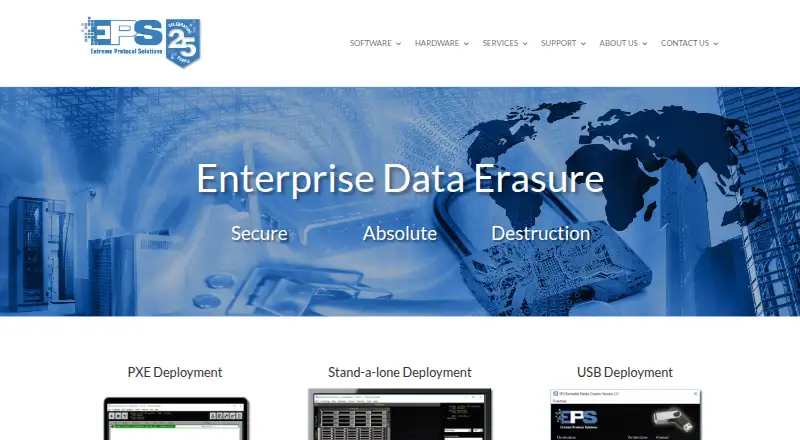
XErase is a self-hosted Windows tool for automating secure erasure across individual drives, enclosures, and storage arrays. Deployments can boot through PXE or USB, use stand-alone stations, handle SSDs and removable media, and select from over 35 erasure and validation choices. It creates tamper-proof reports and can connect with selected ERP databases, although some integrations need extra licensing.
Review
In a line
XErase automates erasure on individual drives, enclosures, and complete storage arrays from a Windows environment. It can start through network boot, USB media, a stand-alone station, or native installation.
What it does
Stand-alone operation includes over 35 erasure and validation choices, and methods can be created while a job is running. NIST and DoD-based approaches can be configured, with NIST verification and SSD erasure support included.
Tamper-proof output is available as PDF, XML, CSV, or TXT. PXE jobs can collect system and physical-condition details, run burn-in tests, add drivers, and automate re-imaging and application installation.
In PXE and USB setups, a single server can remotely manage hundreds of systems.
How it connects
Deployment choices include PXE network boot, USB boot, stand-alone erasure stations, and native installation. XErase runs on Windows 10 or Windows Server with an x64 Intel or AMD processor and 8 GB of memory.
Asset, erasure, and testing information can be sent to separate databases or ERP databases. Makor, Razor, and CycleLution are named in the quick-start guide, which also notes that extra licensing may apply. SQL or MySQL connections require a premium subscription or PXE boot licenses.
Logs for each device remain on the erasure station or PXE server. The software has no database for storing customer data.
Good fit
XErase suits data centers, engineering labs, and manufacturing floors that need repeatable erasure across many systems. Its PXE and USB controls are intended for bulk work, while stand-alone stations cover individual drives and removable media.
It may also fit teams that need verification records, several report formats, or links to existing ERP databases. See data erasure software and disk wiping software for related categories.
Watch for
XErase requires Windows 10 or Windows Server, plus the stated x64 processor and memory requirements. It is self-hosted, so the software runs on equipment you provide.
An active license is needed for complete operation. Without one, the program remains in demo mode and its menu controls and icons are inactive. Database and ERP connections may carry additional licensing requirements; SQL or MySQL integration specifically needs a premium subscription or PXE boot licenses.
Pricing
The product uses an annual subscription, but no price is published. The maker also describes a yearly dongle license and requires a base license.
A free-trial request covers loose-drive erasure, network switches and routers, and erasure validation. Demo mode leaves certain controls inactive, so ask which functions the trial includes.
Verdict
Choose XErase if your team needs Windows-based, centrally managed erasure for many machines and formal reports. Its PXE control, boot options, validation choices, and database connections can support structured disposal workflows.
Look elsewhere if you need a listed price, a non-Windows host, or a license that works without activation. Buyers should also check whether their ERP, SQL, or MySQL connection requires a paid add-on before selecting this tool.
Our take
XErase is aimed at organizations handling batches of equipment rather than occasional home wipes. Central control for hundreds of systems, configurable methods, verification support, and tamper-proof reports make it suitable for documented disposal work. The trade-offs are a Windows-only setup, self-hosting, annual licensing with no published price, and possible charges for database connections. Request the trial and a detailed quote, then confirm the required PXE, ERP, or SQL options match your workflow.
- A single PXE or USB deployment server can manage hundreds of systems
- More than 35 erasure and validation choices are available
- Tamper-proof reports can be exported as PDF, XML, CSV, or TXT
- SSD, removable-media, and NIST verification support are included
- Connections to named ERP databases are available
- Runs on Windows 10 or Windows Server only
- Pricing is available only on request
- Some ERP and database connections need extra licensing
- Full controls require an active license
- Pick it ifData centers and manufacturing floors erasing equipment in batches; Teams needing verification records and exportable reports; Windows environments using PXE or USB deployment
- Skip it ifYou need a published price or a non-Windows deployment; You require SQL or ERP links without extra license costs; You want full operation without an active license
Pricing
The annual subscription has no listed price and requires a base license. A free-trial request is available, while some ERP, SQL, MySQL, and PXE features may need additional licensing.
- XErase annual subscriptionYearly subscription; price not stated · Base license required; some features require additional licensingOn request
As enterprisedataerasure.com lists them, checked 9 Oct 2026.
Questions
Which operating systems are supported by XErase?
Installation and operation require Windows 10 or Windows Server; the manual also specifies an x64 Intel or AMD processor and 8 GB of memory.
What deployment methods can XErase use?
Jobs can start through PXE network boot, USB boot, stand-alone erasure stations, or native installation.
Are erasure reports available from XErase?
Yes. Tamper-proof output can be generated in PDF, XML, CSV, and TXT forms.
Can XErase connect to ERP databases?
Makor, Razor, and CycleLution appear in the guide. Extra licensing may apply, while SQL or MySQL integration requires a premium subscription or PXE boot licenses.
How is XErase licensed and priced?
The annual subscription price is not published. The maker also describes a yearly dongle license and provides a free-trial request.
What limitations apply without an active license?
The software falls back to demo mode, leaving menu controls and icons inactive.
Near it
All alternatives →- ETeast-tec DisposeSecure#10 on this board
- BT
 BCWipe Total WipeOut#12 on this board
- FSFile Shredder#9 on this board
- BDBlancco Drive Eraser#13 on this board
- CDCBL Data Shredder#8 on this board
- PM
 Parted Magic#14 on this board
- SShredOS#7 on this board
- ASASCOMP Secure Eraser#15 on this board
- A
 Autoruns#6 on this board
- OO
 O&O SafeErase#16 on this board