
Xmind: Mind Mapping, Collaboration and Pricing
xmind.com · checked 27 Sept 2026
AI-assisted visual mapping with collaboration, presentation tools and extensive export choices across web and apps.
How it plugs in
Signal on Mind Map Tool6.7#2 of 27
Xmind follows a freemium approach, and the page names SUPERMIND PTE. LIMITED as the company. It runs in browsers and on Windows, macOS, Linux, iOS and Android. You can build maps, convert documents or images into maps, work together in real time, present results and export to common document formats. Map counts, history, slides and AI credits are capped on Free, while paid tiers raise selected limits and allowances.
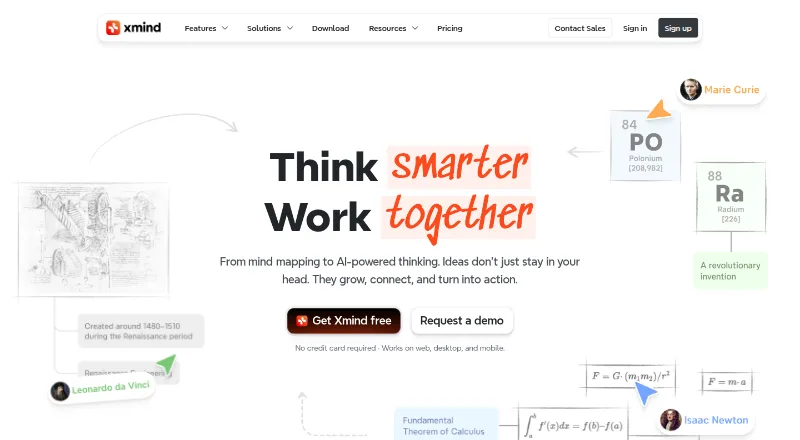
Review
In a line
Xmind helps people arrange ideas visually with mind maps. It includes AI assistance, presentations and shared workspaces.
What it does
You can create mind maps manually or make maps from documents and images. Presentation mode turns a map into slides, and AI features help with map work.
Teams can use shared spaces, real-time collaboration and device syncing. Premium also lets users send tasks to Calendar or Excel.
How it connects
Web access and apps are available for Windows, macOS, Linux, iOS and Android. Xmind says files are stored locally, while AWS provides synchronization.
Exports cover PNG, SVG, PDF, Markdown, Word, Excel, PowerPoint, OPML, TextBundle and plain text. Pro removes watermarks from PNG, SVG, PDF, Markdown and Office Suite output. See other mind-mapping software options for comparison.
Good fit
Xmind suits people who need visual planning across several devices, including solo users, teams and professionals. Presentation mode, document-to-map and image-to-map tools can support planning and sharing.
The free plan is a way to explore core mapping features. Premium suits users seeking unlimited collaborative maps, longer history and more AI credits.
Watch for
Free users may manually create no more than 10 online maps, retain three days of version history, use up to five Pitch slides and get 50 AI credits. Pro raises the manual map limit to 50.
After a subscription ends, maps remain stored and accessible, but paid features stop working. Check whether the free limits or export watermark rules fit your work before choosing a plan.
Pricing
Xmind offers a $0 tier, monthly subscriptions from $4.92 per user and a seven-day trial option. All listed plan prices are billed monthly.
Free costs $0 and includes 10 online maps, three-day history, five Pitch slides and 50 AI credits. Pro costs $4.92 per month and permits 50 online maps plus 50 AI credits, with monthly billing.
Premium is $8.25 per month for unlimited collaborative maps, 30-day history and 500 AI credits each month. Premium includes a free trial option.
Verdict
Xmind fits users wanting one mapping tool across browsers, desktop and mobile, with visual presentations, many export formats and live teamwork. Pro and Premium provide higher limits and additional allowances than Free.
Look elsewhere if your projects exceed the free limits but you do not want a subscription, or if you need paid features to remain active after cancellation. You can also compare GMindMap, Comapping or Coggle.
Our take
Xmind fits people who plan visually and switch among phones, computers and browsers. Its broad export list helps turn maps into documents, slides or spreadsheets, while shared spaces support live group work. Start with Free to test the limits. Pro suits moderate use, and Premium is intended for unlimited collaborative maps and larger AI allowances. Subscription-only features disappear after expiry even though stored maps remain available.
- Web, desktop and mobile apps cover the major supported platforms
- Output options span images, PDF, Markdown, Office and text formats
- Real-time collaboration and syncing across devices
- The free tier permits up to 10 online maps and includes 50 AI credits
- Documents and images can be converted into maps
- Free accounts cap maps, history, Pitch slides and AI credits
- Paid features become unavailable after subscription expiry
- Pro exports carry no watermark only on listed formats
- Premium is required for unlimited collaborative maps
- Pick it ifPeople making visual plans across several devices; Teams needing shared maps and live teamwork; Users exporting maps to Office, PDF or text
- Skip it ifYou need unlimited maps and collaboration without a paid plan; You require subscription features to remain active after cancellation; The free limits of 10 maps, five Pitch slides or 50 AI credits are too low
Pricing
Free is available. Monthly Pro billing is $4.92, while monthly Premium billing is $8.25. Free, Pro and Premium differ mainly in map capacity, history, collaboration and AI credits.
- Freebilled monthly · 10 online maps · 3-day version history · 5 Pitch slides · 50 AI creditsFree
- Probilled monthly · 50 online maps · 50 AI credits$4.92/mo
- Premiumbilled monthly · Unlimited collaborative maps · 30-day version history · 500 AI credits per month$8.25/mo
As xmind.com lists them, checked 27 Sept 2026.
Questions
What platforms does Xmind support?
Xmind works in a browser and offers apps for Windows, macOS, Linux, iOS and Android.
How many maps can I make for free?
Free users can manually create up to 10 online maps.
What does the free plan include?
The Free plan gives three days of version history, allows up to five Pitch slides and provides 50 Xmind AI credits.
What can Xmind export?
Supported export choices include PNG, SVG, PDF, Markdown, Word, Excel, PowerPoint, OPML, TextBundle and plain text.
What happens when a subscription ends?
Maps stay stored and accessible, but paid capabilities are disabled.
Does Xmind support team work?
Yes. Xmind provides team spaces, real-time collaboration and synchronization across devices.