Yeastar P-Series Cloud Edition: Hosted Communications
yeastar.com · checked 9 Oct 2026
Hosted business communications with calling, messaging, contact-center capabilities, and integrations.
How it plugs in
Signal on Business Phone Systems6.7#10 of 167
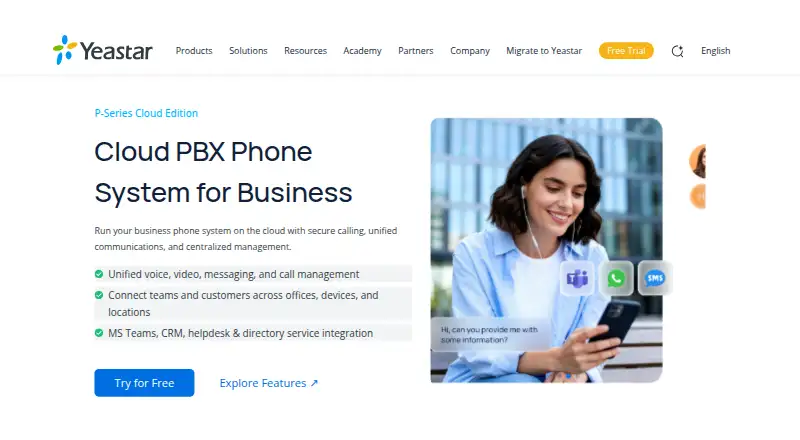
Yeastar offers the P-Series Cloud Edition as a hosted communications service for organizations. It brings calling, video meetings, messaging, contact-center functions, and CRM or helpdesk connectivity together. People can use browsers, computers, or phones to work with it. A 30-day evaluation provides 10 extensions, 10 concurrent calls, and unrestricted feature access without requiring card details.
Review
In a line
Yeastar P-Series Cloud Edition provides cloud-based business communications. Telephony, contact-center operations, and connected business applications are delivered through one service.
What it does
Business calls can be placed or answered through mobile devices, desktop software, or a browser. Audio and video calling, screen-sharing meetings, messaging, and live presence are also available.
Contact-center functions address inbound calls, outbound campaigns, and conversations over WhatsApp, SMS, Facebook, and Live Chat. The package also includes an auto attendant, configurable routing, and voicemail transcription.
How it connects
Connections named by Yeastar include Microsoft Teams, Outlook, Google Workspace, Microsoft Entra ID, Red Hat SSO, Salesforce, HubSpot, and Zoho. CRM connections may provide click-to-call, incoming-caller windows, and synchronized contact and call histories. Helpdesk connections can support one-click dialing, automatic call records, contact syncing, and ticket creation.
Through its API, administrators can inspect PBX status, configure functions, operate calls, and observe events. PBX firmware 84.7.0.17 or later is required, and the API feature must be enabled. The Linkus Client SDK is intended for browser, Android, iOS, Windows, and macOS development.
Yeastar states that the system supports over 500 IP phone models and more than 210 SIP trunk providers. Linkus comes in web, mobile, desktop, and Chrome forms.
Good fit
Organizations of any size seeking hosted telephony for office, remote, and browser users may fit this service. Yeastar also positions its hosted UCaaS offering for service providers.
It can suit teams that require contact-center processes, CRM or helpdesk activity records, and access from multiple device categories. Administrators can restrict PBX access by geography and maintain approved IP addresses for trusted devices.
Watch for
A permanent free tier is unavailable. AI Receptionist and call transcription are optional paid subscriptions, charged according to handled calls or transcription minutes.
For Yeastar-hosted Cloud Edition, remote archiving is available only with the Ultimate Plan. Deployments hosted by the customer require the Enterprise Plan.
API use depends on the stated firmware version and activation setting. Confirm integrations, supported handsets, and those technical prerequisites before adoption.
Pricing
The Cloud Edition is a paid product with a 30-day free evaluation. During that period, accounts receive 10 extensions, 10 concurrent calls, and full feature access without a credit card.
Supported environments include Android, iOS, Windows, macOS, and the web, alongside API and extension capabilities.
Verdict
Consider it when one hosted service must handle business calling, messages, meetings, and contact-center work, particularly if CRM or helpdesk connectivity is important. Support for varied devices and IP phones may accommodate mixed teams.
It is a poor fit for buyers requiring a free tier or unwilling to fund optional AI services. Organizations building API integrations should verify firmware and activation before proceeding. Compare it with other business phone systems and unified communications software before deciding.
Our take
Yeastar P-Series Cloud Edition can fit organizations seeking hosted telephony alongside messaging, meetings, and contact-center functions. Its trial allows a limited setup to exercise the available features. Suitability depends on required integrations, handsets, and SIP providers. Plan separately for AI Receptionist or transcription subscriptions, and check the plan rules for archiving or self-hosting. Buyers seeking an ongoing free service should look elsewhere.
- 30-day evaluation with full access and no card requirement
- Calling through browsers, desktop software, or mobile devices
- CRM and helpdesk synchronization capabilities
- Compatibility with more than 500 IP phone models
- API covering PBX status, configuration, calls, and events
- No permanent free tier
- AI Receptionist and transcription are paid add-ons
- API requires specified firmware and activation
- Archiving depends on plan level
- Pick it ifOrganizations needing hosted calling on desktop, mobile, and browser; Teams tying call activity to CRM or helpdesk systems; Service providers delivering hosted UCaaS
- Skip it ifYou require a free plan instead of paid software; You do not want separate subscriptions for AI call functions; Your phones, SIP provider, or firmware fail the stated requirements
Questions
Is there a free version?
No free plan is offered; the paid service does include a 30-day trial with full feature access.
What does the trial include?
The evaluation lasts 30 days and supplies 10 extensions, 10 concurrent calls, and full features without card details.
Which business apps can it connect to?
Named connections cover Microsoft Teams, Outlook, Google Workspace, Microsoft Entra ID, Red Hat SSO, Salesforce, HubSpot, and Zoho.
Does it have an API?
Yes. It can retrieve PBX status, configure features, control calls, and monitor events. Firmware 84.7.0.17 or later and an enabled API feature are needed.
What devices can users call from?
Calls can be handled in web browsers, desktop clients, or mobile apps. Linkus supports Android, iOS, Windows, and macOS.
Are AI features included?
Cloud Edition AI Receptionist and call transcription use separate subscriptions priced by call-handling or transcription minutes.
What plan is needed for remote archiving?
Yeastar-hosted Cloud Edition remote archiving needs the Ultimate Plan; self-hosted Cloud Edition needs the Enterprise Plan.