
Inferse is reader-supported. When you buy through links on our site, we may earn an affiliate commission. As an Amazon Associate I earn from qualifying purchases. Learn more
Android 7.0 Nougat might well be considered the latest and greatest Android iteration at the moment though that certainly does not apply to all aspects of the operating system. In fact, many Nexus 6P or Nexus 5X owners who have recently upgraded to Nougat have complained of Wi-Fi issues, with the signal getting disconnected often times or not being able to recognize the signal in some cases.
Fortunately, it is not all gloom and doom as there are a few ways that can help establish normalcy.
For instance, one way the Wi-Fi issues can be resolved is by keeping it on at all times. That, in fact, happens to be a feature addition in Nougat and be reached by tapping on Setting and then Wi-Fi.
Do these 3 things before closing this tab:
1Scan for outdated or missing drivers - takes under a minute2Clear out junk files and repair common Windows errors3Fix the driver behind crashes, sound loss and screen glitchesNext, tap on the Gear icon at the top right corner which will launch the Wi-Fi configures screen. There, select the ‘Keep Wi-Fi during sleep’ option. In the pop-up window that follows, select the ‘Always on’ option. This should resolve the issue though you can also reboot the device for better results. The Wi-Fi should now be showing permanently.
Shopping ad

- Features a 5.2 inch touch screen LCD display with Corning Gorilla Glass 3, Qualcomm Snapdragon 808 1.8GHz processor, 2GB RAM and a 2700mAh battery.
- 5 MP front camera with 12.3 MP rear camera, featuring IR laser-assisted autofocus
- Android 6.0 Marshmallow operating system.
- Fast charging: up to 4 hours of use from only 10 minutes of charging.
- Nexus 5X is an unlocked phone and works on major GMS carrier networks including AT&T, T-Mobile in the US and most international(GSM and CDMA) carriers.
Another way to bypass the Wi-Fi issue is to reset the network setting. You go about doing this by launching the Settings section. There, tap on ‘Backup & reset option’ followed by ‘Network settings reset,’ and then ‘Reset settings.’
One thing to note here is that the entire information stored in your handset pertaining to Wi-Fi, Bluetooth, and the cellular connection is permanently deleted. As such, this can be a great way to solve any issues that you might have with your Bluetooth settings as well. Re-enter all network information again and restart the device.
Shopping ad

- 1. Applicable Models:Compatible with Google Nexus 5X H791 H790,Please carefully check your mobile phone model before purchasing to avoid purchasing the wrong model and damaging your product
- 2. Product Parameters: Battery Model:BL-T19,Capacity parameter:2620mAh/10.0Wh,3.8V,Please use a charger that is compatible with the battery or the original charger that came with the phone to extend the battery life
- 3.Excellent Performance: Features A+ grade battery cells, ensuring more than 900 charging cycles. Multi-layer protection design ensures safe use for users and devices, with a built-in microchip that prevents overcharging, over-discharging, and overheating.
- 4. Maintenance Instructions: Before using the battery for the first time, please fully discharge it three times and then charge it once to achieve optimal performance. Please note that optimal performance and service life can only be achieved after completing 3 to 5 full charge and discharge cycles.
- 5.After-sales service: If you have any questions after receiving the product, please contact us immediately. We will provide you with a solution, which will resolve your issue more efficiently. Thank you for contacting us
Uneven battery drain has also been reported by some users who have migrated to Nougat as is a couple of other issues as well. Fortunately, Google is working on the issues and updates are being rolled out to improve the Nougat experience.
Quick wins for a faster PC:
Scan for outdated or missing drivers - takes under a minuteDriver Scan →Clear out junk files and repair common Windows errorsFree Scan →Worth mentioning, Wi-Fi had also cropped up initially for some who had upgraded to Android 6.0.1 Marshmallow.
Quick Recap
Shopping ad
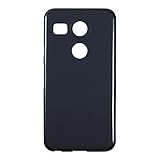
- Slim and Lightweight Design: Slim profile with durable TPU material provides everyday protection without adding bulk
- Shockproof and Scratch Resistant: Flexible TPU construction absorbs shocks and protects your device from drops, impacts, and scratches
- Precise Cutouts and Easy Access: Designed with accurate cutouts for effortless access to all ports, buttons, and cameras
- Screen Protector Friendly: Compatible with most screen protectors, featuring soft flexible edges that prevent lifting or bubbling
- Camera Lens Protection and Good Grip: Raised edges protect camera lenses from scratches while soft texture ensures a secure comfortable grip
Shopping ad

- Multi-Card Slot Design: Features 3 card slots and 1 photo window, perfect for storing credit cards, IDs, and cherished memories
- Built-In Hidden Wallet: Includes a concealed cash pocket, allowing you to carry money securely without a separate wallet
- Premium PU Leather Material: Made from high-quality PU leather that offers a soft touch, elegant look, and durable daily protection
- Magnetic Flip Cover & Kickstand: Magnetic closure ensures secure fastening, while the foldable design doubles as a stand for hands-free viewing
- Precise Cutouts & Full Protection: Accurate cutouts for camera, buttons, and ports ensure easy access while offering comprehensive protection
Product prices and availability are accurate as of the date/time indicated and are subject to change. Any price and availability information displayed on Amazon at the time of purchase will apply.
Independent reader supportYour contribution helps us test, update, and keep practical guides available for everyone.





1 reply