Adobe Creative Cloud
adobe.com · checked 27 Sept 2026
Adobe applications for photo, video, design, illustration, and more.
How it plugs in
Signal on Graphic Design Software7.3#12 of 150
Adobe Creative Cloud brings photo, video, design, and other creative capabilities under one service. It works online and through apps for Windows, macOS, iOS, and Android. Plans cover individual users as well as teams, students, teachers, and small or medium businesses. A no-cost tier and trial are available.
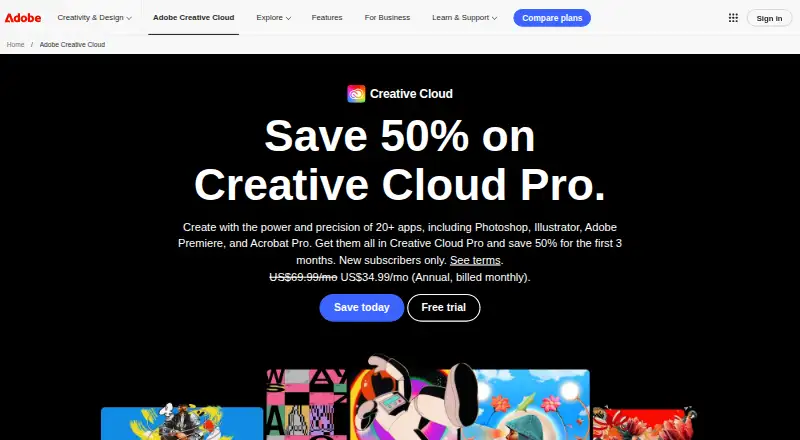
Review
In a line
Adobe Creative Cloud brings together applications for photography, video, design, illustration, and related projects. You can use it through web, desktop, and mobile applications.
What it does
The service supports photography, video, and design projects, along with illustration work. Templates, presentation creation, and brand-kit features are included.
Its creative categories include photo editing software, video editing software, and graphic design software.
How it connects
Creative Cloud runs in a browser and has applications for Windows, macOS, iOS, and Android, including desktop and mobile versions.
Plan allowances include cloud storage. The listed plans provide either 100GB or 1TB, depending on the option.
Good fit
It suits people who work across photography, video, design, or illustration. Individual choices are joined by offerings for students, teachers, and small or medium businesses.
For teams, choices range from a single application to more than 20 applications, with storage and monthly generative-credit amounts tied to the plan.
Watch for
Plan contents differ. Some options cover one app, while others cover more than 20 apps, and storage ranges from 100GB to 1TB.
Check the current plan information before buying, especially if you need a team or education option.
Pricing
Creative Cloud follows a freemium approach: a free tier is offered alongside a trial.
The Single App option includes one app, 25 monthly generative credits, and 100GB of cloud storage. Creative Cloud Pro includes more than 20 apps, 4,000 monthly generative credits, and 100GB of storage.
For students and teachers, Creative Cloud Pro lists the same app, credit, and storage allowances. Team buyers can choose Single App for teams, with 1TB of storage and at least 25 monthly generative credits, or Creative Cloud Pro for teams, with more than 20 apps, 4,000 monthly generative credits, and 100GB of storage. Pricing for Creative Cloud Individual is available on request.
Verdict
Choose Creative Cloud if you want a broad set of creative apps and need access on computers and mobile devices. It also makes sense for organizations that need separate individual or team plans.
Consider another tool if you only need a single, focused editor or require a clearly posted price before signing up. A free plan and trial let you assess the service before choosing a paid option.
Our take
Adobe Creative Cloud is suited to people who work across several creative areas rather than one narrow task. You can use it on the web, desktop systems, and mobile devices, while plans span individuals, teams, students, teachers, and small or medium businesses. The main buying challenge is comparing allowances: app counts, cloud storage, and monthly generative credits vary. A free plan and trial provide lower-risk starting points.
- Supports photography, video, design, and illustration work
- Runs on the web plus Windows, macOS, iOS, and Android
- Provides templates, presentation design, and brand-kit tools
- Offers plans for individuals, teams, students, and teachers
- App quantity, storage capacity, and monthly credit totals vary across plans
- The broad suite may be more than needed for one focused task
- Pick it ifPeople combining photography, video, design, and illustration work; Teams, students, teachers, and small or medium businesses; Users needing desktop and mobile access
- Skip it ifYou require a posted price for each plan before subscribing; You only need one narrowly focused creative tool
Pricing
A free plan and trial are offered. App counts, cloud storage, and monthly generative credits vary by plan.
- Single App1 app · 25 monthly generative credits · 100GB cloud storageOn request
- Creative Cloud Pro20+ apps · 4,000 monthly generative credits · 100GB cloud storageOn request
- Creative Cloud Pro for students and teachers20+ apps · 4,000 monthly generative credits · 100GB cloud storageOn request
- Single App for teams1 app · 1TB cloud storage · 25+ monthly generative creditsOn request
- Creative Cloud Pro for teams20+ apps · 4,000 monthly generative credits · 100GB cloud storageOn request
- Creative Cloud IndividualOn request
As adobe.com lists them, checked 20 Sept 2026.
Questions
Is Adobe Creative Cloud free?
Yes. A free plan exists, and Adobe also provides a free trial.
Which devices can run Creative Cloud?
Access is available in a browser and via Windows, macOS, iOS, and Android applications, with both desktop and mobile options.
Does Creative Cloud include design and video tools?
Yes. The stated scope covers photography, video, design, illustration, templates, presentation design, and brand-kit features.
Are there plans for students and teachers?
Yes. The student and teacher Creative Cloud Pro option lists more than 20 apps, 4,000 monthly generative credits, and 100GB of cloud storage.
What does the Single App plan include?
Single App comes with one app, 25 monthly generative credits, and 100GB of cloud storage.